

How to Reduce E-Waste and Extend Your Device's Life
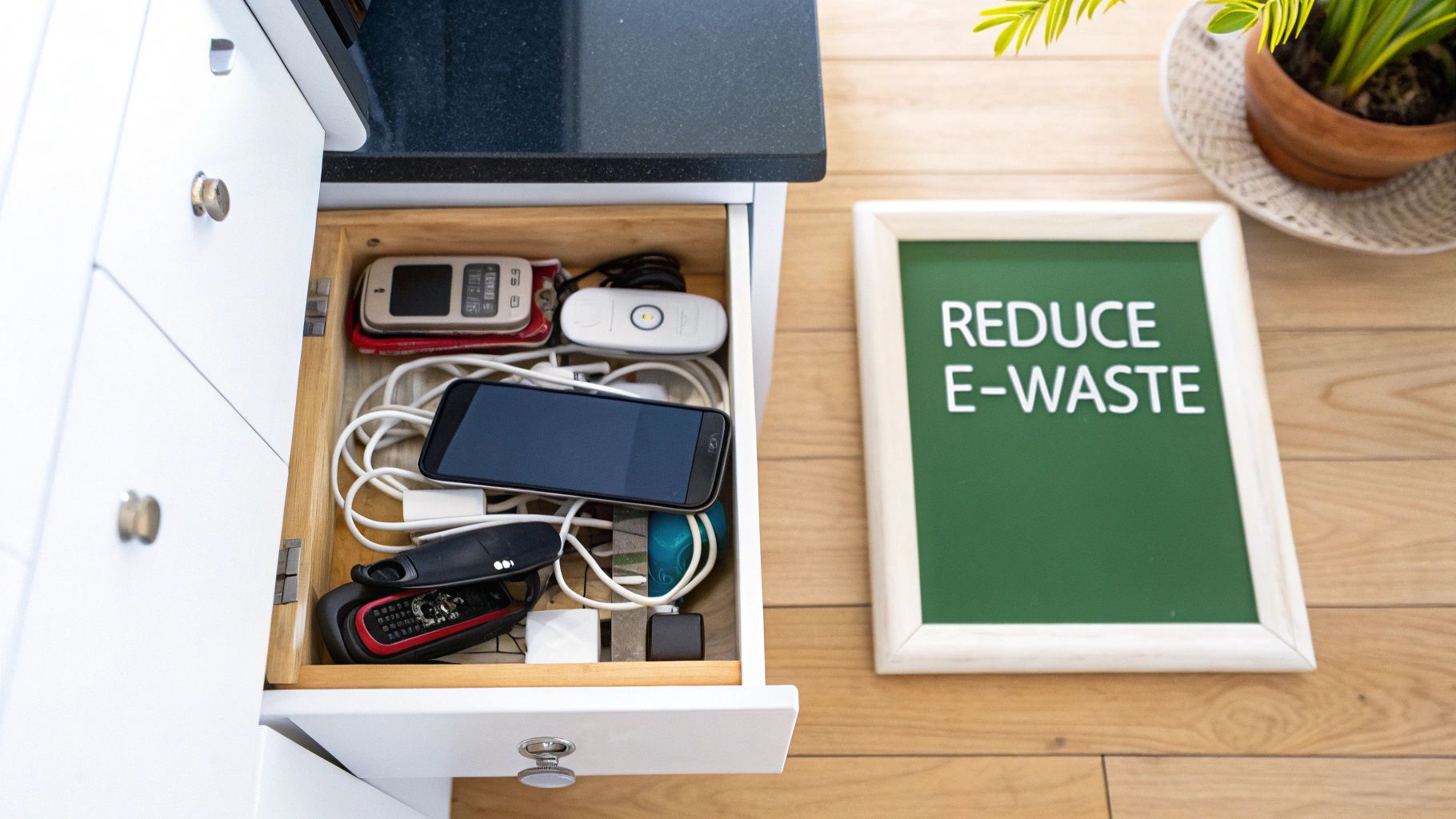
Ever opened that one drawer—the one crammed with old phones, tangled chargers, and forgotten gadgets—and felt a little overwhelmed? You're not alone. The easiest way to start tackling e-waste is to change how we think about our tech, moving from a disposable mindset to a durable one. It's all about making our current devices last longer, choosing to repair instead of replace, and being smarter about how we upgrade. This is about more than just recycling; it's about shifting our habits for good.
Confronting Australia's Growing E-Waste Challenge
That overflowing drawer isn't just a personal clutter problem; it's a small snapshot of a massive national issue. Electronic waste, or e-waste, is one of the fastest-growing waste streams in the world, and Australia is a major contributor. Our love for the latest and greatest tech has created a mountain of retired devices, many of which are packed with both valuable resources and hazardous materials.
The scale of this issue is shocking. Australia produces over 500,000 tonnes of e-waste annually. That means each person generates around 20 kg every year—almost three times the global average. By 2030, that national figure is expected to climb to a staggering 674,000 tonnes.
Why This Matters More Than Ever
This is about more than just filling up landfills. When electronics are thrown out with general rubbish, they can leach toxic substances like lead, mercury, and cadmium into our soil and waterways. That poses a serious threat to both our environment and our health.
To really get a sense of the problem, it helps to understand the severe environmental impact of electronic waste and why proper management is so critical. It’s not just about the hazards, either. Our old gadgets are a treasure trove of gold, silver, copper, and other precious materials that can be recovered and reused, reducing the need for destructive mining.
The most powerful action you can take to reduce e-waste isn't recycling—it's extending the life of the devices you already own. Every extra year you use your phone or laptop prevents a new one from being made and an old one from being discarded.
Moving Beyond the "Throwaway" Mindset
The good news is that we can absolutely do something about this, and it starts with small, deliberate actions. As your friendly tech guide, we'll walk you through practical strategies that go beyond just finding the nearest recycling bin:
- Extending Device Life: Simple maintenance and care habits to keep your tech running smoothly for longer.
- Embracing Repair: Learning when a simple fix can save a device from the scrap heap.
- Upgrading Smartly: Using trade-in and refurbished options to join the circular economy.
- Recycling Responsibly: Making sure your end-of-life devices are handled the right way.
By adopting these practices, you’re not just contributing to a healthier planet—you’re also saving money and getting more value out of your technology. For a deeper dive, check out these mobile phone recycling facts and statistics in Australia. Let’s get into it.
Making Your Current Tech Last Longer
The most powerful way to reduce e-waste is also the simplest: keep your current devices running smoothly for as long as possible. Before you even think about upgrading, a little care can easily add years to the life of your phone, laptop, or tablet. It’s a win-win – you save money and do a solid for the planet.

You don’t need to be a tech expert for this. It’s all about building small, simple habits that turn your gadgets from disposable items into reliable, long-term companions.
Master Your Battery Health
A dying battery is often the first sign that a device is on its last legs, but you have more control over its lifespan than you might think. The lithium-ion batteries in most modern gadgets don't like being run completely flat or kept at 100% all the time.
A great rule of thumb for battery longevity is the 20-80 rule. Try to keep your device's charge between 20% and 80% whenever you can. This one small habit dramatically reduces wear on the battery, helping it hold a decent charge for much longer.
Avoid leaving your phone or laptop plugged in overnight. It’s also a good idea to steer clear of cheap, uncertified chargers that can push inconsistent power and slowly cook your battery. And remember, extreme temperatures are the enemy—don’t leave your phone baking on the car dashboard.
Protect Your Device From Physical Damage
It sounds obvious, but a leading reason people upgrade prematurely is accidental damage. A single drop leading to a cracked screen can turn a perfectly good device into e-waste in an instant.
A small investment upfront can save you hundreds in repair or replacement costs down the track.
- Invest in a Quality Case: A sturdy case is your device's first and best line of defence against everyday drops, bumps, and scratches.
- Apply a Screen Protector: Tempered glass screen protectors are brilliant. They absorb the shock from a fall, sacrificing themselves to save your expensive display.
- Keep it Clean: Gently clear out dust from charging ports and speakers with a soft brush. This stops grime from building up and causing hardware headaches.
These simple things are the easiest way to make sure your tech survives the daily grind.
Keep Your Software and Storage in Check
Looking after your device’s digital health is just as important as its physical condition. Keeping software up-to-date and storage tidy ensures it runs efficiently and securely, which helps it feel newer for longer.
Regularly updating your operating system and apps brings more than just flashy new features; these updates often contain critical security patches and performance tweaks that keep things running smoothly. A slow, buggy phone feels old, but often a software refresh is all it needs to feel snappy again.
Your device’s storage also plays a huge role. When storage is nearly full, performance can slow to a crawl. Get into the habit of clearing out the digital clutter:
- Delete old photos, videos, and apps you no longer use.
- Move large files to cloud storage or an external hard drive.
- Clear the cache for apps that build up lots of temporary data.
If your older device is starting to feel sluggish, a digital clean-up might be all it needs. For more ideas, check out our guide on tips and tricks to refresh your old Android phone in Australia.
Choosing Repair Over Replacement
We’ve all been there. Your phone screen shatters or your laptop slows to a crawl, and the first thought is to start shopping for a new one. But hold on a minute.
Choosing to repair your device instead of replacing it is one of the most powerful ways you can reduce e-waste. This shift doesn’t just keep a perfectly good device out of landfill; it also saves you a significant amount of money. It’s about seeing the real value in what you already have.
Diagnosing Common Tech Ailments
Before you can tackle a problem, you need to know what you’re dealing with. Is your laptop really on its last legs, or is it just a failing battery? You'd be surprised how many issues that seem like dealbreakers are actually straightforward fixes.
Here are a few classic scenarios where repair is an excellent option:
- Cracked Screens: This is probably the most common mishap. A broken screen almost never means the phone’s internal parts are damaged.
- Dying Batteries: If your device can't hold a charge like it used to, a fresh battery can make it feel brand new again. This is one of the most cost-effective repairs you can do.
- Slow Performance: More often than not, a slow computer is begging for a storage or memory (RAM) upgrade, not a complete replacement. These are affordable upgrades that can breathe new life into an old laptop.
Your Repair Toolkit: DIY or Professional Help?
Once you’ve pinpointed the problem, you have two main paths: do it yourself or call in a professional. The right choice comes down to the complexity of the job and your comfort level.
For the more adventurous, the DIY route has never been more accessible thanks to the Right to Repair movement. This global initiative champions your right to fix the things you own, pushing manufacturers to provide public access to parts and manuals.
A fantastic resource for any aspiring DIY-er is iFixit. They offer thousands of free, step-by-step repair guides for almost every gadget imaginable, complete with clear photos and tool lists. Think of it as a cookbook for electronics repair.
However, some jobs are best left to the experts. If you’re dealing with a tricky screen replacement on a high-end phone, a professional technician has the specialised tools and experience to get it done right the first time.
Finding a Trustworthy Repair Shop
If you go the professional route, finding a reliable local repair shop is crucial. A good technician will be transparent about costs and, most importantly, offer a warranty on their work.
When searching for a local expert, whether you're in Brisbane or anywhere in Australia, here’s what to look for:
- Check Online Reviews: Look for shops with consistently positive feedback on Google or local directories.
- Ask About Warranties: A reputable shop will always stand by its work. Ask if they offer a warranty on both the parts and their labour—90 days is a good industry benchmark.
- Get a Clear Quote: Don’t be afraid to ask for a detailed quote upfront to prevent any nasty surprises on the final bill.
Choosing repair over replacement is a powerful statement. It's a practical, wallet-friendly, and environmentally conscious decision that keeps valuable technology in circulation.
Upgrading Smarter with Trade-Ins and Refurbished Tech
No matter how well you care for your gadgets, the time for an upgrade eventually comes. But a smart upgrade is a sustainable one. Instead of letting that old phone or laptop gather dust in a drawer, you can give it a new lease on life.
Stop seeing your old device as junk and start seeing it as a valuable asset. Trading it in keeps it in circulation, which means less demand for brand-new manufacturing and all the environmental damage that comes with it. Plus, it puts cash back in your pocket or gives you credit towards your next device—a clear win for both your wallet and the planet.
Give Your Old Tech a Second Life with a Trade-In
Trading in your old device is one of the easiest and most impactful things you can do. When you trade in a phone or laptop through a verified marketplace like Trade.com.au, it doesn't just get tossed aside. It enters a professional refurbishment process where it’s tested, repaired, and certified before finding a new home.
This process is the backbone of a healthier tech ecosystem. It directly tackles e-waste by extending the life of a product well beyond its first owner.
Before you sell your old phone online, a little prep work can protect your privacy and get you the best possible price.
- Back-Up Everything Important: First things first. Save all your photos, contacts, and files using a cloud service or by transferring them to your computer.
- Wipe Your Personal Data: This is non-negotiable. Perform a full factory reset to erase all your personal information and restore it to its original settings.
- Give It a Good Clean: Grab a microfibre cloth and wipe down the screen and body to remove fingerprints and grime.
- Assess Its Condition Honestly: Being realistic about any scratches or dents helps you get an accurate and fair quote right from the start.
The Power of Choosing Refurbished
Now, let's talk about your new device. Opting for a high-quality refurbished model is a game-changer for cutting down e-waste. It directly supports the circular economy by giving a professionally restored device a second life.
Many people are still hesitant about buying refurbished, picturing a scratched-up, unreliable gadget. That’s a common misconception. To get the full picture, check out our detailed guide on what a refurbished phone really is.
Think of refurbished like a car that’s been serviced and certified. It’s been thoroughly inspected by experts, had any faulty parts replaced, been professionally cleaned, and is backed by a warranty. You get a device that works like new, but for a fraction of the price and with a much smaller environmental footprint.
The economic impact here is massive and growing. Australia's e-waste recycling and refurbishment market was valued at around USD 970 million in 2024 and is projected to skyrocket to USD 1.74 billion by 2033. This boom is driven by Aussies becoming more environmentally aware and embracing the value of a circular economy. You can explore more about this growing market and its drivers on imarcgroup.com.
Why a Smart Upgrade Matters
Every time you choose to trade in an old device and buy a refurbished one, you’re making a conscious decision with a ripple effect. You’re not just saving money; you’re helping to conserve precious resources, reduce pollution from manufacturing, and make premium tech more accessible for everyone. This is how we collectively reduce e-waste—not just by recycling at the end, but by building a smarter, more sustainable system from the start.
Your Guide to Responsible E-Waste Recycling in Australia
So, you’ve decided your old device has reached the end of the line. Repair isn’t an option, and it’s too old to trade in or sell. What now? The final, most crucial step is responsible recycling.
Tossing old electronics into your kerbside bin is a serious environmental hazard. Gadgets are packed with materials like lead and mercury that can leach into our soil and waterways if they end up in a landfill.
Proper recycling doesn't just manage the nasty stuff; it unlocks a treasure trove of valuable materials hidden inside. Your old phone or laptop is carefully dismantled to recover precious metals like gold, silver, and copper, which can then be used to make new products. It's worth understanding what electronic waste recycling is to appreciate why proper disposal is so important.
This flowchart can help you visualise the journey, guiding you toward more sustainable choices before you even get to the recycling stage.
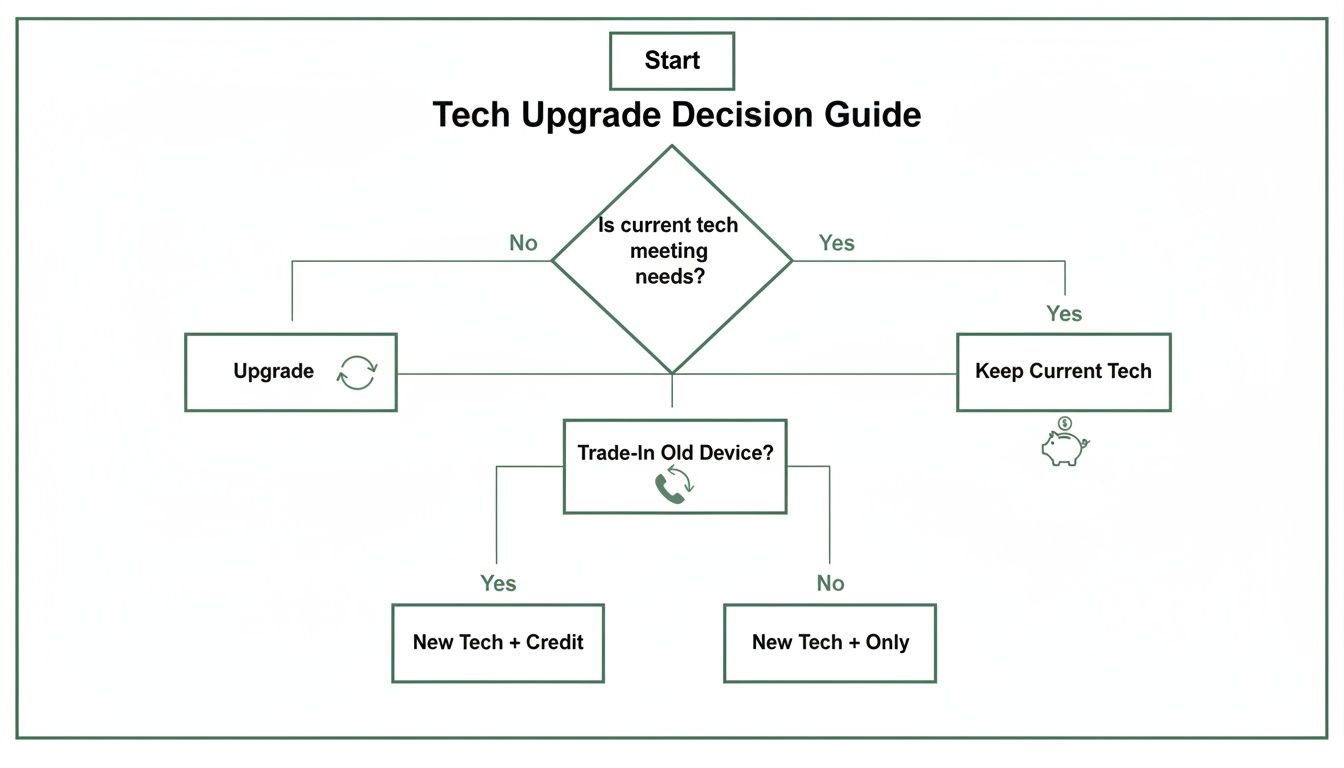
The goal is always to squeeze as much life out of a device as possible. Recycling is the responsible last resort.
Finding the Right Drop-Off Point for Your Old Gadgets
Thankfully, doing the right thing in Australia is easy. We have a solid network of free and accessible e-waste recycling programs, so you shouldn't have to go far to find a reliable drop-off spot for everything from old phones to printers.
Not sure where to start? Here’s a quick guide to the most common programs available nationwide.
Where to Recycle Your E-Waste in Australia
| Recycling Program | What They Accept | Best For |
|---|---|---|
| MobileMuster | All mobile phones, batteries, chargers, and accessories. | The easiest way to get rid of old phones. Collection bins are everywhere. |
| Local Council Services | Varies by council, but usually includes TVs, computers, and smaller appliances. | Checking what your local area offers, including special collection days. |
| National TV & Computer Recycling Scheme (NTCRS) | TVs, computers, printers, and computer parts (keyboards, mice). | Dropping off larger items at participating retailers like Officeworks or The Good Guys. |
These programs are your best bet for ensuring your e-waste is handled correctly. Choosing one of these trusted channels means your old electronics will be dismantled safely, with hazardous materials contained and valuable resources recovered.
Common Questions About Reducing E-Waste
Even when you’re trying to do the right thing, the world of e-waste can feel a bit confusing. You’re not alone in wondering about data security or the proper way to get rid of an old charger. Let's tackle some of the most common questions we hear.
Is It Really Safe to Trade In My Old Phone?
This is a big one, and the short answer is: yes, it is absolutely safe, as long as you take a couple of simple steps before you hand it over. The main concern for most people is personal data, and protecting it is easier than you think.
Before your old phone leaves your possession, your first job is to back up everything important. Use a cloud service or transfer your photos and files to another device. Once you’re 100% sure it’s all saved, the next step is a factory reset. This wipes the device clean, taking it back to the state it was in when you first unboxed it.
Reputable marketplaces like Trade.com.au add another layer of security by professionally data-wiping every device that comes through their doors. The golden rule is simple: always back up and reset your device yourself before it leaves your hands.
What Is the Single Most Effective Action?
If you want to know the single most impactful thing you can do to shrink your e-waste footprint, it’s this: use your devices for longer. It sounds almost too simple, but it’s the honest truth.
The environmental cost of manufacturing a new smartphone—from mining rare metals to the energy used in assembly and shipping—is massive. By fighting the urge to upgrade every year, you directly reduce the demand for new products and stop a perfectly good device from becoming waste before its time.
Every extra year you get out of your current phone or laptop is a significant win for the planet. It's a conscious choice to value durability over disposability.
Looking after your battery, popping it in a good case, and choosing to repair a cracked screen instead of replacing the whole phone are all part of this mindset. It's the most powerful, cost-effective, and environmentally friendly action you can take.
Can I Put Small Electronics in My Kerbside Bin?
The answer here is a firm and definite no. Never toss any kind of e-waste into your regular household recycling or general waste bin. This includes all those small items you might not think twice about, like old charging cables, broken headphones, or dead power banks.
Here’s why it’s so critical: electronics contain a cocktail of hazardous materials, including lead, mercury, and cadmium. When these end up in landfill, those toxins can leach into the soil and groundwater.
Worse still, the lithium-ion batteries in many gadgets are a major fire hazard in recycling trucks and sorting facilities. Always take your e-waste to a designated drop-off point, which you can easily find through your local council or programs like MobileMuster.
Ready to upgrade responsibly and make a difference? Instead of letting your old device lose value in a drawer, give it a new life. At Trade.com.au, you can get a great price when you sell your old tech and explore a huge range of verified, refurbished devices that are good for your wallet and the planet. Find your next device today!