

The Smart Buyer's Guide to the Best Refurbished Laptops in Australia
Looking for the best refurbished laptops Australia has to offer? The smartest buys often hit that sweet spot between premium performance and serious savings. Models like the Apple MacBook Air M1, Dell Latitude series, and Lenovo ThinkPad consistently top the list for value, delivering high-end features at a fraction of their brand-new cost. They're a fantastic choice for students, professionals, and anyone on a budget.
Why a Refurbished Laptop Is Your Smartest Choice
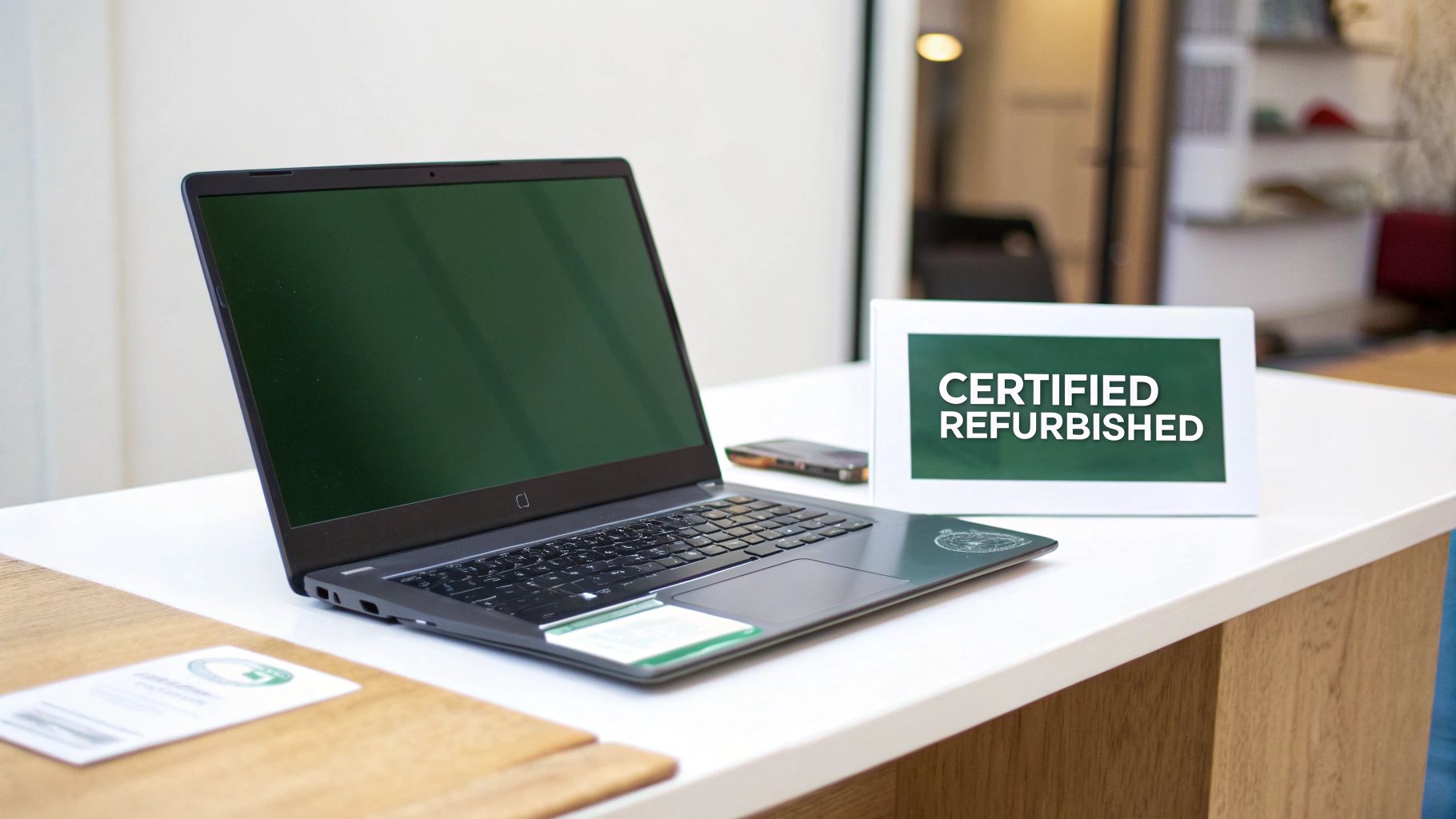
Thinking about a refurbished laptop but feeling a bit unsure? Let's clear the air. A certified refurbished laptop isn't just a "used" device someone is selling online. Think of it like a certified pre-owned car—it has been professionally inspected, rigorously tested, repaired where needed, and verified to meet strict quality standards before it's ready for a new home.
This professional process means you get a machine that not only works perfectly but also comes with the kind of peace of mind a private Gumtree sale just can’t match. When you grab a certified device from a trusted Aussie marketplace like Trade.com.au, you know you’re getting a reliable computer backed by a solid warranty.
The Triple Win of Going Refurbished
Choosing a refurbished laptop is a smart move for three massive reasons that benefit your wallet, your work, and the planet. This isn't just about saving a few bucks; it’s about making a more intelligent, sustainable tech choice.
The demand for refurbished computers in Australia has shot up, driven by savvy consumers and businesses looking for cost-effective tech solutions. With the rise of e-learning and remote work, more people are realising refurbished is the way to go.
Here are the main advantages of choosing a refurbished laptop.
Why Choose a Refurbished Laptop? Key Benefits at a Glance
| Benefit | What It Means for You |
|---|---|
| Significant Cost Savings | Get your hands on premium, high-performance models like a MacBook Pro or Dell XPS for up to 40% less than the original retail price. |
| Positive Environmental Impact | You're extending the life of a perfectly good device, stopping it from becoming e-waste and cutting down on the carbon footprint of manufacturing a new one. |
| Access to Better Technology | Your budget suddenly stretches further. That extra cash could mean upgrading to a more powerful processor, more RAM, or a higher-end model you couldn't afford new. |
Ultimately, choosing refurbished is a powerful way to get the tech you need without the hefty price tag or the environmental guilt.
It's also a big step towards reducing the serious environmental impact of electronic waste. By giving a quality device a second lease on life, you’re actively taking part in the circular economy and doing your bit.
If you're keen to learn more, check out our guide on how to reduce e-waste.
Understanding Refurbished Grades Without the Jargon
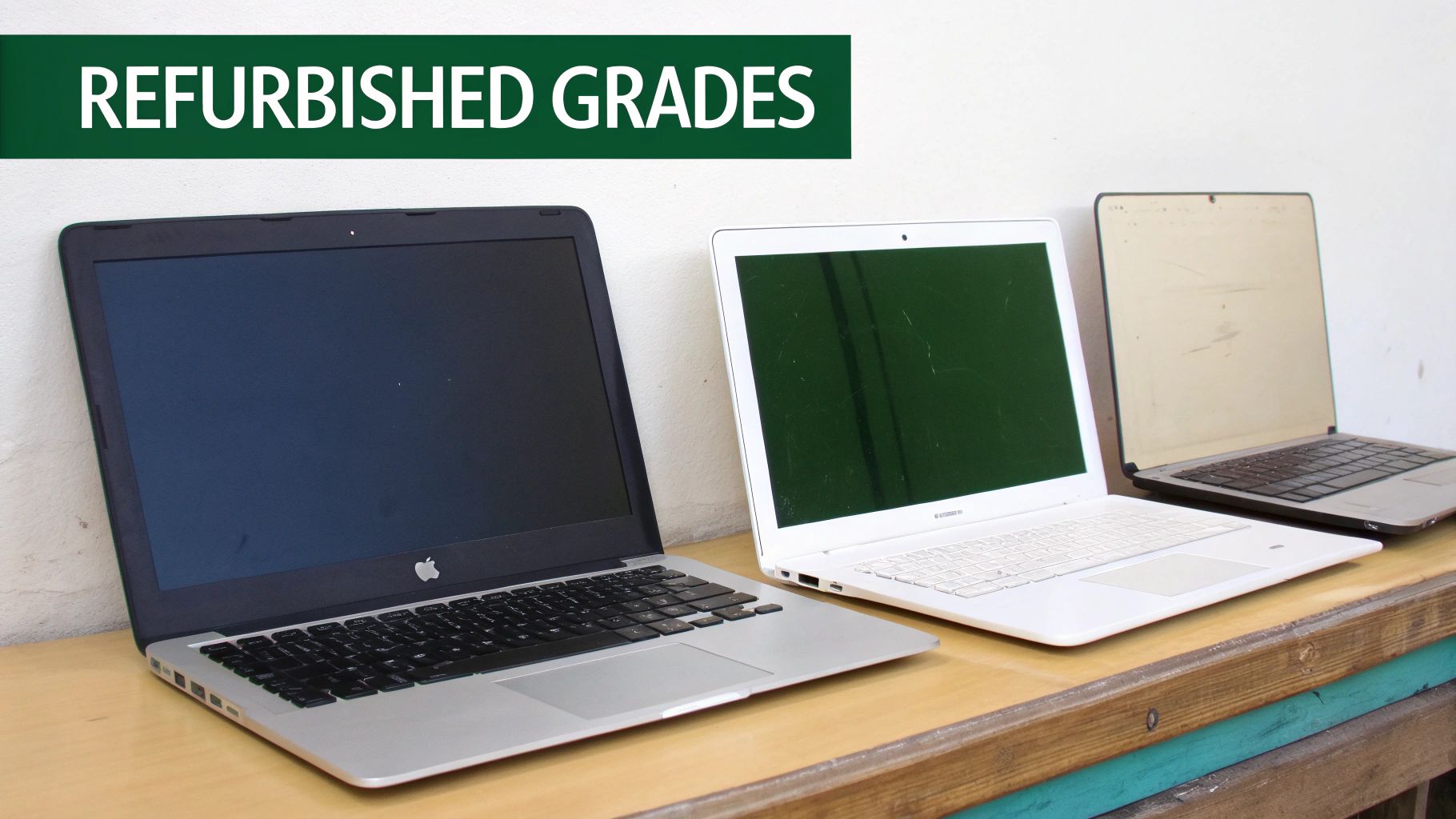
When you start searching for the best refurbished laptops Australia has, you’ll quickly run into terms like 'Grade A' or 'Grade B'. It might seem technical, but it’s a simple system designed to tell you one thing: the physical condition of the device.
It's all about cosmetics, not performance.
Think of it like buying a display model from a shop versus one straight from the box. Both work perfectly, but one might have a tiny scuff from being handled. This grading system gives you a clear picture of what to expect, so you can pick the right balance between cosmetic perfection and even bigger savings.
No matter the grade, all certified refurbished laptops have been professionally tested to make sure they work flawlessly.
Grade A: The 'Like-New' Experience
A Grade A refurbished laptop is the closest you can get to brand new without the brand-new price tag. These devices are in pristine or near-perfect condition, showing very few, if any, signs of previous use. You'd be hard-pressed to spot any noticeable scratches or marks on the casing or screen.
- Who it’s for: Professionals, creatives, or anyone who wants a device that looks immaculate. If you're client-facing or just appreciate flawless aesthetics, Grade A is your best bet.
- What to expect: A laptop that looks and feels new. The keyboard, trackpad, and body will be exceptionally clean, with no visible wear and tear.
This is the top tier, offering a premium refurbished experience where both performance and appearance are basically indistinguishable from new.
Grade B: The Sweet Spot for Value
Grade B is often the perfect middle ground and the most popular choice for savvy buyers. These laptops are 100% functional but have minor cosmetic imperfections from normal, everyday use. This might mean light scuffs on the lid, small scratches on the corners, or a little bit of shine on the keyboard.
A Grade B laptop delivers the exact same internal performance as a Grade A model. The only difference is slight cosmetic wear, which translates directly into more savings for you without compromising on power or reliability.
For example, you might find a small scratch on the outer shell, but the screen itself will be free from any major marks that would distract you. It’s the ideal way to get a high-performance machine at a brilliant price.
Grade C: The Ultimate Budget-Saver
A Grade C laptop is the undisputed champion of value if you care purely about function over form. These devices will show more obvious signs of their previous life, like noticeable scratches, dents on the casing, or significant wear on the keyboard keys.
But don't let the looks fool you. Despite these cosmetic issues, every Grade C laptop is still rigorously tested and certified to be in perfect working order.
- Who it’s for: Budget-conscious students, businesses needing tough devices for a workshop or field use, or anyone looking for a secondary machine where looks just don't matter.
- What to expect: A fully functional laptop with visible cosmetic wear. The savings on Grade C devices are massive, making them a fantastic option for getting powerful tech on a tight budget.
Understanding these grades empowers you to make a smart decision based on what matters most—whether that's a pristine appearance or the absolute best price. At trusted marketplaces like Trade.com.au, every listing clearly states the grade, so you know exactly what you’re getting.
Finding the Right Laptop for Your Needs
The term “best laptop” is a bit of a myth. What's best for a uni student hopping between lectures is completely different from what a graphic designer or a small business owner needs.
This is where refurbished tech shines. It’s your ticket to getting a high-quality, specialised machine that’s perfectly suited to your life, but without the brand-new price tag. By thinking about how you’ll actually be using your device day-to-day, you can zero in on the features that truly matter and find incredible deals.
The Australian market gets this. The demand for refurbished laptops is huge, especially from students and professionals who need a reliable computer on the go. It’s not just a local trend, either; Australia is a big player in the massive global refurbished market, with schools and small businesses leading the charge. You can read more about the refurbished computer market in Australia to see just how big this movement has become.
Let's break down who needs what.
Laptops for Students and Everyday Use
If you're a student or just need a solid laptop for daily tasks in Australia, you're chasing a combo of portability, great battery life, and enough grunt to multitask without lagging. You need something light enough to chuck in a bag but tough enough to handle late nights at the library.
The undisputed champion in this space is often the Apple MacBook Air, especially models with the M1 chip. It’s silent (no fan!), the battery lasts for ages, and it’s incredibly zippy. It’ll handle everything from writing essays and streaming lectures to some light photo editing without breaking a sweat.
Another brilliant option is the Microsoft Surface Laptop series. They feel incredibly premium, have beautiful touchscreens perfect for note-taking, and are light as a feather.
-
Key Features to Look For:
- Battery Life: Aim for 8-10 hours on a single charge.
- Weight: Anything under 1.5 kg is the sweet spot for all-day carry.
- RAM: 8GB is the minimum for juggling research tabs, documents, and a bit of Netflix.
Laptops for Professionals and Creatives
When your job demands serious horsepower, your laptop has to keep up. For professionals and creatives—think video editors, software developers, and designers—a powerful processor, heaps of RAM, and a pixel-perfect display are non-negotiable.
For this crowd, the Apple MacBook Pro has been an industry benchmark for years. The powerful M-series chips and stunning Retina displays make it a creative powerhouse. On the Windows side, the Dell XPS lineup is legendary for its raw performance and beautiful InfinityEdge displays.
These are the machines where going refurbished makes the biggest difference to your wallet. You can land a device with top-of-the-line specs for a price that’s far more realistic than buying new.
Choosing a refurbished professional-grade laptop means you don't have to compromise on power. You can access the high-end specs required for demanding software like Adobe Creative Suite or complex coding environments, all within a more manageable budget.
Laptops for Small Business Owners
For small business owners, it all comes down to durability, reliability, and value. You need a workhorse that can handle the daily grind—from spreadsheets and Zoom calls to running specialised software—without giving up on you.
This is where business-grade machines from Dell and Lenovo shine. The Dell Latitude and Lenovo ThinkPad series are famous for a reason. They have rock-solid build quality, fantastic keyboards, and enterprise-level security features built right in. These laptops are designed to just keep working for years.
-
Why They’re Great for Business:
- Durability: Many are built to military-grade standards, so they can handle the bumps and scrapes of a busy work life.
- Security: They often include extras like fingerprint readers to keep your sensitive business data safe.
- Value: These laptops deliver fantastic performance for the price, letting you outfit your team without emptying the bank account.
By focusing on what you actually need, you can easily find the best refurbished laptops Australia has to offer. For more tips, check out our guide on finding quality refurbished laptops near you.
What Tech Specs Actually Matter When Buying Refurbished
Jumping into tech specs can feel like reading a foreign language. Those acronyms and numbers can be intimidating, but the good news is you don’t need to be a tech genius to pick a great laptop.
When you're hunting for the best refurbished laptops Australia has to offer, only a few components really dictate how the machine will feel day-to-day. Let's skip the jargon and focus on what gives a laptop that snappy, reliable performance you're after.
Your Engine: The Processor (CPU)
Think of the processor (CPU) as the brain of your laptop. The common mistake is thinking you need the absolute newest, most powerful chip. For most of us, that's just not true.
A great rule of thumb is to look for an Intel Core i5 or i7 from the 8th generation or newer. These processors hit a fantastic sweet spot between power and energy efficiency, meaning they can handle multitasking, streaming, and general work without breaking a sweat.
If you’re leaning towards Apple, anything with an Apple M1 chip or newer is an absolute winner. These chips are famous for their incredible speed and low power consumption, which translates to a lightning-fast experience and brilliant battery life. For a deeper dive, check out our guide on buying a refurbished MacBook in Australia.
Your Workspace: The RAM
RAM (Random Access Memory) is like your computer's desk space. The more RAM you have, the more tasks, programs, and browser tabs you can have open at once before things start to slow down.
Today, 8GB of RAM should be the bare minimum you accept. It’s perfectly fine for everyday use like web browsing, emails, and watching Netflix.
But if you’re a power user who constantly juggles multiple applications, works with big spreadsheets, or dabbles in creative work, upgrading to 16GB of RAM is one of the smartest investments you can make. It keeps things running smoothly and helps future-proof your laptop for years to come.
Your Filing Cabinet: The Storage Drive (SSD)
This one is a deal-breaker: you absolutely want a Solid State Drive (SSD). Unlike old-school mechanical hard drives (HDDs), SSDs have no moving parts. This makes them ridiculously faster, more durable, and completely silent.
An SSD is the single biggest upgrade that makes a laptop feel fast. It slashes boot-up times to seconds and makes launching programs feel almost instant. Even a refurbished laptop that's a few years old will feel zippy and modern if it has an SSD. Aim for at least 256GB of storage to give yourself enough room for your essential software and files.
This quick guide below helps visualise how to match the right specs to your needs.
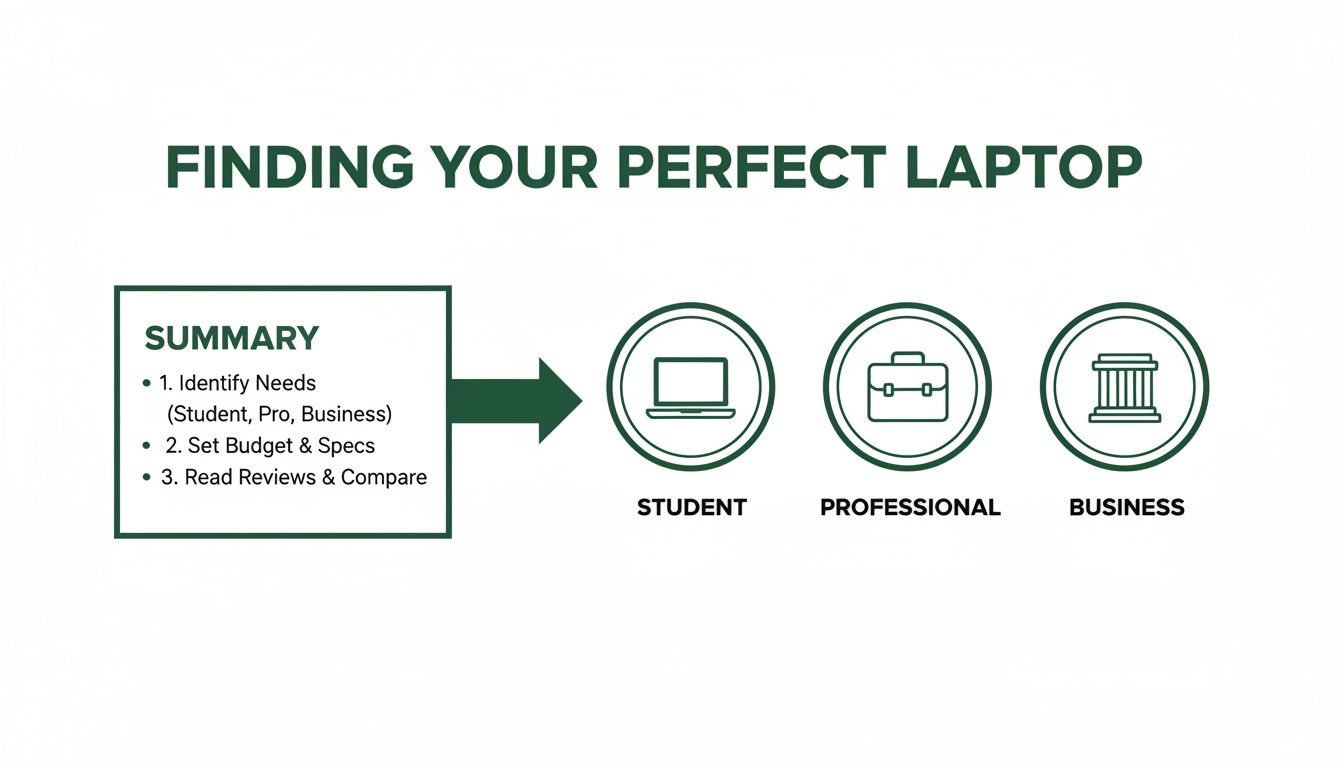
By ensuring the hardware fits what you'll actually be doing, you get the best possible value for your money.
Top Models That Hit the Sweet Spot
Some laptops are just built to last. They’ve earned a solid reputation for reliability, strong performance, and offering incredible value on the refurbished market. These models combine premium build quality with components that still pack a punch today.
To help narrow down your search, here's a list of some of the most popular and dependable refurbished models you’ll find in Australia.
Popular Refurbished Laptop Models Compared
This table gives a quick snapshot of some highly recommended models, highlighting their key specs and who they're best suited for.
| Model | Best For | Typical Specs (RAM/Storage) | Average Price Range (AU) |
|---|---|---|---|
| Apple MacBook Air M1 | Students & Everyday Users | 8GB / 256GB SSD | $800 – $1,200 |
| Dell Latitude 7000 Series | Small Business & Professionals | 8GB-16GB / 256GB SSD | $500 – $900 |
| Lenovo ThinkPad T-Series | Business & Power Users | 8GB-16GB / 256GB-512GB SSD | $600 – $1,100 |
Finding the right model is all about matching the machine's strengths to your daily tasks. Whether it's the portability of a MacBook Air or the workhorse reliability of a ThinkPad, there's a perfect refurbished option out there for you.
Why a Warranty Is the Most Important Spec of All
When you’re hunting for the best refurbished laptops Australia has, it’s easy to focus on specs like RAM and storage. But honestly, the most important feature isn't a piece of hardware at all—it's the warranty.
A solid warranty is your safety net. It’s the ultimate proof that a seller stands behind their product and the single biggest difference between a smart, protected purchase and a risky private sale. If something unexpected goes wrong, a warranty means you have a clear path to getting it fixed without being left out of pocket.
This peace of mind is what transforms a good deal into a great one.
What a Good Warranty Should Cover
Not all warranties are created equal, so it pays to read the fine print. A truly comprehensive policy from a trusted seller should offer clear, straightforward protection that covers the essentials.
Here’s what you should be looking for as a minimum:
- 12-Month Coverage: This should be your standard. Anything less suggests the seller might not be fully confident in their refurbishment process.
- Hardware Faults: This is the core of any good warranty. It should cover failures of internal parts like the motherboard, processor, RAM, and storage drive under normal use.
- Battery Performance: A reputable seller will guarantee the battery holds a reasonable charge. Look for a specific promise, like holding at least 80% of its original design capacity.
- Screen and Display: Protection against dead pixels, flickering, or backlight failures is crucial.
A strong warranty isn't just a promise; it's a direct reflection of the quality of the refurbishment process. Sellers like Trade.com.au, who provide a minimum 12-month warranty, have invested in thorough testing and quality parts, giving you confidence long after you click 'buy'.
Why a Clear Returns Policy Is Non-Negotiable
Right alongside a warranty, a clear and fair returns policy is essential. What happens if the laptop arrives and it's just not the right fit, or the cosmetic condition isn't quite what you expected?
A transparent returns policy allows you to send the device back for a refund or exchange within a set period. This safety net is especially important when you’re buying online, as it completely removes the risk and ensures you end up with a device you’re genuinely happy with.
This kind of trust is exactly why Australia's refurbished electronics market is booming. Projections show the market is set to grow from USD 619.99 million in 2024 to USD 1,085.79 million by 2033, as more buyers choose verified suppliers who offer warranties over informal, risky sites. You can discover more insights on Australia's refurbished market trends and see for yourself why trust is so vital.
Your Final Checklist Before Buying a Refurbished Laptop
You’ve done the research, narrowed down the models, and found a refurbished laptop that looks perfect. So, what now? Before you hit that “buy now” button, running through one last checklist is the smartest way to ensure the device that lands on your doorstep is exactly what you were hoping for.
Think of this as your final quality check. It turns a good deal into a great one.
The Essential Pre-Purchase Checks
Consider this your final inspection before committing. Getting these details right will save you from any potential disappointment.
-
Confirm the Physical Condition: Go back to the product description and double-check the refurbished grade (A, B, or C). Does it line up with what you're expecting? Take a close look at the photos—if there are any cosmetic scuffs mentioned, make sure you're comfortable with them.
-
Verify Battery Health: A good seller will be upfront about battery health. Look for a guarantee that the battery holds at least 80% of its original capacity. Anything less can be a sign of a low-quality refurbishment process.
-
Check the Seller’s Reputation: This is non-negotiable. Hunt down customer reviews on their website or third-party platforms. A solid history of positive feedback is a strong signal that you're dealing with a trustworthy Australian business that stands behind its products.
What to Test When It Arrives
The moment of truth! Once your laptop is delivered, the checks don’t stop. A quick, hands-on test is the best way to confirm everything is in perfect working order.
Your first hour with a refurbished laptop is the most important. Use this time to put it through its paces—test every key, plug something into every port, and fire up the webcam. A thorough check means you can flag any issues immediately while you’re still well within the return period.
Just follow these simple steps:
-
Keyboard and Trackpad Test: Open a blank document and type on every single key. Make sure they all respond properly. Then, test the trackpad’s responsiveness, including clicks and gestures.
-
Port Authority Check: Grab a USB stick, your headphones, and an external monitor cable if you have one. Plug something into every single port—USB, HDMI, headphone jack—to confirm they all work. Don't forget the charging port!
-
Screen Inspection: Find a plain white or black background online and check the display carefully for any dead pixels (tiny black dots) or strange discolouration.
-
Confirm Professional Data Wiping: A properly refurbished device must have all previous data securely wiped. When you turn it on, it should boot up to a fresh setup screen, just like a brand-new machine.
This final checklist is your best defence against a bad buy. By being thorough, you’re making sure the refurbished laptop you’ve chosen is a reliable, high-quality machine ready for its second life.
Got Questions About Refurbished Laptops? We’ve Got Answers.
Even after laying out all the facts, it’s normal to have a few questions. Let's tackle the most common ones we hear, so you can feel confident you're making a smart choice on one of the best refurbished laptops Australia has to offer.
Is It Actually Safe to Buy a Refurbished Laptop?
Yes, absolutely—as long as you buy from a reputable seller. This is what separates a "refurbished" laptop from a random "second-hand" one.
A certified refurbished laptop goes through a professional process. This includes professional data wiping, which securely erases all information from the previous owner. Plus, technicians test and verify every single component, ensuring the machine is not just safe, but reliable and ready for work.
What’s the Difference Between “Refurbished” and “Second-Hand”?
This is probably the most critical distinction. A second-hand laptop from a private seller is sold "as is." What you see is what you get, with no guarantees, no support, and no comeback if it dies a week later.
A refurbished laptop, however, has been professionally inspected, cleaned, repaired, and tested to meet specific quality standards.
The biggest differentiator is the warranty. A professionally refurbished laptop from a marketplace like Trade.com.au comes with a warranty. It's your safety net, offering peace of mind that a private sale simply can't match.
It’s the difference between a risky gamble and a secure investment.
What Should I Expect from the Battery Life?
Battery health is a massive priority for any good refurbisher. While you shouldn’t expect a 100% brand-new battery, it must meet strict performance benchmarks to be sold.
A trustworthy seller will guarantee the battery holds a significant amount of its original charge—usually at least 80%. This is more than enough to get you through a full day of classes or work meetings. Always check the product listing for the specific battery health guarantee.
Can I Get a Recent Model?
You bet! While you probably won't find a model that was released last month, it’s very common to find high-spec machines that are only a year or two old.
Many of the best refurbished laptops in Australia are ex-corporate models returned at the end of a lease. This means you can often score relatively new tech—like laptops with Apple’s powerful M-series chips or modern Intel Core i7 processors—for a fraction of what they cost new.
Ready to put all this knowledge into action? Trade.com.au offers a huge range of certified, tested, and warrantied devices to help you find the perfect laptop for your needs and budget.