

How to Tell if a Phone is Unlocked: Your Simple Australian Guide
Want to know if your phone is unlocked without digging through complex menus or waiting on hold with your carrier? There’s a super simple way to get a clear answer in minutes.
The SIM swap test is the gold standard for a reason—it’s quick, direct, and gives you a definite result. Think of it as asking the phone a direct question: "Can you work with other networks?" It’s the fastest way to know for sure.
The Easiest Method: The SIM Swap Test
All you need is a SIM card from a different Aussie carrier. For example, if you're with Telstra, just borrow a SIM from a friend who uses Optus or Vodafone.
Here’s how to do it:
- Power your phone down completely.
- Use a SIM ejector tool (or a straightened paperclip) to open the SIM tray.
- Swap your current SIM with one from a different network.
Now, turn your phone back on. If it connects to the new network and shows signal bars, try making a quick call. Did it go through? Success! Your phone is officially unlocked and ready for any compatible network you throw at it.
But if you see an error message like "SIM Not Supported" or "SIM Not Valid," you have your answer—the phone is locked to its original carrier.
This simple test gives you a clear yes or no.
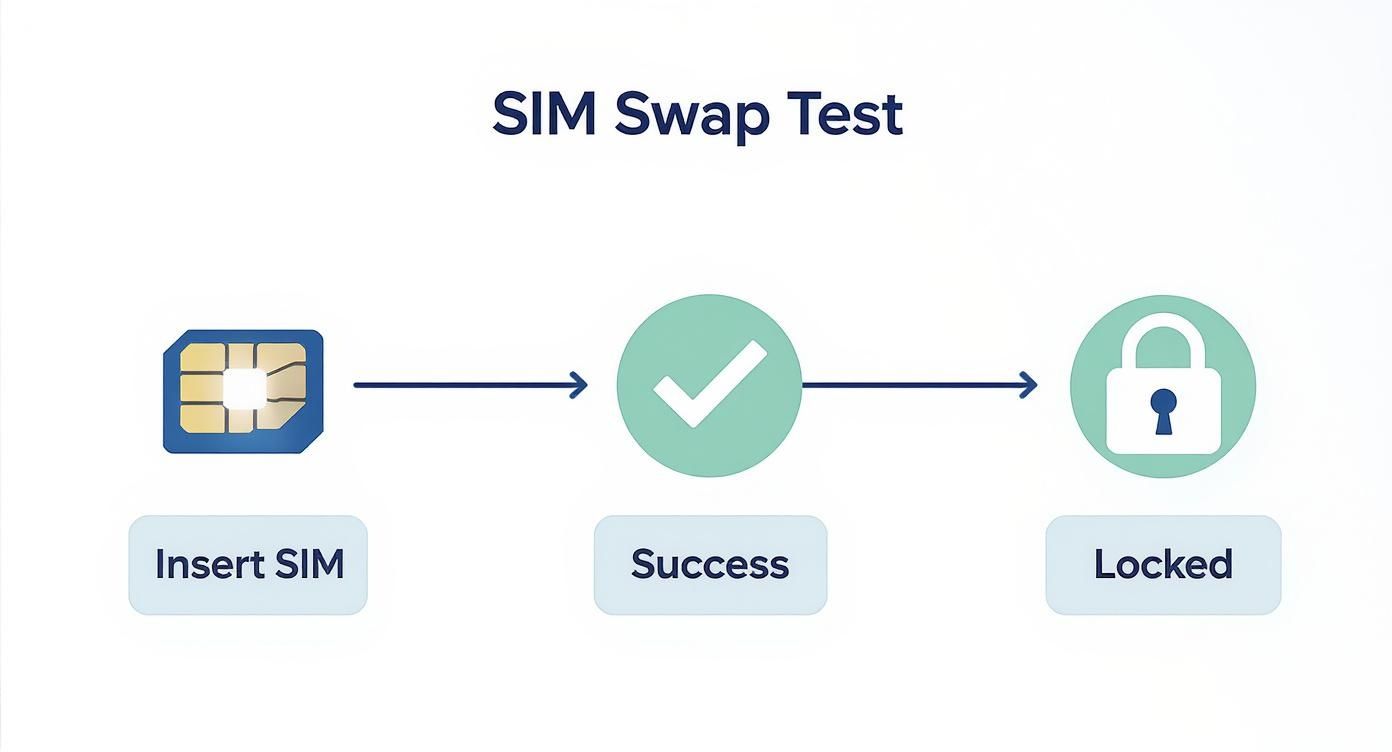
A successful connection means you're good to go, while an error message confirms it's locked.
What the SIM Swap Results Mean
To make it even clearer, here’s a quick rundown of what you might see on your screen and what it means.
| What You See on Your Screen | Your Phone Is... | What to Do Next |
|---|---|---|
| The new network name appears (e.g., "Optus", "Vodafone") | Unlocked | You're all set! Enjoy network freedom. |
| You can make a successful call | Unlocked | No further action needed. |
| "SIM Not Supported" or "SIM Invalid" message | Locked | Contact your original carrier to request an unlock. |
| "No Service" or just searching for a network | Possibly Locked or a network issue | Try again in a different location or check the SIM. If it persists, it’s likely locked. |
This table helps you interpret the results instantly, taking the guesswork out of the equation.
Why This Works So Well in Australia
The SIM swap test is particularly effective here because of how many of us use different networks. In early 2025, Australia had 34.4 million active cellular connections—that's 128% of the total population.
This high number is partly because many people carry multiple SIMs for work and personal use, which makes it incredibly easy to find a spare card from a mate or colleague to test with. You can find more details about Australia's mobile usage in this comprehensive digital report.
Checking Directly in Your Phone Settings
If you can’t get your hands on another SIM card, don’t worry. The next best place to look is right inside your phone's software. This is often the quickest way to get an answer without needing extra gear.
For iPhone Users in Australia
Apple makes this incredibly straightforward. You can find out if your iPhone is ready for any network in just a few taps.
- First, head into Settings.
- From there, tap on General, then go into About.
- Scroll down a bit until you see Network Provider Lock.
If the screen proudly displays “No SIM restrictions,” then you’re good to go. It means your iPhone is unlocked and will happily work with any Australian carrier, whether it's Telstra, Optus, Vodafone, or a smaller provider.
This message is Apple's official confirmation that your device isn’t tied down.
On the flip side, if it says "SIM locked" or names a specific carrier, your phone is still restricted to that network.
How to Check on Android Devices
With so many different Android manufacturers out there—Samsung, Google, OPPO—the exact steps can vary a little. The menus might be named slightly differently, but the general path is the same across most modern devices.
Start by opening your Settings app. You’re looking for the menu that handles your network or internet connections.
A common path on many models is Settings > Network & Internet > SIMs. Once you're there, look for an option like "Choose network" or "Network operators." If your phone lets you search for and select other available networks, that’s a very strong sign it’s unlocked.
Some Android phones are even more direct. Buried within the connection settings, you might find a "Network Unlock" status that will tell you in plain English whether the device is locked or unlocked. Finding this screen gives you the final word, which is especially handy if you’re planning to sell your old phone online and need to be sure.
Using an IMEI Number for a Definitive Check
Swapping SIMs and digging through settings are solid first steps, but for absolute certainty, nothing beats an IMEI check. This is a must-do if you're buying a refurbished phone or getting ready to sell your old one on a marketplace like Trade.com.au.
Think of the IMEI (International Mobile Equipment Identity) as your phone's unique, 15-digit fingerprint. Just like a real fingerprint, no two devices in the world share the same one.
Getting this number couldn't be easier. Just open your phone's dialler, as if you were about to make a call.
Then, simply type in this code: *#06#
Your IMEI number will pop up on the screen instantly—no need to even press the call button.
What an IMEI Check Really Tells You
Once you've got that number, you can pop it into a reputable online IMEI checker. This isn't just about the lock status; it's a full background check on your device.
An IMEI check is essential for anyone buying or selling in the second-hand market. It confirms if the phone is unlocked, but more importantly, it tells you if it has been blacklisted—meaning it has been reported lost or stolen in Australia.
A blacklisted phone is basically a paperweight. Even if it's unlocked, it won't be able to connect to any Australian mobile network. This is a critical step to make sure the phone you're buying is legitimate and won't cause any nasty surprises.
For a deeper dive into this, you can learn more about the importance of an AMTA IMEI check and how it protects both buyers and sellers across the country. A quick check provides peace of mind and ensures transparency, whether you're buying or selling.
Why an Unlocked Phone Gives You More Freedom
So, what's the big deal about having an unlocked phone in Australia? Put simply, it’s all about putting you back in control. It saves you money and opens up a world of options beyond your current provider.
An unlocked device gives you the ultimate flexibility. You’re not tied down to one carrier, which means you can freely switch between networks like Telstra, Optus, and Vodafone whenever a better deal pops up. If you find your signal is patchy at home or work, you can just jump over to a provider with stronger coverage in your area. Simple as that.
Save Money at Home and Abroad
This freedom translates directly into savings. You can hunt for the best BYO (Bring Your Own) plans, which are almost always cheaper than the bundled contract deals carriers push on you.
But where an unlocked phone really shines is overseas travel. It's one of the cheapest ways to call internationally because you can completely sidestep those outrageous roaming fees. Just land in a new country, grab a local prepaid SIM card, and you'll be paying local rates for calls and data. No more shocking bills when you get home.
An unlocked phone isn't just a technical feature; it's a ticket to better deals and smarter travel. It fundamentally changes how you use your device by removing the artificial barriers set by carriers.
Boost Your Phone's Resale Value
Thinking of upgrading down the track? An unlocked phone will nearly always fetch a higher resale price. Because anyone on any network can use it, your phone instantly appeals to a much larger pool of potential buyers on marketplaces like Trade.com.au.
Knowing your device is unlocked gives you more negotiating power and makes for a quicker, easier sale. If you want to get an idea of what’s out there, have a look at our guide to the best unlocked phones in Australia. This freedom really does make an unlocked device a smarter long-term investment.
So, You've Discovered Your Phone Is Locked. Now What?
Finding out your phone is locked to a carrier isn't a dead end—it's just a hurdle you can almost always clear. The first and best step is to contact the original Australian carrier the phone was purchased from.
Before you call, have your account details and the phone's unique IMEI number handy (dial *#06# to find it). Major carriers like Telstra, Optus, or Vodafone will usually unlock a device for free, as long as any contract has been fulfilled or the phone is fully paid off. It's normally a straightforward process.
Thinking About Other Unlocking Options
What if contacting the original carrier isn't an option, maybe because you bought it second-hand? A quick online search will show plenty of third-party unlocking services.
My advice? Tread carefully here. While some of these services are legitimate, the online world is filled with others that are unreliable or risky. Always do your homework, check reviews, and understand what they're going to do before handing over any money. Unlocking your phone through the official carrier is always the safest and most reliable method.
The key takeaway is this: an official carrier unlock is permanent and completely safe. It guarantees your phone will function correctly without voiding warranties or causing strange software glitches, which is a real risk with some unofficial methods.
If you've tried everything and decide it's time to move on, it's worth knowing how to handle the transition smoothly. There are plenty of good options for donating, recycling, or safely disposing of cell phones that ensure your data is wiped properly and the device is handled in an environmentally friendly way.
It's also important to remember that a network lock is totally different from an iCloud Activation Lock. If your device is stuck on an iCloud screen asking for an Apple ID, that's another issue entirely. We have a guide that explains exactly how to remove iCloud from an iPhone to get you back in.
Got Questions About Unlocked Phones? We Have Answers
Still have a few questions? That's completely normal. The world of phone locking can feel a bit confusing, so we’ve put together quick answers to the most common questions we hear from customers across Australia.
Will a Factory Reset Unlock My Phone?
This is a really common myth, but the short answer is no.
A factory reset is great for wiping your personal data—like apps, photos, and settings—but it won't touch the network lock. That lock is software installed by the carrier at a much deeper level of the phone's operating system, and a simple reset can't remove it. You'll still need to go through the original carrier to get the phone properly unlocked.
Are Phones Bought Directly from an Apple Store Unlocked?
Yes, they are. Any iPhone you purchase directly from an official Apple Store in Australia, whether you buy it online or walk into a physical store, comes unlocked right out of the box.
This gives you the freedom to pop in a SIM card from any Aussie carrier like Telstra, Optus, or Vodafone without a single issue.
Just a heads-up: this only applies to phones bought directly from Apple. If you buy an iPhone from a carrier's store, even if you pay for it outright, there's a chance it might still be locked to their network for a certain period. Always double-check!
Is It Legal to Unlock a Phone in Australia?
Absolutely. It is 100% legal for you to unlock your phone in Australia.
Once you own the device outright or have finished your contract, you have every right to ask your carrier to unlock it. Unlocking your phone simply gives you the freedom to use your own property however you want, which is fantastic for grabbing a better SIM-only deal or increasing its resale value down the track.
Ready to find a device that gives you complete freedom from day one? At Trade.com.au, every one of our verified, refurbished iPhones, Samsung Galaxies, and Google Pixels is guaranteed to be unlocked.
Explore our collection of refurbished devices and find your next phone today.