

Your Complete Guide to iPhone Battery Health (2024)
Ever wondered what that "Battery Health" percentage in your iPhone's settings actually means? Think of it as a report card for your battery's long-term stamina, not just how much juice it has left for the day. It’s a snapshot of your battery's ability to hold a charge compared to when it was fresh out of the box.
Why Your iPhone Battery Health Matters
Imagine your iPhone’s battery is like a brand-new water bottle. When you first get it, it holds its maximum capacity, say 500ml, no problem. But over months and years of use, that bottle might start to hold just a tiny bit less. This is a completely natural process, and it’s exactly what happens to your iPhone's battery with every single charge cycle.
This gradual decline is what iPhone Battery Health measures. A new phone will proudly display 100%, but seeing that number dip over time is totally normal. It’s one of the most honest indicators of your device's overall condition and how much life it has left in it.
What Does This Mean for You?
Understanding this number is crucial, whether you're trying to get the most out of your current phone or sizing up a quality refurbished iPhone. The battery's health has a real, direct impact on your daily experience in a few key ways:
- Daily Performance: A battery with lower health can struggle to supply enough power for demanding tasks. This might show up as apps taking longer to open, stuttering animations, or even the phone unexpectedly shutting down when you need it most.
- Device Lifespan: Keeping an eye on the battery's condition helps you predict when it might be time for a replacement or an upgrade. A simple battery swap can often breathe new life into an otherwise perfectly good phone, saving you money.
- Trade-In Value: Thinking of selling your old phone online? A higher battery health percentage can seriously boost its resale value. Here at Trade.com.au, it’s one of the first things we check to give you a fair price.
For any iPhone user in Australia, from Brisbane to Perth, this isn't just some techy number buried in your settings. It's the pulse of your device.
As Apple puts it, "All rechargeable batteries are consumable components that become less effective as they chemically age."
Ultimately, you can't stop this chemical aging process. It's just physics. But by understanding what affects it, you can take simple steps to slow it down and keep your iPhone performing at its best for longer. This knowledge empowers you to make smarter choices, whether that’s tweaking your charging habits or confidently choosing a certified refurbished iPhone from Trade.com.au with a guaranteed healthy battery.
How to Check Your Battery Health and Interpret the Results
Let's lift the bonnet on your iPhone and take a look at its engine—the battery. Finding this information is simple, and understanding what it means is key to knowing your device's true condition. You don’t need to be a tech expert; just follow these quick steps.
To check your iPhone's battery health:
- Open the Settings app on your iPhone.
- Scroll down and tap on Battery.
- From there, select Battery Health & Charging.
You're now looking at your iPhone's official health report. It might only be a few lines of text, but they tell a powerful story about your device's long-term performance.
What Maximum Capacity Really Means
The first thing you’ll spot is a percentage next to Maximum Capacity. This isn't your current charge level; it's a measure of your battery's capacity relative to when it was brand new. Think of it like a fuel tank in a car – how much fuel can it hold now compared to the day it rolled off the factory floor?
A small drop from 100% is completely normal, even in the first year. Here’s a general guide to what these percentages mean for your day-to-day experience:
- 95% - 100%: Your battery is in excellent shape and performing as expected. You're unlikely to notice any difference from a new device.
- 85% - 94%: The battery is still in great health. You might start noticing you're reaching for the charger a little earlier than you used to, but performance should remain solid.
- 80% - 84%: Now you'll likely see a real difference in how long your phone lasts on a single charge. Apple officially considers a battery "worn" once it drops below this 80% threshold.
- Below 80%: Your iPhone will probably struggle to make it through a full day with moderate use. You could also run into performance issues as the battery can't deliver peak power for demanding tasks.
Understanding this percentage is especially important when you're thinking about buying a second-hand iPhone, as it gives you a clear, honest snapshot of its remaining lifespan.
Decoding Peak Performance Capability
Right below the capacity percentage, you'll find a message about Peak Performance Capability. This is where your iPhone tells you if the battery can still handle demanding moments, like shooting 4K video or playing an intensive game.
"Your battery is currently supporting normal peak performance."
If you see this message, it’s great news. It means your battery is healthy enough to deliver the maximum power your iPhone needs without breaking a sweat.
However, if your phone has ever shut down unexpectedly, you might see a different message. This happens when an ageing battery tries to provide a burst of power it just can't supply anymore. To prevent this, iOS might turn on performance management—a feature that slightly slows down your phone to protect its internal parts. It's a useful safeguard, but it's also a clear sign that your battery is showing its age.
Decoding Charge Cycles and Your Battery's Lifespan
Ever wondered why your iPhone's battery just doesn't seem to last as long as it used to? The answer often comes down to something called charge cycles. A charge cycle isn't just plugging your phone in once. It’s a measure of cumulative use.
Think of it this way: you use 75% of your battery today, pop it on the charger overnight, and then use another 25% tomorrow morning. That total usage adds up to one complete charge cycle (75% + 25% = 100%). This process happens in the background every time you use and recharge your phone, slowly but surely adding to the battery's chemical age.
What Is a Charge Cycle Exactly?
A charge cycle is an invisible counter tracking your battery's workload. Every time it completes a full cycle, the lithium-ion cells inside experience a tiny amount of wear and tear, which gradually reduces their ability to hold a full charge. This is the simple, unavoidable reason a one-year-old phone will never have the same stamina it did straight out of the box.
This wear is directly tied to that "Maximum Capacity" percentage you see in your iPhone's settings. As your charge cycles rack up, your maximum capacity inevitably goes down.
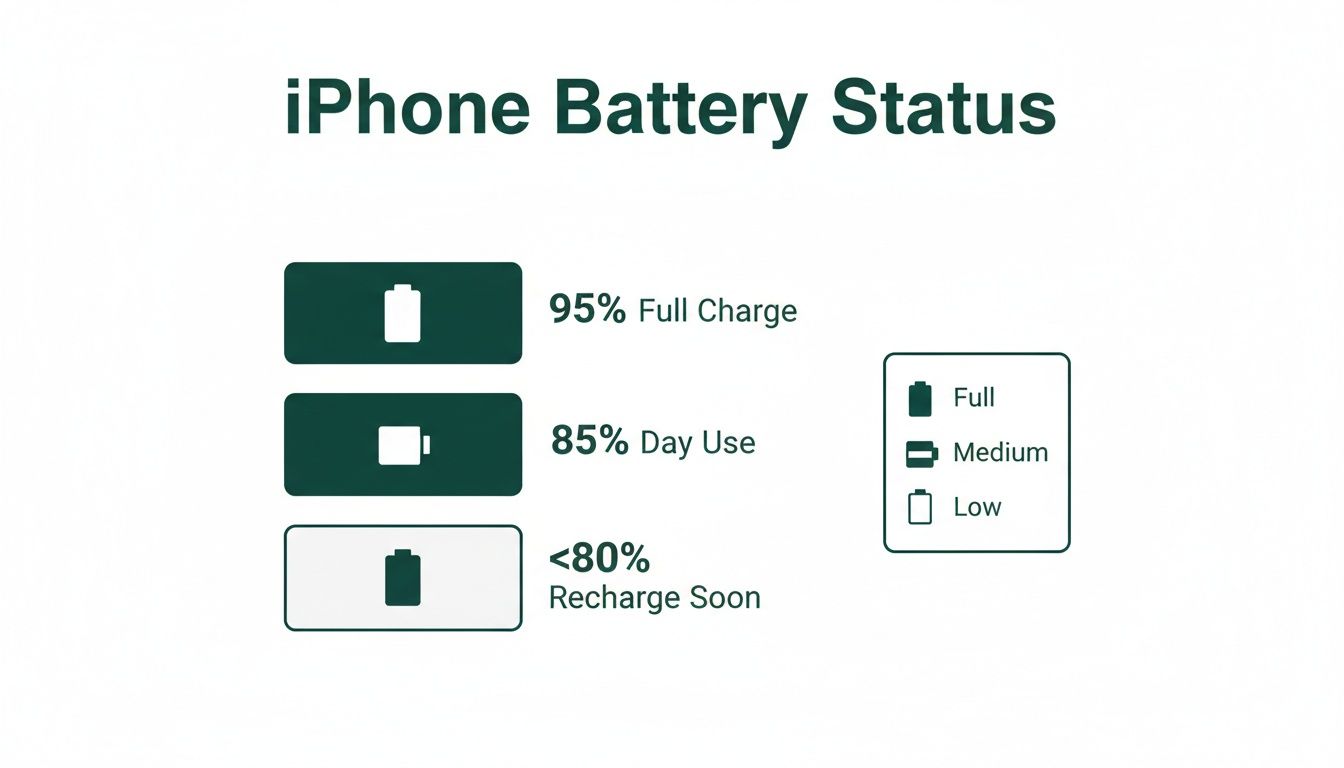
As you can see, a battery at 95% is still in fantastic shape. But once it dips below 80%, Apple officially considers it worn, and you'll likely start noticing it needs a charge far more often.
Why Newer iPhone Models Have an Edge
This is where understanding charge cycles becomes a real game-changer, especially if you're looking to buy a new or refurbished iPhone in Australia. Apple has been making serious improvements in battery tech.
For years, the standard for iPhones was a battery engineered to hold up to 80% of its original capacity after 500 complete charge cycles. But the iPhone 15 series changed the game.
With the iPhone 15 lineup, Apple doubled the expected lifespan. These newer models are designed to retain 80% of their battery capacity after a massive 1,000 charge cycles—that’s twice the longevity of the iPhone 14 and earlier models.
This is a huge deal for anyone upgrading their tech. It means newer devices promise a much longer useful life, which is great news if you're buying a refurbished model. You can read the specifics over on Apple's AU support pages.
How This Affects Your Buying Decision
Knowing the difference between a 500-cycle and a 1,000-cycle battery is incredibly valuable. A newer model with a more robust battery will hold its health percentage for much longer, which means better performance for you and a better resale value down the track.
This is especially critical when you're sizing up a pre-owned device. If you're looking at a refurbished iPhone, understanding how long refurbished iPhone batteries last is key. A refurbished iPhone 15 from a trusted seller like Trade.com.au has a battery built for double the lifespan of older models, making it a far smarter long-term investment.
Actionable Tips to Maximise Your iPhone's Lifespan
Ready to take control and get the most out of your iPhone’s battery? It's easier than you think. By adopting a few smart habits and tweaking some key settings, you can slow down battery ageing and keep your device running smoothly for longer.
These are practical strategies that make a real difference to your iPhone’s battery health over time. Let’s jump in.
Master Your Settings
Your iPhone has powerful, built-in tools designed to protect its own battery—you just need to know where to find them.
The single most important feature to turn on is Optimised Battery Charging. This clever function learns your daily charging routine. It’ll juice your iPhone up to 80%, then pause and wait to finish charging to 100% right before you normally unplug it. This simple trick reduces the time your battery spends sitting at full capacity, which is a major cause of stress on its components.
Here are a few other settings to manage:
- Low Power Mode: Don't just wait for the 20% warning. If you know you've got a long day ahead, be proactive and flick on Low Power Mode yourself. It temporarily cuts back on background activity like downloads and email fetching.
-
Background App Refresh: Many apps refresh their content in the background even when you aren't using them, chewing through battery. Head to
Settings > General > Background App Refreshand turn it off for apps that don't need to be constantly updated. -
Location Services: Take a look at which apps are tracking your location. Go to
Settings > Privacy & Security > Location Servicesand change non-essential apps to "Never" or "While Using the App" instead of "Always".
Change Your Charging Habits
How you charge your phone matters just as much as which settings you use. Modern lithium-ion batteries are much happier with smaller, more frequent top-ups.
The biggest myth to ignore is that you should let your battery drain completely before plugging it in. That was true for older battery types, but it's actually harmful to modern iPhone batteries.
Your iPhone’s battery is most comfortable staying between 20% and 80% charge. Constantly pushing it to 100% or letting it die completely puts extra strain on the battery, accelerating its chemical ageing.
For times when you're out and about, a reliable portable charger can be a lifesaver. A good power bank lets you keep your battery within that optimal 20-80% range while on the move. You can explore some of the best portable chargers for travel to find one that suits your needs.
Avoid Environmental Stressors
Heat is the number one enemy of battery health. Lithium-ion batteries degrade much faster when exposed to high temperatures—something we know all about here in Australia.
Never leave your iPhone charging on a sunny windowsill or on your car's dashboard. Apple recommends keeping your device within an ambient temperature range of 0° to 35° C. Leaving your phone in a hot car on a summer's day can easily push the internal temperature well beyond this safe limit, causing permanent damage to the battery's capacity.
Cold weather can also be an issue, though its effects are usually temporary. If you've been out in the cold, it’s best to let your phone return to room temperature before charging it.
When Is It Time to Replace Your iPhone Battery?
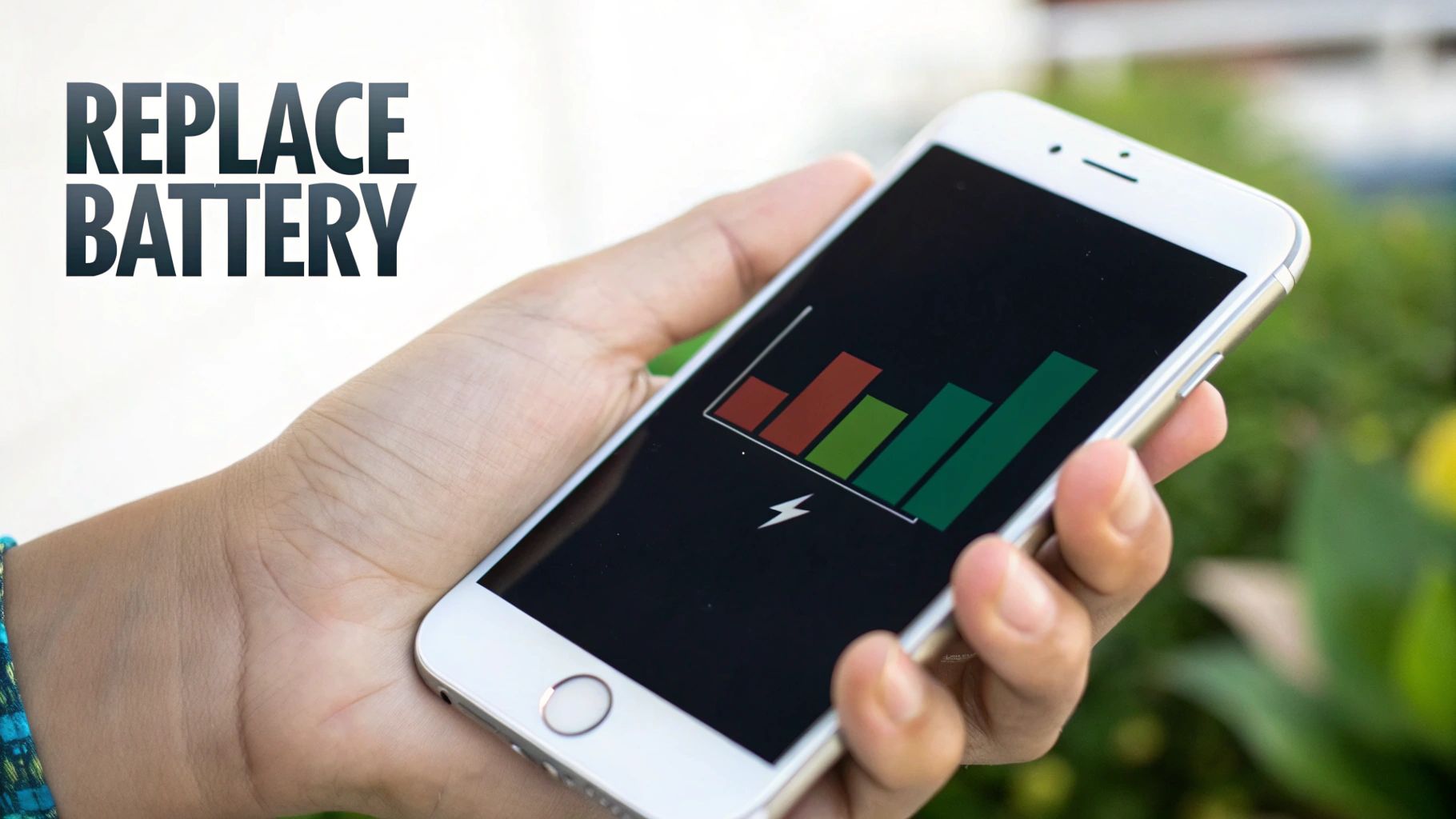
So, when is it actually time for a new battery? It’s a question that goes beyond just a number in your settings. The real proof is how your iPhone holds up in your day-to-day life.
Think of it like this: if your phone dies while you're trying to navigate to a new café in Brisbane, or it shuts down at 20% right before you tap to pay, that’s your battery screaming for help. These are the real-world signs that a replacement is necessary.
Key Signs Your Battery Needs Replacing
The most obvious clue is that your iPhone just can’t make it through a normal day. But there are other frustrating symptoms that point to a worn-out battery.
Keep an eye out for these classic issues:
- Unexpected Shutdowns: Your iPhone suddenly powers off, even when the battery meter says there’s plenty of charge left (like 20% or 30%).
- Significant Slowdowns: You notice that apps take forever to launch, scrolling feels jerky, and the keyboard lags. This is often Apple's performance management kicking in to prevent shutdowns.
- Failure to Hold a Charge: You leave home with a full battery, but the percentage plummets with only light use.
- Getting Hot While Charging: It's normal for a phone to get a bit warm while charging, but if it becomes uncomfortably hot to the touch, that’s a major red flag.
If these sound familiar, it’s time to check your battery’s maximum capacity. To help you catch these problems early, have a look at our guide on the top 5 signs your smartphone needs a battery replacement.
The 80% Benchmark
So what's the magic number for iPhone battery health? Apple’s official stance is to consider a replacement once the maximum capacity drops below 80%. This is the point where the battery’s ability to hold a decent charge and supply peak power starts to seriously degrade.
In Australia, Apple states that iPhone batteries (up to iPhone 14) are designed to retain at least 80% of their capacity after 500 complete charge cycles. This benchmark is crucial for budget-conscious buyers evaluating refurbished devices.
Hitting that 80% mark is a critical decision point. You can either invest in a new battery to breathe fresh life into your current device or trade it in for a certified refurbished model with a healthier one already installed. For students and small businesses, replacing the battery is often the smartest move, extending the life of a perfectly good iPhone for another couple of years and saving you hundreds.
Smart Options for Your Next iPhone Upgrade
So, your iPhone's battery health has dipped. You’ve hit a classic crossroads: do you just replace the battery, or is it time to upgrade the whole phone? At Trade.com.au, we believe in making smart, sustainable tech choices that work for your wallet and the planet.
Before you jump straight to a brand-new device, it’s worth considering a certified refurbished iPhone. It's a brilliant way to get the performance you want without the high price tag. Plus, it's an environmentally friendly move, giving a top-quality device a second life.
The Trade.com.au Advantage
Choosing a refurbished phone can feel like a gamble, but not with us. We’re your trusted Aussie partner, and every single device we sell goes through a rigorous, multi-point inspection process right here in Australia.
A critical part of this check is our strict iPhone battery health standard. We guarantee that every certified refurbished iPhone we sell has a battery that meets our high-performance criteria, ensuring it will serve you reliably from day one. You get a phone that performs like new, backed by our solid 12-month warranty for complete peace of mind.
Buying certified refurbished isn't just about saving money; it's about getting guaranteed quality. Think of it like a certified pre-owned car—it’s been thoroughly checked and serviced to meet high standards, so you can buy with confidence.
Trade in Your Old iPhone
What about your current iPhone with its worn-out battery? Don’t let it gather dust in a drawer. Our simple trade-in program lets you turn that old phone into credit toward your next upgrade.
The process is incredibly straightforward:
- Get a Quick Quote: Answer a few questions about your device on our site to get an instant estimate.
- Send It to Us: We’ll provide a free, prepaid shipping label for you to send your phone to our Brisbane-based team.
- Get Paid: Once our experts verify its condition, you’ll get your credit to put toward a newer model.
Even an iPhone with a degraded battery still has value. Trading it in is a fantastic way to make your next phone more affordable and contribute to the circular economy, reducing Australia's e-waste. For a breakdown of expenses, you can explore our guide on iPhone repair costs to help weigh your options.
Got Questions About Your iPhone's Battery? We've Got Answers.
We've dived deep into the world of iPhone batteries, but you might still have a few questions. Let's tackle some of the most common ones we hear from our customers in Australia.
Is it bad to charge my iPhone overnight?
Short answer: No, it's perfectly fine. Your iPhone is smart. It has a feature called Optimised Battery Charging that learns your routine. It charges to 80%, then waits to top up that final 20% right before you usually wake up. This means your battery spends less time sitting at a stressful 100% charge, which is a big win for its long-term health.
Will a fast charger ruin my battery health?
Not at all, as long as you’re using a proper Apple-certified fast charger. Your iPhone has a sophisticated power management system that acts like a gatekeeper, ensuring it only takes in the power it can safely handle. The real enemy of any battery is heat. Just use common sense—avoid charging it on a hot car dashboard, and you'll be fine.
Help! My new iPhone’s battery health already dropped to 99%!
Seeing that number dip from a perfect 100% can feel alarming, but take a breath—it’s completely normal. Think of that initial 100% as a factory estimate. A small, early drop is just the system recalibrating to reflect the battery's true capacity after a few real-world charge cycles.
What you're seeing is a calibration, not a fault. It's the slow, steady decline over many months that truly reflects a battery's natural ageing process.
So, don't sweat that first percentage point. As long as the number goes down gradually over time, your battery is behaving exactly as it should.
Ready for a smart, sustainable upgrade? Whether you're looking to sell your old phone online or find a top-quality refurbished iPhone with a guaranteed healthy battery, Trade.com.au is here to help. Explore our range of certified refurbished iPhones today!