Your Ultimate Guide to the M2 MacBook Pro in Australia

So, you’re eyeing up the Apple M2 MacBook Pro. It's been on the market for a little while, and with newer models out, you might be wondering if it's still a smart buy in Australia. The short answer? Absolutely.
Think of the M2 chip less like a complex engine and more like a brilliant command centre, built to make even the most demanding tasks feel completely effortless.
Why the M2 MacBook Pro is Still a Major Player
For creative professionals, students, and small business owners across Australia, the M2 MacBook Pro really hits the sweet spot. It offers a huge jump in performance over older Intel-based Macs and even a noticeable boost from its M1 predecessor. But the real win is the incredible value it now offers compared to the latest releases. This machine isn't about brute force; it's about smart, efficient power that makes your workflow smoother and faster.
This guide is here to cut through the marketing hype and show you why this laptop is still a fantastic choice. We'll explore its real-world performance, see how it stacks up against other models, and reveal the smartest way to get one—by choosing a certified refurbished model from Trade.com.au.
Power with a Purpose
Picking a new laptop is a big deal, and it's easy to get lost in technical specs. Our goal here is to give you honest, practical advice to help you feel confident in your choice. We believe professional-grade tech should be within reach for everyone, and a refurbished M2 MacBook Pro is the perfect example of that. You get the performance you need without the brand-new price tag.
So, what’s the secret sauce in the M2 chip? It combines the central processing unit (CPU), graphics processing unit (GPU), and memory into one unified system. Imagine a specialist team where everyone can communicate instantly, instead of shouting messages down a long hallway.
This all-in-one design is the magic behind its incredible speed and battery life. It lets the MacBook Pro tear through intense jobs like 4K video editing or compiling code while barely sipping power. You can work all day from a café in Melbourne or a co-working space in Sydney without ever thinking about a charger.
Throughout this guide, we'll break down exactly what this means for you. We’ll cover:
- The Specs, Explained: We'll translate the tech talk into real-world benefits you'll actually notice.
- Who It's For: Pinpointing the exact type of user who gets the most out of this machine.
- Model Matchups: Putting it head-to-head against the M1 and M3 generations to see where the value lies.
- Why Go Refurbished: Unpacking why buying a certified refurbished model is the smartest choice for your wallet and the planet.
We're here to give you the clear, straightforward info you need to decide if the M2 MacBook Pro is the right tool to bring your ideas to life.
Understanding the M2 MacBook Pro Specs
Trying to make sense of the specs on an M2 MacBook Pro can feel like reading a different language. Let’s cut through the technical jargon and translate it into real-world benefits you’ll actually notice when you're working, studying, or creating.
Think of the M2 chip's core components—the Central Processing Unit (CPU) and Graphics Processing Unit (GPU)—as a highly specialised team. The CPU has a mix of performance cores for heavy lifting (like rendering a complex video) and efficiency cores for everyday tasks (like browsing the web). This clever split is exactly why the M2 MacBook Pro is so fast while still delivering that legendary all-day battery life.
The Power of Unified Memory and Fast Storage
Another key player here is Unified Memory, which is Apple’s unique take on RAM. Instead of the CPU and GPU having their own separate pools of memory, they share one massive, super-fast pool. Imagine it as a huge digital workbench. The more unified memory you have (16GB vs. 8GB, for example), the more complex projects and apps you can have open at once without anything slowing down. It’s a game-changer for serious multitaskers.
This is all backed by a blazing-fast Solid-State Drive (SSD). Apps launch almost instantly, files open in a flash, and the entire system feels incredibly snappy. Every part of this machine, from the chip to the stunning Liquid Retina XDR display that makes photos and videos pop, is built to work together seamlessly.
Decoding the M2 Family: Pro and Max Chips
The standard M2 chip is fantastic for most people, but for those with truly demanding workflows, Apple also created the even more powerful M2 Pro and M2 Max versions.
To give you a clearer picture of how these chips stack up, here’s a quick comparison.
M2 MacBook Pro Chip Comparison at a Glance
This table breaks down the key differences between the M2 family chips you'll find in the MacBook Pro lineup. It’s designed to help you quickly see which level of performance lines up with what you actually need to do.
| Feature | M2 (in 13-inch Pro) | M2 Pro | M2 Max |
|---|---|---|---|
| Max CPU Cores | 8-core | Up to 12-core | 12-core |
| Max GPU Cores | 10-core | Up to 19-core | Up to 38-core |
| Max Unified Memory | 24GB | 32GB | 96GB |
| Memory Bandwidth | 100GB/s | 200GB/s | 400GB/s |
| Best For | Students, everyday business, web development, photo editing | Pro video editors, 3D artists, music producers, software developers | High-end VFX, 8K video workflows, complex 3D rendering, machine learning |
As you can see, the jump from the standard M2 to the Pro and Max is significant, especially in graphics power and memory bandwidth. This extra muscle is what lets creative professionals tackle massive files and complex renders without breaking a sweat.
Launched on 18 January 2023, the M2 Pro and M2 Max MacBook Pro hit Australian shelves with serious power. These machines offer up to 96GB of unified memory and double the memory bandwidth of the base M2, delivering a 30% graphics leap over the previous M1 Max. You can read the full launch details on Apple's newsroom.
But who really needs all that extra horsepower? The image below helps break it down.
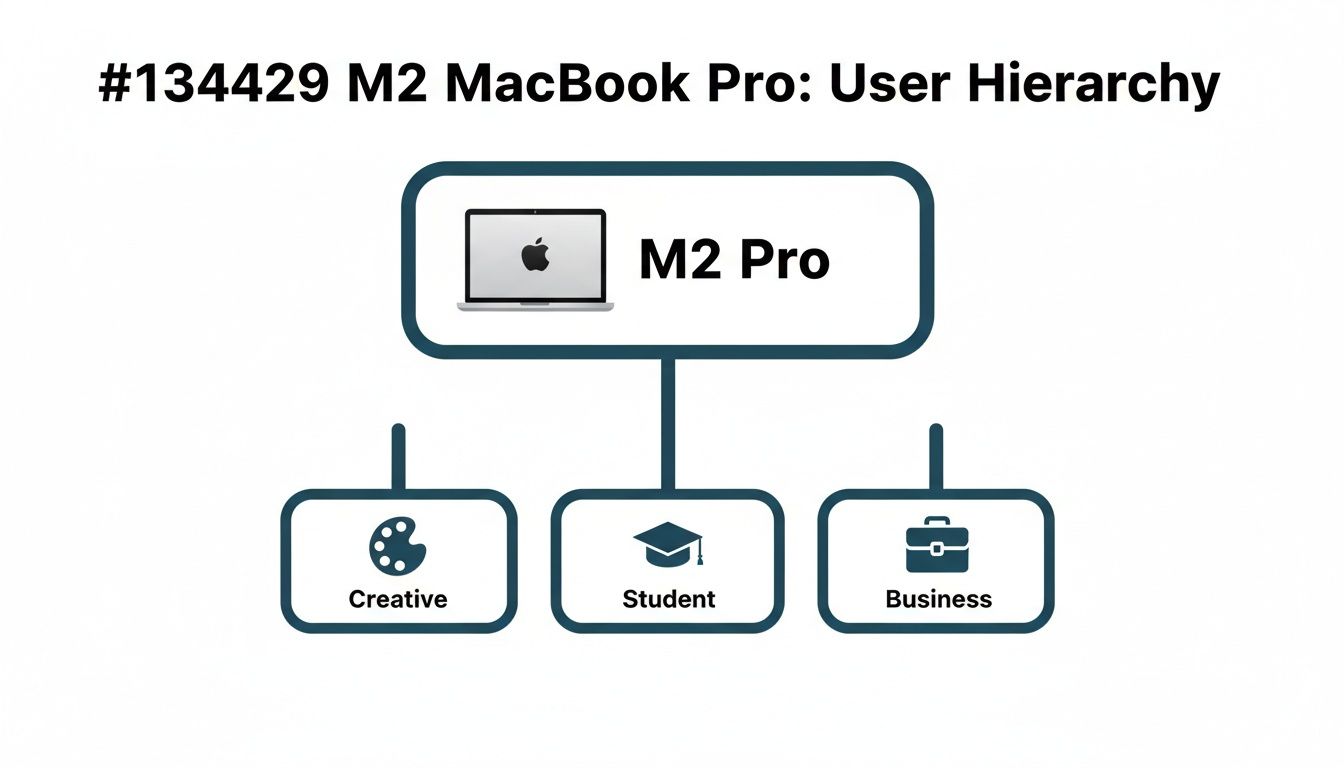
This shows that while the base M2 is a powerhouse for students and general business use, the M2 Pro and Max versions are squarely aimed at creative professionals who need uncompromising performance, day in and day out.
The real takeaway is this: Don't overbuy. The standard M2 MacBook Pro has more than enough power for the vast majority of people, including many developers and content creators. The Pro and Max chips are for that top tier of professionals whose work involves constant, high-intensity graphics and processing.
For most, a refurbished standard M2 MacBook Pro offers the perfect balance of elite performance and incredible value. It gives you access to professional-grade tools without paying for extreme power you might never actually use. This is where the smart money is—getting you a machine that will feel fast and capable for years to come.
Who Is the M2 MacBook Pro Really For?

Technical specs are great on paper, but how does the M2 MacBook Pro actually perform in the real world? It’s one thing to know it has an 8-core CPU; it’s another to see it save you hours on a tight deadline. This machine isn’t for everyone, but for a few specific types of users, it hits that perfect sweet spot between power and price.
Let's look at the daily grind for different professionals and students to help you see if your needs line up with what the M2 MacBook Pro does so brilliantly.
The Creative Professional
If you work in a creative field, time is money and performance is non-negotiable. The M2 MacBook Pro was practically built to handle the demanding software that brings your ideas to life, all without stuttering or slowing you down.
- Video Editors: You can finally scrub through 4K timelines, stack effects, and render out final projects without needing a coffee break. The M2's media engine is designed to chew through video processing, meaning a lot less time staring at progress bars.
- Graphic Designers: Working with massive files in Adobe Photoshop or Illustrator feels completely seamless. Layering dozens of high-res images or fiddling with complex vector art is fluid and instantly responsive.
- Music Producers: Running a bunch of audio tracks, virtual instruments, and plugins in Logic Pro or Ableton Live is a breeze. The M2 chip's efficiency means you can focus on the mix, not on whether your machine is about to crash.
For these users, the M2 MacBook Pro isn’t just a nice-to-have; it's a tool that directly makes your workflow faster and less frustrating.
The real game-changer for creatives is uninterrupted flow. When your hardware can keep up with your imagination, you can stay in that creative zone for longer and produce better work in less time.
The Ambitious Student
Students across Australia, especially those in demanding fields like engineering, architecture, or computer science, need a laptop that can truly do it all. It has to be powerful enough for specialised software but also reliable enough for a full day of classes.
This is where the M2 MacBook Pro shines. Its legendary battery life means you can genuinely leave the charger at home, confident it'll last from your first lecture right through to a late-night study session. More importantly, it has the muscle to run resource-hungry apps like AutoCAD, MATLAB, or Xcode without breaking a sweat.
For students who need more than just a web browser and a word processor, investing in a refurbished M2 MacBook Pro is a seriously smart move. It gives you professional-level power that will last your entire degree and beyond, all at a much more student-friendly price.
Developers and Small Business Owners
If you're a developer, compiling code is a daily ritual that can eat up precious time. The M2 chip’s fast CPU cores slash those compile times, letting you test and iterate on your projects much quicker. It's a productivity boost that really adds up over weeks and months.
For small business owners, the M2 MacBook Pro is a reliable workhorse. It handles intense multitasking with ease—from running complex spreadsheets and accounting software to managing marketing campaigns and video calls all at once. It’s a dependable machine that just works, letting you focus on growing your business. For those managing multiple high-value electronics, understanding good home asset and inventory management is key to protecting your investment.
Deciding between models can be tricky, of course. If you're weighing your options, our guide on the MacBook Air vs MacBook Pro can help clarify which machine is the right fit. The Pro is built for sustained, heavy-duty performance, making it the clear choice for anyone whose work regularly pushes their hardware to its limits. This machine is a smart investment for ambitious users across Australia who need power they can count on.
Comparing M2 Against M1 and M3 Models
When you're looking at an **M2 MacBook Pro**, it’s only natural to wonder where it sits in the grand scheme of Apple silicon. Is it a big enough jump from the M1? Is it going to feel outdated now that the M3 is here? Let's put these chips head-to-head to find the real value.The M2 chip has landed in a fascinating spot. It’s not just about which one is newest; it’s about finding the right balance of performance and price for what you actually need to do.
The M2 vs The Original M1
The M1 chip was Apple's game-changing first step, and it’s still an incredibly capable piece of tech. The M2, however, is a significant and refined step forward. Think of it like a finely tuned engine getting a performance upgrade—it’s not a complete reinvention, but the improvements are noticeable right where they count.
With the M2, you're getting a tangible speed boost in both processing and graphics.
-
CPU Performance: The M2 offers up to an 18% faster CPU compared to the M1. This means everyday tasks, from launching apps to juggling dozens of browser tabs, feel just that little bit snappier.
-
Graphics Power: The real star here is the GPU, which is up to 35% faster than the M1's. For anyone doing photo editing, light video work, or even a bit of gaming, this extra graphics muscle makes a genuine difference.
-
Memory Bandwidth: The M2 also boasts 50% more memory bandwidth. This lets the chip access data much faster, which is a massive help when you’re working with large files or complex projects.
In short, the jump from M1 to M2 is a meaningful one. It polishes the original formula, delivering a more responsive and graphically capable experience that professional users will appreciate every day.
The M2 vs The Newer M3
Now, let’s talk about the new kid on the block: the M3. The M3 family introduces Apple's latest architecture and features like hardware-accelerated ray tracing, which is impressive tech. But the real question for a savvy buyer is whether that new tech justifies the massive price hike.
For the vast majority of users—even demanding professionals—the performance leap from an M2 to a base M3 isn't as dramatic as the price tag suggests. The M2 already has more than enough power to handle 4K video editing, complex code compilation, and heavy multitasking without breaking a sweat.
This is where the M2 MacBook Pro hits the ultimate sweet spot. It occupies a unique position where it delivers phenomenal, professional-grade performance that will feel incredibly fast for years to come, but at a price that has become far more accessible, especially on the refurbished market.
The Smart Money Is on the M2
From a value perspective, the choice becomes clear. The M2 provides a significant, real-world upgrade over the M1, making it a worthy investment. At the same time, it avoids the premium "new tech tax" of the M3, which offers diminishing returns for most people's workflows.
Choosing a certified refurbished M2 MacBook Pro from Trade.com.au is one of the smartest financial decisions you can make. You're getting a machine with incredible power that is perfectly suited for professional work, but you're doing so at a fraction of its original cost. It’s how you get all the performance you need without overspending on power you might never fully use.
Why Refurbished Is the Smartest Way to Buy
So, you're sold on the power of an M2 MacBook Pro, but the brand-new price tag is making you hesitate. This is where a common mix-up happens. People often throw the words 'refurbished' and 'second-hand' into the same bucket, but they're really worlds apart.
Let’s clear up what ‘refurbished’ actually means when you buy from a trusted source in Australia.
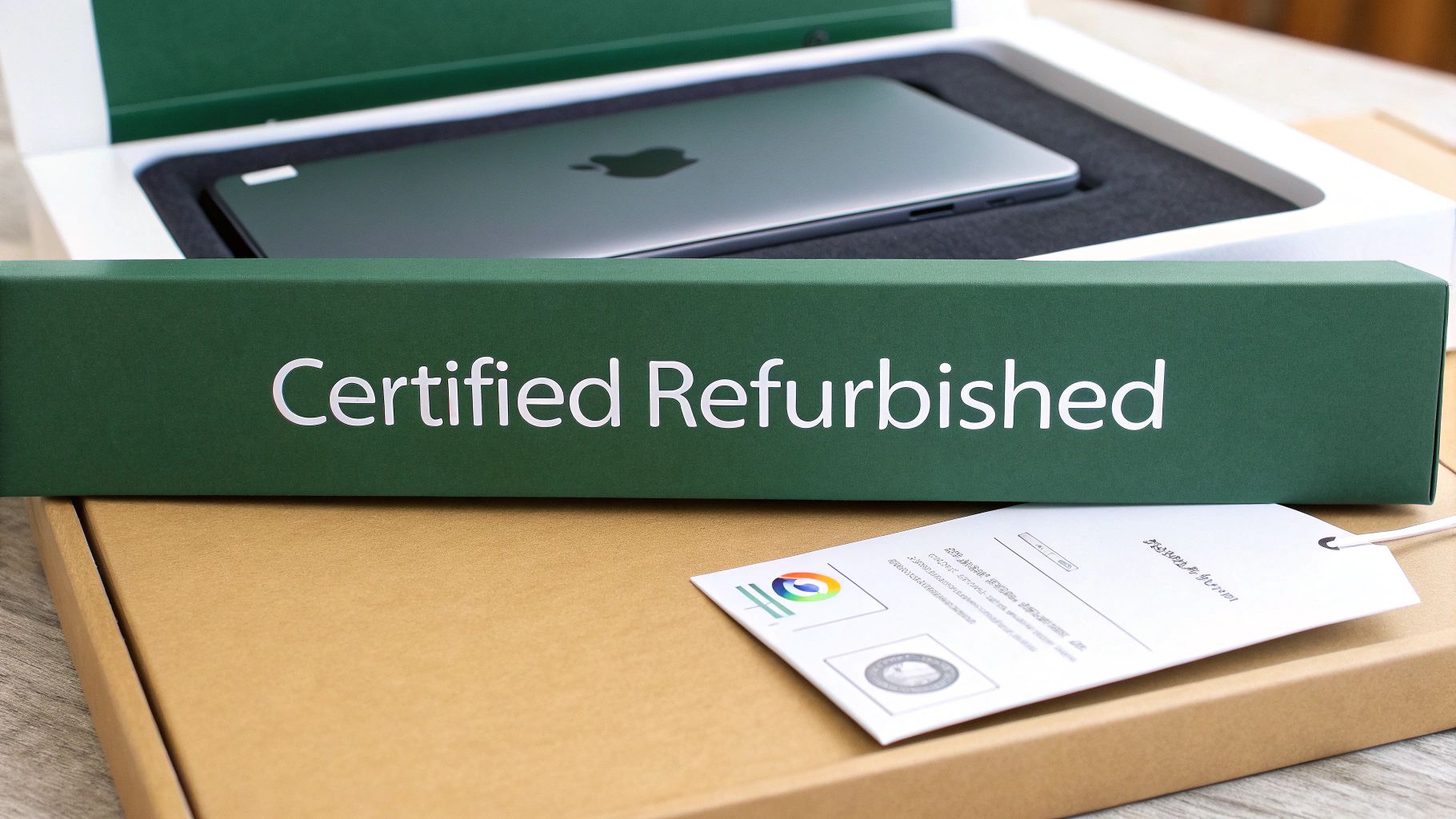
Think of it less like buying a used car off a private seller and more like getting a car that’s been fully serviced and certified by a specialist mechanic. A refurbished device isn’t just wiped clean; it's certified for performance and reliability you can count on. It’s simply the smartest way to get pro-level tech in your hands without paying the premium.
The Trade.com.au Certification Process
Here at Trade.com.au, every single MacBook Pro goes through a rigorous, multi-point inspection and restoration process. Our expert technicians right here in Australia meticulously test every single component to ensure it meets the exact same functional standards as a brand-new device.
This isn't just a quick check. We test everything:
- Battery Health: We ensure the battery holds a strong charge and meets our strict performance benchmarks.
- Screen and Display: The screen is carefully inspected for any defects, ensuring that stunning Liquid Retina display is absolutely flawless.
- Hardware Functionality: Every port, key, and sensor is tested to guarantee it's all in full working order.
- Internal Components: We run deep diagnostics on the M2 chip, unified memory, and SSD to confirm it’s delivering peak performance.
Only after a device passes every single one of these checks does it earn our 'Certified Refurbished' seal of approval. This is our promise of quality to you, giving you peace of mind that your M2 MacBook Pro will work perfectly from the moment you unbox it.
The Triple Win of Going Refurbished
Choosing a refurbished M2 MacBook Pro isn't just one good decision—it's three. You're scoring major benefits for your wallet, the planet, and your own peace of mind.
1. Massive Cost Savings
This one’s the most obvious win. You get the exact same powerhouse M2 MacBook Pro for a fraction of its original retail price. This frees up your budget for essential software, a new monitor, or simply leaves more cash in your pocket. Making smart buys like this is a core part of proven strategies to save money each month.
2. A Greener Choice for Australia
Australia generates over 500,000 tonnes of electronic waste every year. Every refurbished device is one less piece of e-waste heading to a landfill. By extending the life of incredible hardware like the M2 MacBook Pro, you’re making a direct, positive impact on the environment. It’s a powerful way to access top-tier tech responsibly.
3. Total Peace of Mind with a Warranty
Worried about reliability? Don't be. Every certified device from Trade.com.au comes with a full 12-month warranty. This covers your purchase against any hardware issues, giving you the same security you'd expect when buying new. It completely removes the risk that often comes with buying second-hand tech. For a deeper dive, check out our guide on buying a refurbished MacBook in Australia.
The demand for Apple products in Australia just keeps growing. In the second quarter of 2023, Mac sales in the country shot up by 11.8% year-over-year. This lasting appeal shows just how sought-after machines like the M2 MacBook Pro are, making refurbished models an incredible opportunity for savvy buyers.
Ultimately, choosing a refurbished M2 MacBook Pro from a trusted Australian marketplace like Trade.com.au is the most intelligent way to buy. You get the pro-level laptop you want, the financial savings you need, and the peace of mind you deserve.
Your Checklist for Buying a Refurbished MacBook
Feeling confident about buying refurbished is all about knowing what to look for. When you’re hunting for a deal on a powerful machine like the M2 MacBook Pro, a little bit of know-how goes a long way. This is the checklist I’d personally use if I were buying from a private seller online.
The best part about choosing a trusted marketplace like Trade.com.au is that this detective work is already done for you. Our technicians put every device through a rigorous certification process that covers this entire list (and more), all backed by a solid warranty.
Inspecting the Hardware
First things first: the physical check. This isn't just about looking for a few scratches; it's about making sure every single component works exactly as it should.
- Keyboard and Trackpad: Type out a sentence or two. Do all the keys respond properly? Are any sticky or mushy? Give the trackpad a good workout—test its full range of motion, clicks, and multi-touch gestures.
- Ports and Connections: Don’t just assume they work. Grab a cable and plug something into every single port, from the USB-C slots to the headphone jack, to confirm they all make a solid connection.
- Display Quality: Open up a plain white or black background and inspect the screen for any dead pixels, weird discolouration, or bright spots. It’s also a good idea to view it from a few different angles to check for any inconsistencies.
These hardware checks are absolutely fundamental. A single faulty port or a dead pixel can be a massive headache down the line, which is why our technicians meticulously test every function before a MacBook gets our tick of approval.
Checking Under the Hood
Looks can be deceiving, so what’s going on inside the machine is what truly matters for performance and longevity. The two most critical things to assess are the battery's health and the device's software status.
A healthy battery is the secret to that all-day performance MacBooks are famous for. A device's battery cycle count tells you how many times it has been fully charged and discharged, giving you a clear picture of its remaining lifespan.
You also need to be absolutely sure that the MacBook is free from any previous user accounts or, more importantly, any management locks from a business or school. This is a crucial security step to ensure the device is truly yours.
At Trade.com.au, we handle all of this for you. We guarantee the battery health is above 80%, run full diagnostics, and perform a secure factory reset on every machine. This means you get to skip the risk entirely and jump straight to enjoying your like-new M2 MacBook Pro.
If you want to explore more affordable options, check out our guide to finding cheap MacBook computers in Australia. By choosing a certified refurbished device, you get guaranteed quality and peace of mind built right in.
Got Questions? We’ve Got Answers
Stepping into the world of refurbished tech can bring up a few questions. To help you feel completely confident in your choice, we’ve put together some straight-up answers to the things our customers in Australia ask us most.
Is the M2 MacBook Pro still a good buy now?
Absolutely. The M2 MacBook Pro is still a powerhouse that breezes through demanding tasks. It has more than enough performance for professional-level work for years to come. When you factor in the serious savings from a certified refurbished model, it hits the perfect sweet spot between power and price.
What warranty comes with your MacBooks?
Every single refurbished device from Trade.com.au comes with our comprehensive 12-month warranty. No exceptions. This warranty covers all hardware, giving you the same peace of mind you’d expect from buying a brand-new product. We proudly stand behind the quality of our gear.
Can I trade in my old device?
Yep, you sure can! Our trade-in program is designed to make upgrading even more affordable. You can sell your old MacBook, phone, or other tech directly to us. We’ll give you a credit that you can apply straight to your refurbished M2 MacBook Pro purchase, which instantly lowers the amount you pay.
Do you have a physical store in Australia?
We’re an online marketplace that ships securely and quickly to every corner of Australia. However, for our customers in and around Brisbane, we also offer a handy local pickup option. If you're nearby, it's a great way to get your hands on your new MacBook even faster.
Ready to experience pro-level performance without the pro-level price tag? Check out our range of certified refurbished M2 MacBook Pro models and find the perfect machine to bring your ideas to life.