

Finding Cheap MacBook Computers in Australia
The secret to finding cheap MacBook computers isn't some hidden trick—it's about knowing where and how to look beyond the shiny, expensive world of brand-new retail. As a tech-savvy friend, I'm here to tell you that smart buyers can save hundreds of dollars, sometimes even more, by choosing certified refurbished models or well-cared-for second-hand devices. It's the best way to get that premium Apple experience without the eye-watering price tag.
How to Find Affordable MacBooks in Australia
Let's be honest, finding a genuinely affordable MacBook in Australia can feel like a bit of a mission. Everyone loves Apple's slick design and powerful macOS, but the brand-new retail prices can be a major hurdle for students, small business owners, or anyone trying to stick to a budget.
But don't worry, there are a few clever ways to get your hands on one. The key is to stop thinking "new" and start thinking "smart." This guide will walk you through the process so you can navigate the market with confidence.
Understanding Your Options
Think about it like buying a car. You could walk into a dealership and get a brand-new model, but that comes with the highest price. Or, you could explore other options that offer much better value. When it comes to MacBooks, your main paths to a great deal are:
- Certified Refurbished: This is the MacBook equivalent of a "certified pre-owned" car. These are machines that have been professionally checked, tested, and restored to work like new. They nearly always come with a warranty, giving you extra peace of mind.
- Second-Hand: This is more like buying a car directly from a private seller. You can find the lowest prices here, but it's a bit of a gamble. There are no guarantees about the laptop's history, condition, or how long it will last.
- Slightly Older Models: A MacBook that’s a year or two old can still be a powerhouse. In fact, an older high-spec model will often outperform a brand-new, entry-level laptop from another brand that costs the same.
The biggest difference here is a trade-off: price versus security. A certified refurbished MacBook hits that sweet spot, giving you big savings and the confidence that comes with a professional inspection and warranty.
Once you understand these categories, you can make a call that lines up with your needs and budget. The goal is to find a machine that delivers the quality performance MacBooks are famous for, at a price that actually makes sense.
For a deeper dive, you can learn all about second-hand Mac computers in our dedicated guide. It’ll help you choose a top-quality Apple laptop that fits your budget without compromising on reliability.
Refurbished vs Second-Hand MacBooks Explained
When you’re hunting for a deal on a MacBook, you’ll constantly see ‘refurbished’ and ‘second-hand’ thrown around. It’s easy to think they mean the same thing, but they describe two totally different buying experiences. Confusing the two is a classic mistake that can lead to some serious buyer's remorse.
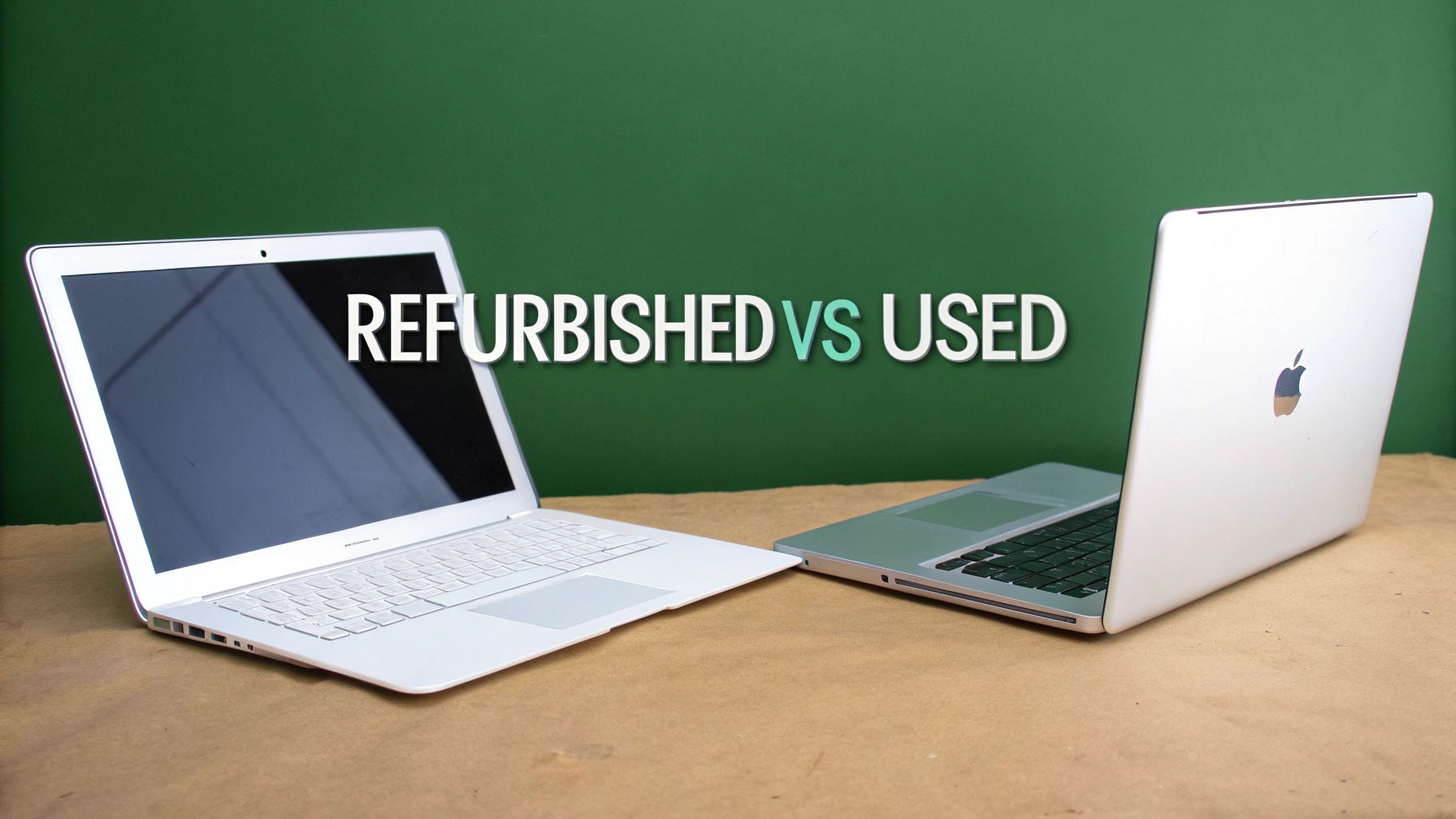
Here’s a simple analogy: buying a certified refurbished MacBook is like getting a certified pre-owned car from a reputable dealership. Sure, it’s had a previous owner, but it’s been through a massive checklist—inspected, tested, repaired, and professionally detailed. Best of all, it comes with a warranty.
A second-hand MacBook, on the other hand, is like buying that same car from a private seller on Gumtree. It’s sold ‘as is’. What you see is what you get, and there are no guarantees about its past or how long it’ll last after you hand over the cash.
What Is a Certified Refurbished MacBook?
A certified refurbished MacBook is a pre-owned device that’s been returned, professionally restored to perfect working order, and put back on the market. This isn't just a quick wipe-down; it's a full restoration process.
Technicians run the machine through a battery of diagnostic tests, checking every single component from the keyboard and trackpad to the battery health and screen. If any part fails to meet factory standards, it gets repaired or replaced. The device is also professionally cleaned and securely data-wiped, giving you a fresh start.
The single biggest advantage of buying refurbished from a trusted marketplace like Trade.com.au is the warranty. This peace of mind protects you from unexpected hardware issues—a safety net you just don’t get with a private sale.
Ultimately, you get a machine that looks and performs like new but costs significantly less. It's the smartest, safest way to get a high-quality Apple laptop without the brand-new price tag. To really get into the details, check out our complete guide to buying a refurbished MacBook in Australia.
The Risks of a Second-Hand MacBook
A second-hand (or used) MacBook is sold directly by its previous owner, with no professional checks, cleaning, or guarantees. While you might find the absolute cheapest price this way, it’s also where you’ll find the biggest risks.
You have no real way of knowing the device's history. Was it dropped? Did the owner spill coffee on it? Is the battery about to fail? The seller might not even be aware of underlying problems themselves.
Before you jump on that too-good-to-be-true deal, consider these risks:
- No Warranty: If the logic board fails a week after you buy it, that’s your problem. Repair costs can quickly wipe out any savings you made.
- Hidden Damage: Internal issues like a failing graphics card or a worn-out battery aren't obvious from the outside.
- Activation Lock: The device could still be tied to the previous owner's Apple ID, turning your new purchase into a very expensive paperweight.
- No Returns: A private sale is almost always final. If you get it home and aren't happy, there’s very little you can do.
It's a gamble. That low price might seem tempting, but you need to weigh it against the real possibility of costly repairs and headaches down the line.
Refurbished vs Second-Hand MacBook at a Glance
| Feature | Certified Refurbished (e.g., Trade.com.au) | Second-Hand (Private Seller) |
|---|---|---|
| Testing | Comprehensive multi-point diagnostic check | None. Sold "as is" |
| Warranty | Included (typically 12 months) | None. All risk is on the buyer |
| Condition | Professionally cleaned and graded | Varies wildly, often with cosmetic wear |
| Repairs | Faulty parts are repaired or replaced | Any issues are the buyer's responsibility |
| Returns | Clear return policy (e.g., 18-day change of mind) | Almost never accepted |
| Support | Customer support team available | No support after the sale |
| Price | Significant savings over new | Can be the cheapest option, but highest risk |
As you can see, while both are pre-owned, the "certified refurbished" path offers a layer of security, quality control, and peace of mind that you simply won't find in a private sale.
Choosing the Right MacBook Model for Your Budget
So, you've decided to hunt for a great deal on a MacBook. Awesome. But now comes the big question: which one? Not all MacBooks are created equal, and picking the right model for what you actually do is the key to getting real value for your money.
There's no point overspending on a beast of a machine if you'll never push it to its limits. On the flip side, you don't want a laptop that’s already struggling to keep up with your daily tasks.
Think of it like choosing a tool from a toolbox. You wouldn't grab a sledgehammer to hang a picture frame, would you? It’s the same logic. Matching the MacBook to your lifestyle means you get a fantastic experience without emptying your bank account. In Apple's world, the two main players are the MacBook Air and the MacBook Pro, designed for very different people.
MacBook Air: The Everyday Champion
For the vast majority of people—from students to professionals—the MacBook Air is the perfect choice. It’s incredibly light, making it a dream for lugging between classes, commuting, or just carrying around the house.
But don't let its slim design fool you. Modern MacBook Airs, especially those with Apple's M-series chips (like the M1 and M2), pack a serious punch. They are more than capable of handling everything you throw at them day-to-day.
- Perfect For: Students, writers, office workers, and anyone whose main tasks are browsing the web, writing documents, streaming videos, and light photo editing.
- Key Advantage: It hits the perfect sweet spot between performance, portability, and price. This makes it one of the best value laptops you can buy, especially as a refurbished deal.
MacBook Pro: The Creative Powerhouse
Now, if your work or hobbies are more demanding, the MacBook Pro is the workhorse you’re looking for. It’s engineered with more powerful processors, better graphics, and superior cooling systems designed to handle heavy, sustained workloads without breaking a sweat.
All that extra horsepower comes with a bigger price tag, which is why you need to be honest with yourself about whether you truly need it.
- Perfect For: Video editors, graphic designers, music producers, software developers, or anyone running intense apps that need every drop of performance.
- Key Advantage: It delivers top-tier processing power for professional creative and technical jobs, ensuring complex projects run smoothly and without frustrating delays.
Here’s a crucial money-saving tip: an older, refurbished M1 MacBook Air often outperforms many brand-new Windows laptops in the same price range. This makes it an incredibly smart buy for anyone wanting a premium Apple experience on a sensible budget.
Ultimately, the choice between the Air and the Pro boils down to what you really do with your laptop. By picking the right model, you make sure every dollar goes towards features you'll genuinely use. That's how you turn your hunt for a cheap MacBook into a successful one.
Why Are MacBooks So Expensive in Australia?
Ever looked at the price of a brand-new MacBook in Australia, glanced at the US price, and felt a sting of confusion? You’re not alone. It’s a common frustration for Aussie buyers who see a massive price hike that goes way beyond a simple currency conversion.
This price difference is often nicknamed the "Australia tax," but it’s not just one thing. It’s a mix of several economic and logistical factors that stack up to create the higher price tag you see in local stores. Understanding these reasons helps set realistic expectations when you're on the hunt for a cheap MacBook.
The Key Factors Behind the Price Gap
It’s easy to blame the exchange rate, but the reality is more layered. A bunch of unavoidable costs are tacked onto a MacBook's price before it ever lands on a shelf in Australia.
Here’s a quick look at what’s driving the price up:
- Goods and Services Tax (GST): Australia has a 10% GST on most goods, which gets baked into the final retail price. That’s a significant chunk added right on top.
- Import Tariffs and Duties: Bringing electronics into the country isn't free. Import duties and other taxes are applied as they cross the border, and those costs are passed directly on to the buyer.
- Logistics and Distribution Costs: Australia is a massive country. The cost of shipping, warehousing, and safely getting products to stores in Perth, Brisbane, or Hobart is much higher than in more tightly packed regions like Europe or the US.
Regional Pricing Strategy and the Numbers
Beyond taxes and shipping, Apple also uses a regional pricing strategy. This means the company sets prices based on local market conditions and operating costs—not just a direct currency conversion from the US price. This often results in a higher starting price for countries outside the US.
The difference isn't small. A 2021 analysis showed that Australians pay, on average, a whopping 26.5% more for Mac computers than Americans. That means for every $1,000 spent on a MacBook in the US, an Australian would be paying around $1,265, even before local taxes. You can explore the full breakdown of international Mac pricing to see how these costs compare across the globe.
This local price premium is exactly why the certified refurbished market is such a game-changer in Australia. It lets you sidestep a huge portion of that initial retail markup, giving you a much more affordable entry point into the Apple ecosystem.
By understanding why new MacBooks are so expensive here, you can appreciate the incredible value that a high-quality, verified refurbished device offers. It’s the smartest way to get the performance you want at a price that makes sense for the Australian market.
Your Pre-Purchase Inspection Checklist
Alright, this is where you need to put on your detective hat. When looking at a pre-owned MacBook, especially from a private seller, you become the quality control expert. A thorough check can be the difference between snagging a bargain and buying someone else's expensive headache.
Think of this as your hands-on guide. Going through these steps will help you spot red flags, negotiate a better price, or give you the confidence to walk away from a bad deal.
Physical Hardware Checks
First things first, let's get physical. Start with a careful look over the entire machine. A few minor scuffs are normal for a used device, but you’re hunting for signs of serious damage that could point to bigger problems.
- Examine the Body and Screen: Look for major dents, deep cracks, or warping in the body, paying close attention to the corners where drops happen. Open the MacBook and inspect the screen closely for dead pixels (annoying black or coloured dots), bright spots, or discolouration.
- Test Every Single Port: This is a big one. Bring a USB drive, headphones, and a portable charger if you can. Plug something into every port—USB-C/Thunderbolt, USB-A, the headphone jack, and the charging port—to make sure they all work.
- Check the Keyboard and Trackpad: Open a text document and type on every single key. Do any feel sticky, mushy, or unresponsive? Now, give the trackpad a workout. Test its full range of motion, make sure the click feels right, and try multi-touch gestures like scrolling and zooming.
The infographic below shows why finding a cheap new MacBook in Australia is such a challenge, and why the pre-owned market is so popular.
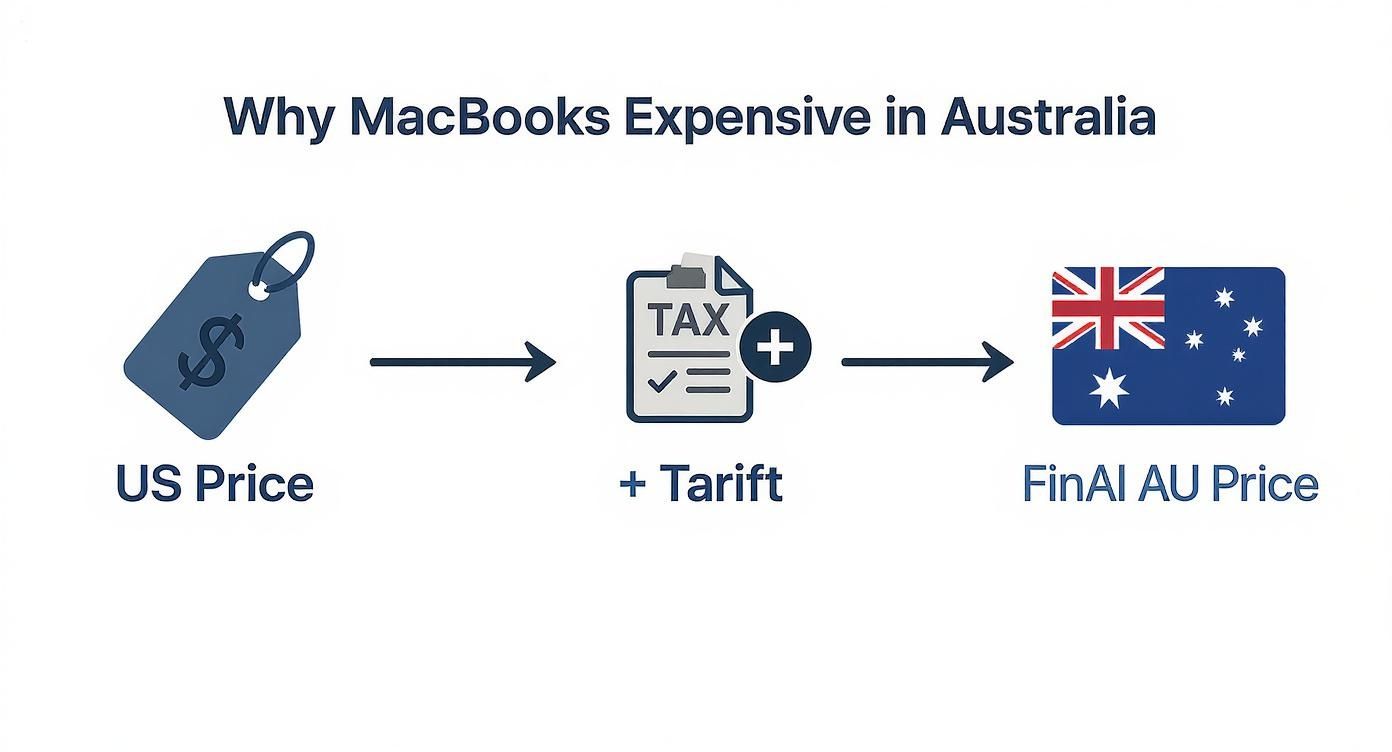
As you can see, by the time a MacBook lands here, import costs and taxes have pushed the price way up. It reinforces why doing these checks on a second-hand machine is worth your time.
Critical Software and Security Verification
Once the outside looks good, it’s time to peek under the hood.
Crucial Final Step: If you do nothing else, do this. The most important check is for Activation Lock. You must ask the seller to sign out of their Apple ID and iCloud account in front of you. If they hesitate or make excuses, walk away immediately. It likely means the device is stolen or still tied to their account, making it a paperweight for you. Do not buy it.
Next, get a read on the battery's condition. Go to the Apple menu > System Settings > Battery and check its health. A "Normal" status is what you want. If it says "Service Recommended," you're looking at a pricey battery replacement soon, so factor that into the cost.
It’s also a great idea to understand how to find out the age of a computer and why it matters, as this impacts performance and software updates. Following this simple checklist is the best way to make sure your affordable MacBook is also a reliable one.
Where to Find the Best MacBook Deals in Australia
Knowing which MacBook you want is half the battle; knowing where to find it is the other half. When you're hunting for a great deal in Australia, your options fall into two main camps, each with its own pros and cons.
Ultimately, it boils down to how much risk you're willing to take for a lower price.
The safest and most reliable route, hands down, is through a trusted refurbished marketplace. Places like Trade.com.au have become the gold standard for pre-owned tech for a reason. Every device goes through a rigorous certification process where it's tested, cleaned, and repaired to meet strict quality standards.
Most importantly, these marketplaces provide a warranty. Think of this as your safety net, protecting you from unexpected hardware faults and giving you genuine peace of mind. You're not just buying a laptop; you're buying confidence that your investment is protected.
The Wild West of Private Sales
On the other end of the spectrum are general classifieds like Facebook Marketplace or Gumtree. You can sometimes stumble upon rock-bottom prices here, but it comes with significant risk. These are private, ‘as-is’ sales with no guarantees, no professional inspections, and no warranties.
The trade-off is clear: marketplaces offer security and guaranteed quality at a great price, while private sales offer the lowest possible price but with the highest potential for costly problems.
The Aussie laptop market often sees high retail prices, which makes private deals tempting. For instance, the MacBook Air 13.3-inch (MGN63LL/A) has fluctuated between AU$599 and over AU$1,100. You can explore more about Apple's local price history to see these trends yourself.
Choosing the right platform depends on your comfort with risk. If you'd like to learn more, check out our guide on finding refurbished laptops near you. For most buyers, a verified marketplace is the smartest way to lock in a great MacBook deal without the gamble.
Frequently Asked Questions About Buying MacBooks
Diving into the world of pre-owned Apple gear can bring up a few questions. Getting straight answers is the final step to grabbing a cheap MacBook with total confidence. Here are the most common things we get asked by savvy shoppers across Australia.
Is a 5-Year-Old MacBook Still a Good Buy?
Absolutely. A five-year-old MacBook, especially a well-cared-for Pro model, can still be a fantastic workhorse. It’ll handle daily tasks—web browsing, writing documents, and streaming video—without breaking a sweat.
The main thing to keep in mind is that it might struggle with demanding modern software and probably won't get the very latest macOS updates. Before you commit, just double-check its battery health and make sure it’s up to the specific tasks you have in mind.
What Is a Good Battery Cycle Count?
When you're looking at a used MacBook, a good battery cycle count is anything under 500. For context, modern MacBook batteries are built to handle up to 1,000 cycles before their performance really drops off.
Think of it this way: a count under 300 is excellent and means there's heaps of life left. A count getting close to 1,000 is a heads-up that a battery replacement is on the cards soon. You can find this in the System Report under the 'Power' section.
Do Refurbished MacBooks Come with a Warranty?
Yes, and honestly, this is one of the biggest reasons to go refurbished. Any reputable seller of certified refurbished MacBooks will always include a warranty. It’s a crucial safety net that protects you from hardware faults that weren't obvious at first glance, giving you that all-important peace of mind.
Ready to find a high-quality, affordable MacBook that’s been professionally checked and is backed by a solid warranty? Explore the latest certified refurbished devices at Trade.com.au and get the Apple performance you love, for less. Find your perfect MacBook today!