

Your Guide to Buying a Refurbished MacBook in Australia
Let's be honest, staring at the price of a brand-new MacBook can give you a bit of sticker shock. But what if you could get that same premium Apple experience—the sleek design, powerful performance, and intuitive macOS—without the eye-watering price tag?
This is exactly where refurbished MacBooks come in. Think of it as the smartest way to get your hands on the tech you love while keeping your wallet happy.
Why Choose a Refurbished Apple MacBook?
So, what exactly is a MacBook Apple refurbished device? It’s a pre-owned Mac that’s been professionally restored to perfect working order. Unlike just buying a second-hand laptop from a stranger online, a refurbished MacBook goes through rigorous testing, repairs, and certification. The end result is like-new performance and reliability for a fraction of the cost.
Think of it like buying a certified pre-owned car. It’s not just 'used'; it's been professionally inspected from top to bottom, serviced, and given a stamp of approval. Any component that doesn't meet strict standards is repaired or replaced, ensuring the machine you get works flawlessly right out of the box.
More Than Just a Discount
Choosing refurbished isn't just about saving a few bucks; it’s a strategic move with some serious perks. It gives you access to higher-spec models that might have been out of your price range if bought new. Plus, it's a far more sustainable choice that helps reduce electronic waste—a win for your wallet and the planet.
This smarter way of buying is catching on fast across Australia. Just look at local retailer Harris Technology, which reported a 20 percent quarter-on-quarter jump in sales revenue, mostly driven by the booming popularity of refurbished devices. Their CEO even noted that refurbished tech is their fastest-growing segment and shows no signs of slowing down. It’s clear Aussies are embracing the value and quality on offer.
Peace of Mind Is Part of the Deal
One of the biggest worries people have about refurbished tech is reliability. Will it last? What if something goes wrong? This is where buying from a trusted Australian marketplace like Trade.com.au makes all the difference.
Every single device we sell is backed by a solid 12-month warranty. This gives you the same confidence and protection you'd expect when buying a new device, completely removing the risks that come with private sellers on Gumtree or Facebook Marketplace.
A refurbished MacBook from a trusted seller isn't a compromise; it's a savvy investment. You get the premium performance and build quality of Apple, backed by a warranty that ensures your purchase is secure, reliable, and ready for years of use.
This guide is designed to turn you from a hesitant buyer into a confident one. We'll walk you through everything you need to know, from understanding the different refurbishment grades to checking essential specs, so you can find the perfect MacBook for your needs.
If you're keen to see just how much you could save, you might want to check out our guide on finding a cheap MacBook without sacrificing quality. Let's get started on finding your ideal machine.
Decoding Refurbishment Grades From A to B
Stepping into the world of refurbished tech can feel like learning a new language, especially with terms like 'Grade A' or 'Excellent' floating around. It’s one of the biggest questions we get: what do these grades actually mean for the MacBook Apple refurbished device you'll receive?
Let's clear things up so you can shop with total confidence.
Think of refurbishment grades as a simple way to describe the cosmetic condition of a MacBook. The most important thing to know is that at a trusted marketplace like Trade.com.au, every single device is 100% functional on the inside. The grade only refers to what it looks like on the outside.
This diagram shows why a refurbished MacBook is such a smart move, hitting that sweet spot between being budget-friendly, properly certified, and sustainable.
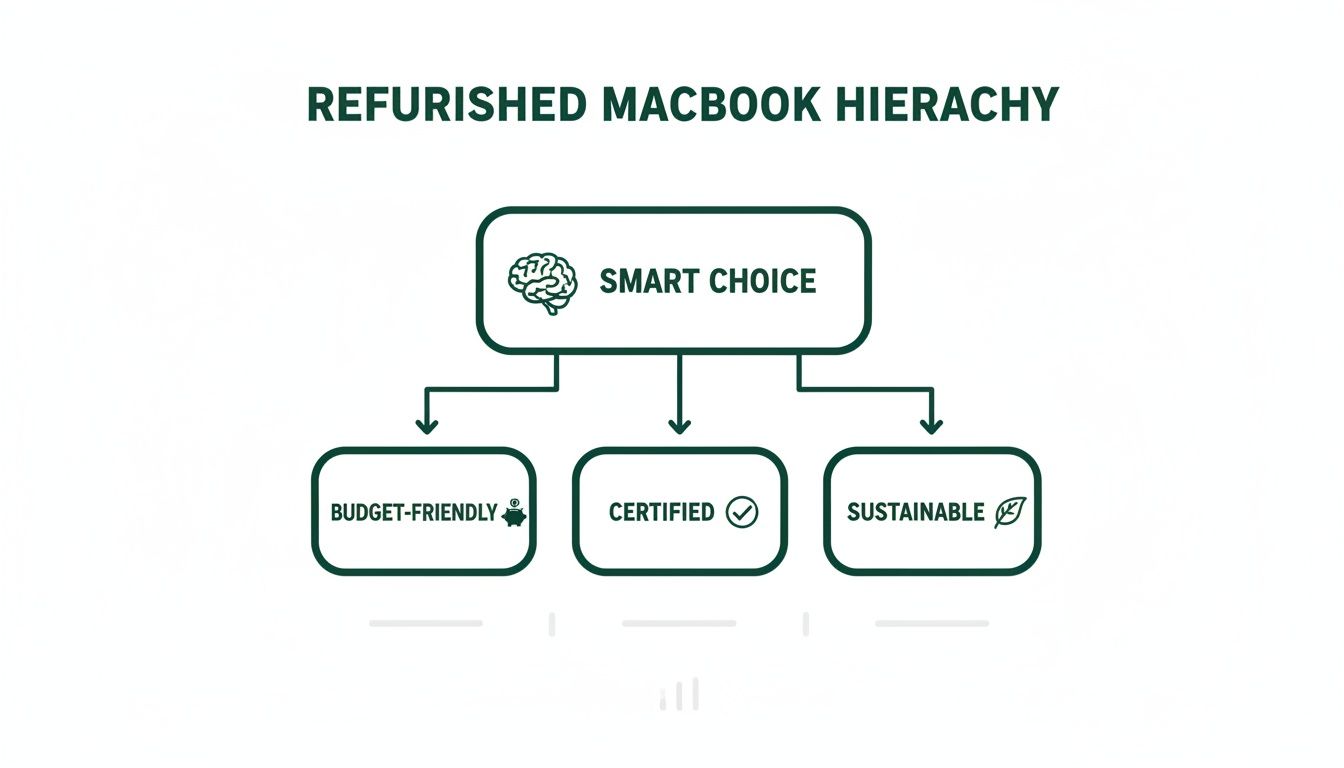
As you can see, it's about much more than just a lower price tag. You're getting a device that's been given a new lease on life without compromising on quality.
To make things even clearer, here’s a quick breakdown of what to expect from each grade.
Refurbishment Grades Explained
| Grade | Cosmetic Condition | Functionality | Ideal For |
|---|---|---|---|
| Grade A | Pristine or 'Like-New'. May have a tiny, almost invisible mark on the casing, but the screen and keyboard are flawless. | 100% functional. Passed all diagnostic tests. | Someone who wants the 'new device' experience without the 'new device' price tag. Perfect for gifts or professionals. |
| Grade B | Very Good. Shows light signs of use, like minor scuffs on the corners or a small scratch on the body. The screen is in excellent condition. | 100% functional. Passed all diagnostic tests. | The savvy buyer looking for the absolute best value. The slight cosmetic wear doesn't affect performance at all. |
Choosing the right grade is all about what matters most to you. Let's dig a little deeper into what that means in the real world.
What Is Grade A Condition?
Grade A (often called 'Excellent' or 'Pristine') is the best of the best in the refurbished world. Imagine a laptop that was an in-store display model or was returned by a customer shortly after purchase. It’s as close to brand-new as you can possibly get.
Cosmetically, you’ll be hard-pressed to find any signs of use. There might be a microscopic mark on the casing if you look really, really closely, but the screen, keyboard, and trackpad will be flawless.
- Appearance: Looks practically brand new.
- Best For: Buyers who want a device that feels and looks new but appreciate the significant savings.
This grade is perfect if the cosmetic appearance is just as important to you as the performance. You get that 'new device' feeling without the premium cost.
What Is Grade B Condition?
Grade B (also known as 'Very Good') represents a fantastic balance between price and appearance. These MacBooks have been used before but have clearly been well cared for. They’ll show minor signs of normal wear and tear, but absolutely nothing that gets in the way of performance.
You might find a light scuff on a corner or a minor scratch on the body of the MacBook. Critically, the screen will still be in excellent condition, free from any major marks that would distract you while you're working or watching a movie.
A Grade B device is like a well-maintained car—it might have a few minor cosmetic blemishes from normal use, but under the bonnet, it’s a perfectly tuned machine that runs flawlessly.
For a more detailed look into each category, you can learn more about refurbished device grades in our detailed guide. It’s a great resource to help you make an even more informed choice.
The Bottom Line on Grades
Ultimately, choosing between grades comes down to your personal preference and budget. Do you want a flawless, out-of-the-box finish, or are you happy with a minor imperfection in exchange for an even better deal?
No matter what you choose, just remember this: every MacBook sold on Trade.com.au has passed the exact same comprehensive functional tests. Whether you pick Grade A or Grade B, you’re getting a machine that’s been professionally certified to work perfectly, backed by a 12-month warranty. The internal components are held to the same high standard, ensuring you get the reliable Apple performance you expect. It's simply a matter of choosing the cosmetic condition that suits you best.
Choosing the Right Refurbished MacBook Model
With so many models out there, picking the perfect MacBook Apple refurbished device can feel a bit overwhelming. Let’s cut through the noise. This section is your personal guide to matching the right machine to what you actually do every day. The choice really boils down to two main players: the ultra-light MacBook Air and the powerhouse MacBook Pro. Each is built for a different kind of person.
Think of it like this: if your days are filled with writing essays, jumping between websites, and moving from class to a cafe, the MacBook Air is your best friend. It’s incredibly easy to carry around and has more than enough grunt for all your daily tasks.
On the other hand, if you're a creative, a developer, or a designer who needs serious muscle for video editing, coding, or running demanding software, the MacBook Pro is your workhorse. It’s built from the ground up for heavy, sustained performance.
MacBook Air: The Everyday Champion
There’s a good reason the MacBook Air is Apple's best-selling laptop. It manages to pack a serious punch into a super slim and light package, making it the go-to for students, writers, and anyone who’s constantly on the move.
Its biggest win is efficiency. You get genuine all-day battery life, which means you can confidently leave the charger behind. For most of us—people browsing, streaming, emailing, and working on documents—a MacBook Air with an Apple Silicon chip (M1 or newer) isn't just enough; it's brilliant.
- Who it's for: Students, commuters, small business owners, and anyone who puts portability and battery life first.
- Common tasks: Writing, web browsing, video calls, streaming shows, and light photo editing.
For a deeper look at how these two stack up for different people, you can explore our detailed comparison of the MacBook Air vs the MacBook Pro. It’s a great resource for zeroing in on the features that matter most to you.
MacBook Pro: The Professional Powerhouse
When your work pushes a computer to its limits, the MacBook Pro is ready to step up. It’s designed for people who can’t afford to be slowed down by their machine.
The key differences are its beefier processors, better cooling systems (which let it run at peak speed for longer), and a brighter, more colour-accurate display. You’ll also usually get more ports for plugging in external drives and monitors. If your workflow involves massive files, running multiple heavy apps at once, or graphics-heavy tasks, the Pro is built to handle it all without breaking a sweat.
- Who it's for: Video editors, graphic designers, programmers, music producers, and data analysts.
- Common tasks: Editing 4K video, 3D rendering, compiling large blocks of code, and running virtual machines.
Choosing between the Air and Pro isn't just about speed; it's about your workflow. The Air is for the marathon runner who needs endurance and agility. The Pro is for the weightlifter who needs raw, explosive power for heavy-duty tasks.
Translating Tech Specs into Real-World Benefits
Alright, let's decode the specs so you can spend your money on the features you’ll actually use.
Processor (CPU):
Honestly, any MacBook with an Apple Silicon chip (M1, M2, or newer) is a massive leap forward from the older Intel models. For the vast majority of people, even the base M1 chip is incredibly fast and capable. You only need to start looking at the higher-end M-series chips if you’re a pro using very specific, demanding software.
RAM (Memory):
Think of RAM as your computer's short-term memory. It dictates how many things you can do at once without it slowing down.
- 8GB RAM: This is the sweet spot for everyday use. It's plenty for browsing with lots of tabs, streaming, and using office software without any lag.
- 16GB RAM: A must-have for serious multitaskers, graphic designers, and programmers. If you often have dozens of browser tabs open alongside apps like Photoshop, 16GB will keep everything running smoothly.
Storage (SSD):
This is where all your files, apps, and the operating system live.
- 256GB: A good starting point for students or anyone who mainly uses cloud storage like iCloud or Google Drive.
- 512GB or more: Highly recommended if you plan on storing large files like photo libraries, videos, or big software projects directly on your MacBook.
By getting a handle on these core components, you can confidently pick a MacBook Apple refurbished model that perfectly fits your needs and budget. It’s all about paying for the power you’ll actually use.
Your Pre-Purchase Refurbished MacBook Checklist
Alright, you’ve decided which model fits your life, and you're ready to find the perfect MacBook Apple refurbished deal. This is the exciting part! But before you click "buy," it’s smart to run through a quick checklist to ensure you’re getting a fantastic machine that will last.
Think of this as your pre-flight check before bringing your new MacBook home. Armed with a little knowledge, you can inspect a refurbished MacBook like a pro and make a secure, smart investment. Let’s get you ready to choose with total peace of mind.

Check the Battery Health
A MacBook’s battery is its heart, especially if you plan on being portable. Battery health is measured in cycle counts—one cycle equals a full charge from 0% to 100%. Modern MacBook batteries are designed to last for about 1,000 cycles, so a lower count generally means more life left in the tank.
When buying from a reputable seller like Trade.com.au, the battery will have already been tested to hold at least 80% of its original capacity. This is the benchmark for good health, ensuring you get solid, reliable performance from day one without worrying about needing a replacement anytime soon.
Verify the Model and Specs
This might sound obvious, but it's crucial to double-check that the model year and specs in the description match exactly what you’re after. It's the difference between a machine that flies and one that struggles with your workload.
Here’s what to confirm:
- Processor: Is it the M1, M2, or Intel chip you wanted?
- RAM: Does it have the 8GB or 16GB of memory you need?
- Storage: Confirm the SSD size (e.g., 256GB, 512GB) is enough for your files.
Getting this right means you’re paying for exactly the performance you expect, with no nasty surprises when it arrives.
Inspect the Physical Condition
Beyond the official grade, it's good practice to give your device a quick once-over when it arrives. You'll want to make sure everything is in order.
Start with the screen. Look for any bright spots, dead pixels, or weird discolouration. Next, test the keyboard and trackpad to make sure all the keys are responsive and feel right. Finally, give the ports (USB-C, headphone jack) a quick look to make sure they are clean and functional.
The Warranty Is Your Ultimate Safety Net
This is the big one. A warranty is your guarantee that the device you’re buying is reliable. Without it, you’re taking a gamble. This is where buying from an established Australian business like Trade.com.au makes a world of difference. Every MacBook Apple refurbished device we sell comes with a 12-month warranty.
The single most important item on your checklist is the warranty. A comprehensive warranty is the ultimate safety net, transforming a good deal into a genuinely risk-free purchase. It's the key difference between buying from a professional refurbisher and a random seller online.
This isn't just a promise; it's a commitment to quality you simply won't find on marketplaces like Gumtree or Facebook. If anything unexpected happens, you have a local team right here in Australia ready to help.
Once you've made your selection, it’s always a good idea to clean up your Mac hard drive to keep it running smoothly from the start. Keeping your storage tidy ensures your new machine stays fast and responsive for years to come.
Why Buying Local From Trade.com.au Matters
In a world flooded with online options, where you buy your tech can be just as important as what you buy. When it comes to a MacBook Apple refurbished device, choosing a local Aussie marketplace like Trade.com.au gives you some serious advantages that you just won’t get from international sellers or anonymous online listings. It’s about more than just a transaction; it's about confidence, real support, and buying from a team you can actually talk to.
Forget the gamble of dealing with overseas sellers or taking a chance on a private sale. We’re an Australian business, based right here and committed to quality. That local presence means you get support from people in your time zone and policies designed for Aussie buyers.
Our Rock-Solid 12-Month Warranty
Let’s be honest, peace of mind is priceless. That’s why every single refurbished MacBook we sell is backed by our own 12-month warranty. This isn't some dodgy third-party offer with a mountain of paperwork; it's our direct promise to you.
If you run into any hardware issues, you won’t be sending emails into the void or trying to navigate international call centres. Our local support team is here in Australia, ready to get any problems sorted out quickly and efficiently. It’s a proper safety net that gives you genuine security for a full year.
Buying local from Trade.com.au means you're not just getting a great device at a great price—you're getting a partnership. Our 12-month warranty is our commitment to you, ensuring your investment is protected by a team you can trust.
You simply don't get this level of assurance from a private seller on Facebook Marketplace, making it the smartest and safest way to buy refurbished tech.
Brisbane-Based Service and In-Person Pickup
For our customers in and around Brisbane, the perks of buying local are even better. We offer a level of convenience and trust that an online-only, faceless retailer just can't match.
Being based in Brisbane means we’re part of the local community, allowing us to offer a few extra touches that add confidence to your purchase.
- In-Person Pickup: If you're nearby, you can come and pick up your refurbished MacBook in person. It’s a great way to see your device before you take it home and meet the team behind the scenes.
- Local Accountability: Having a physical presence means we’re accessible. You know exactly who you're buying from, and that accountability builds real trust.
- Faster Service: Being local often means faster turnaround times for both getting your MacBook and any support you might need down the track.
This local connection takes the guesswork out of buying online and replaces it with the reliability of a neighbourhood business you can count on.
Unlock More Value With Our Trade-In Program
Looking for a way to make that refurbished MacBook even more affordable? Trading in your old devices is the perfect solution. Our trade-in process is designed to be dead simple, transparent, and rewarding, helping you unlock the value sitting in the tech you no longer use.
Here’s the breakdown:
- Get a Quote: Tell us about your old device—your old phone, tablet, or laptop—and we’ll shoot you a competitive, no-obligation quote.
- Send It In: We’ll give you simple instructions to send your device to us safely and securely.
- Get Paid: As soon as we’ve checked your device, you get paid. You can put that credit straight towards your new MacBook Apple refurbished purchase, knocking a chunk off the upfront cost.
This isn’t just great for your wallet; it’s a win for the planet. By giving your old tech a second life, you’re helping to reduce e-waste and support a more sustainable, circular economy. It’s a smart choice all around.
Got Questions About Refurbished MacBooks? We’ve Got Answers.
Even after digging into the details, it’s totally normal to have a few questions buzzing around. Buying a MacBook is a big decision, and whether it’s new or refurbished, you deserve to feel completely confident about it.
Let's tackle some of the most common questions we hear from customers. We want you to feel just as secure and excited as you would buying a brand-new device, so let's clear up those final points.
Is a Refurbished MacBook Just a Second-hand One?
This is probably the biggest myth out there, and the answer is a definite no. A "used" MacBook is what you'd typically find from a private seller on a site like Gumtree or Facebook Marketplace. It’s sold as-is, which means you’re rolling the dice on its condition, history, and whether it even works properly.
A refurbished MacBook is a totally different beast. It’s a pre-owned device that has been professionally restored to perfect working order. Here at Trade.com.au, every single machine goes through a strict, multi-point check.
- Full Diagnostic Testing: We put every component through its paces, from the logic board right down to the speakers, to make sure it meets our high standards.
- Professional Cleaning: Each device is meticulously cleaned, inside and out.
- Certified Functionality: If any part doesn’t pass our tests, it’s professionally repaired or replaced.
- Backed by Warranty: This is the big one. Every device is backed by our 12-month warranty—something you’ll never get from a random seller online.
So, while it has had a previous owner, it’s been brought back to a like-new functional state by experts and is certified to work flawlessly.
What’s the Battery Life Like?
We get it. Battery life is a massive deal for a portable powerhouse like a MacBook. It’s one of the first things people ask about, and for good reason. You can rest easy knowing that every refurbished MacBook we sell meets a strict battery health standard.
We guarantee the battery in every MacBook will have at least 80% of its original design capacity. This isn’t some random number; it’s the same benchmark Apple uses for its own refurbished gear and is the industry standard for excellent battery health. It’s our promise that your MacBook will deliver reliable performance from the moment you unbox it.
Peace of mind comes standard. Every refurbished MacBook from Trade.com.au is guaranteed to have a healthy battery, holding at least 80% of its original capacity. You can leave the charger at home and get to work with confidence.
You won't have to hover near a power outlet, worried your machine will die after a couple of hours. We make sure it's ready for a full day's work, from your morning coffee right through to that last email.
What Comes in the Box?
No one likes nasty surprises. When you buy a MacBook Apple refurbished from us, you get everything you need to get up and running straight away.
Every refurbished MacBook includes its essential charging accessories: a compatible power adapter and a charging cable. You won’t need to rush out and buy anything extra just to power it on. While the original Apple box isn't always included, your device will be packed securely and safely to ensure it arrives in perfect condition.
How Does the Warranty Work?
Think of the warranty as your ultimate safety net. It's one of the single biggest advantages of buying from a trusted Australian seller like us. Every single refurbished MacBook from Trade.com.au comes with our comprehensive 12-month warranty.
This means for a full year after your purchase, you're protected against any hardware faults that might pop up. If you run into an issue, our local, Australian-based support team is right here to help you sort it out—no overseas call centres or complicated policies. It’s simple, local support you can count on.
This warranty is our promise to you. It's proof of the quality and reliability of every device we sell, ensuring your investment is properly protected.
Ready to find a premium laptop without the premium price tag? At Trade.com.au, every device is professionally certified, backed by a 12-month warranty, and ready to perform. Explore our collection of refurbished MacBooks and find your perfect match today!