

Your Ultimate Guide to the Samsung Trade In Process
Thinking about a Samsung trade in? It’s a lot like trading in your old car for a newer model. You’re essentially exchanging your old device—be it a phone, tablet, or smartwatch—for credit that gets knocked off the price of a brand-new one. It's a super popular way to make upgrading to the latest tech a bit easier on your wallet.
Instead of letting that old phone gather dust in a drawer, you can turn its leftover value into an instant discount. It's a smart, simple, and sustainable way to keep up with the latest tech.
How the Samsung Trade In Process Really Works
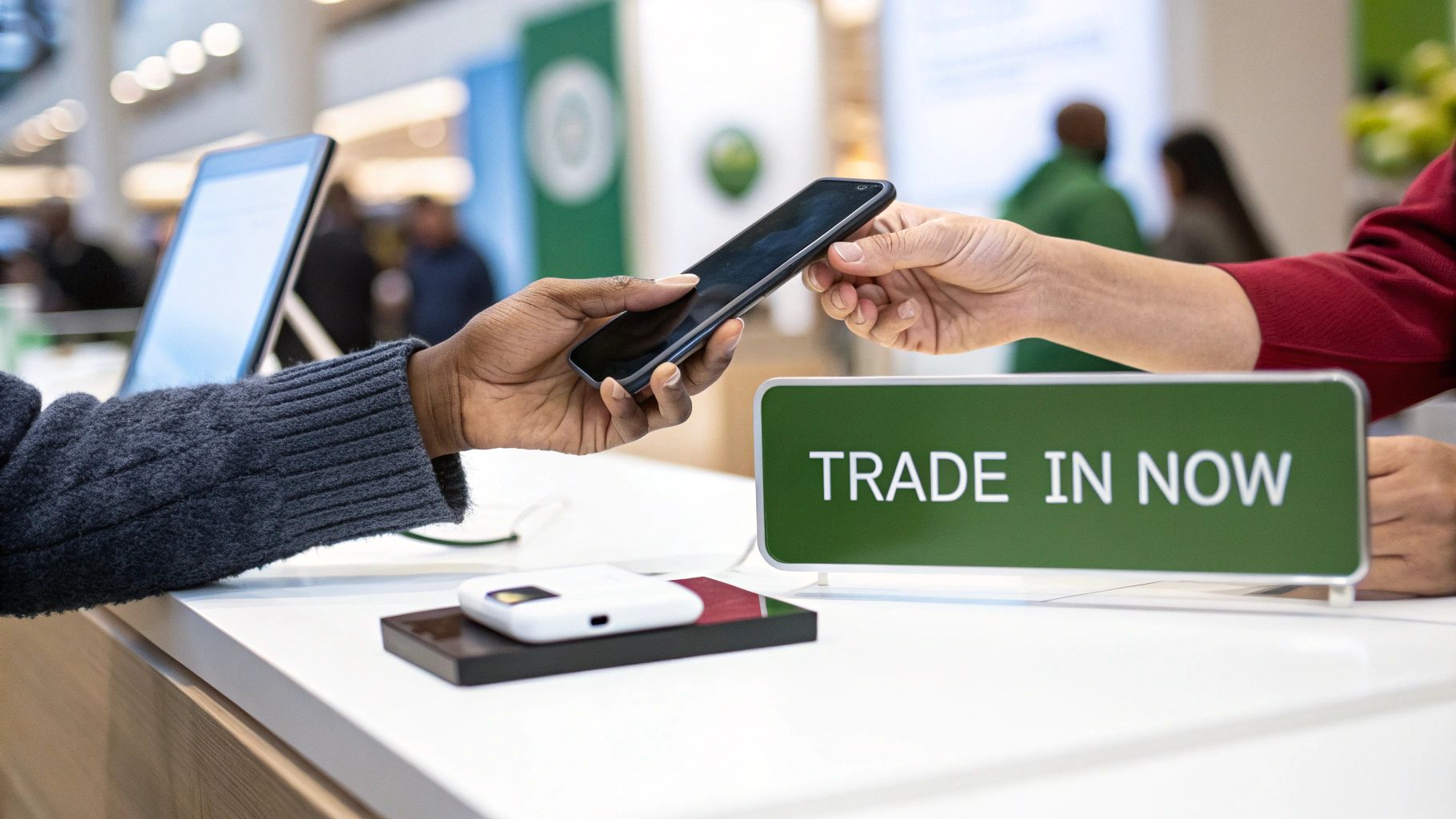
At its heart, the Samsung trade-in process is about giving your old tech a new purpose and getting a reward for it. It's a simple, straightforward exchange designed to make the whole upgrade cycle smoother and more affordable for everyday Aussies.
And it’s not just for phones. Depending on the program, you can often trade in other Samsung gear like Galaxy tablets and smartwatches. The idea is always the same: your old gadget has value, and a trade-in helps you cash in on it.
The Core Benefits of Trading In
So, why has trading in become the go-to option for so many people in Australia? It's more than just getting a simple discount; it’s a smart mix of financial sense, convenience, and doing something good for the planet.
Here’s why people are choosing to trade in their Samsung devices:
- Significant Cost Savings: This is the big one. A trade-in can shave hundreds of dollars off a new flagship phone. Suddenly, that top-of-the-line model feels a lot more attainable.
- Ultimate Convenience: Let's be honest, selling a phone privately can be a real headache. You have to create listings, haggle with strangers, and worry about secure payments. A trade-in wraps all that up into one clean, easy transaction.
- Environmental Responsibility: Trading in ensures your old device gets a second life. It’s a huge part of the circular economy, helping to cut down on the 500,000 tonnes of e-waste Australia produces annually.
Where Can You Trade In Your Device?
You've got a few solid options when you're ready to trade in your old Samsung. The most direct route is through Samsung’s official program when you’re buying a new device straight from them. Mobile carriers like Telstra and Optus also offer trade-ins, usually tied to signing up for a new plan.
Then there are dedicated marketplaces like Trade.com.au. We offer a streamlined service that often gives you a competitive cash value for your device, which means more flexibility for you. Each option has its own perks, and we’ll dive deeper to help you figure out which one gets you the best deal for your old tech.
How Your Device's Trade-In Value Is Calculated
Ever wondered what your old Samsung is really worth? When you trade it in, the value you get isn't just a number plucked out of thin air. It’s the result of a careful calculation, a bit like getting a car valued – its model, condition, and age all tell a story about its current worth.
The whole point is to figure out how much life your old phone has left in it and how appealing it will be to its next owner. This process ensures you get a fair price, and the person who eventually buys it refurbished gets a quality, reliable device.
The Five Pillars of Valuation
When you send your phone in for a Samsung trade-in, it’s assessed against five main criteria. Understanding these will help you set realistic expectations and maybe even take a few steps to bump up your final offer.
Here are the core factors that decide what your phone is worth:
- Device Model and Age: It’s no surprise that newer, more recent models fetch higher prices. A Samsung Galaxy S23 is simply worth more than a Galaxy S10 because its tech is more current and people are still actively looking for it.
- Physical Condition: This is all about the cosmetic stuff – the scratches, dings, and scuffs. A phone with a flawless, shiny screen will always get a better price than one with visible damage. Even minor wear and tear can chip away at the final value.
- Functional Condition: Does everything still work as it should? Every button, camera, speaker, and charging port needs to be in perfect working order. Any functional hiccup, like a battery that dies in a couple of hours, is going to lower the trade-in value.
- Storage Capacity: Just like when you first bought it, more storage means more value. A 512GB model will get a better offer than an identical 128GB version because it’s more useful to the next person.
- Market Demand: This is the invisible hand guiding the price of every phone. If a particular model is still popular and in high demand, its value holds strong. For a deeper look into all the little details that determine a product's value, it's worth exploring how retailers approach understanding product data in retail.
It's a common misconception that newer is always better. A newish device with a cracked screen can often be worth less than an older model that’s been kept in pristine condition. When it comes to the final payout, condition frequently trumps age.
Putting It All Together
In Australia's competitive smartphone scene, Samsung’s trade-in programs have become a real game-changer. Given Samsung holds a solid 25.75% market share, these programs make it easier for people to get their hands on the latest tech. A good trade-in can knock 20-30% off the cost of an upgrade, making premium phones much more accessible.
Ultimately, all these factors are combined to generate a final quote. Now that you know what the assessors are looking for, you have a much better idea of what your device is worth. You can also jump over to our detailed guide on how much your phone is worth in Australia to get a clearer picture.
Preparing Your Samsung for a Secure Trade In
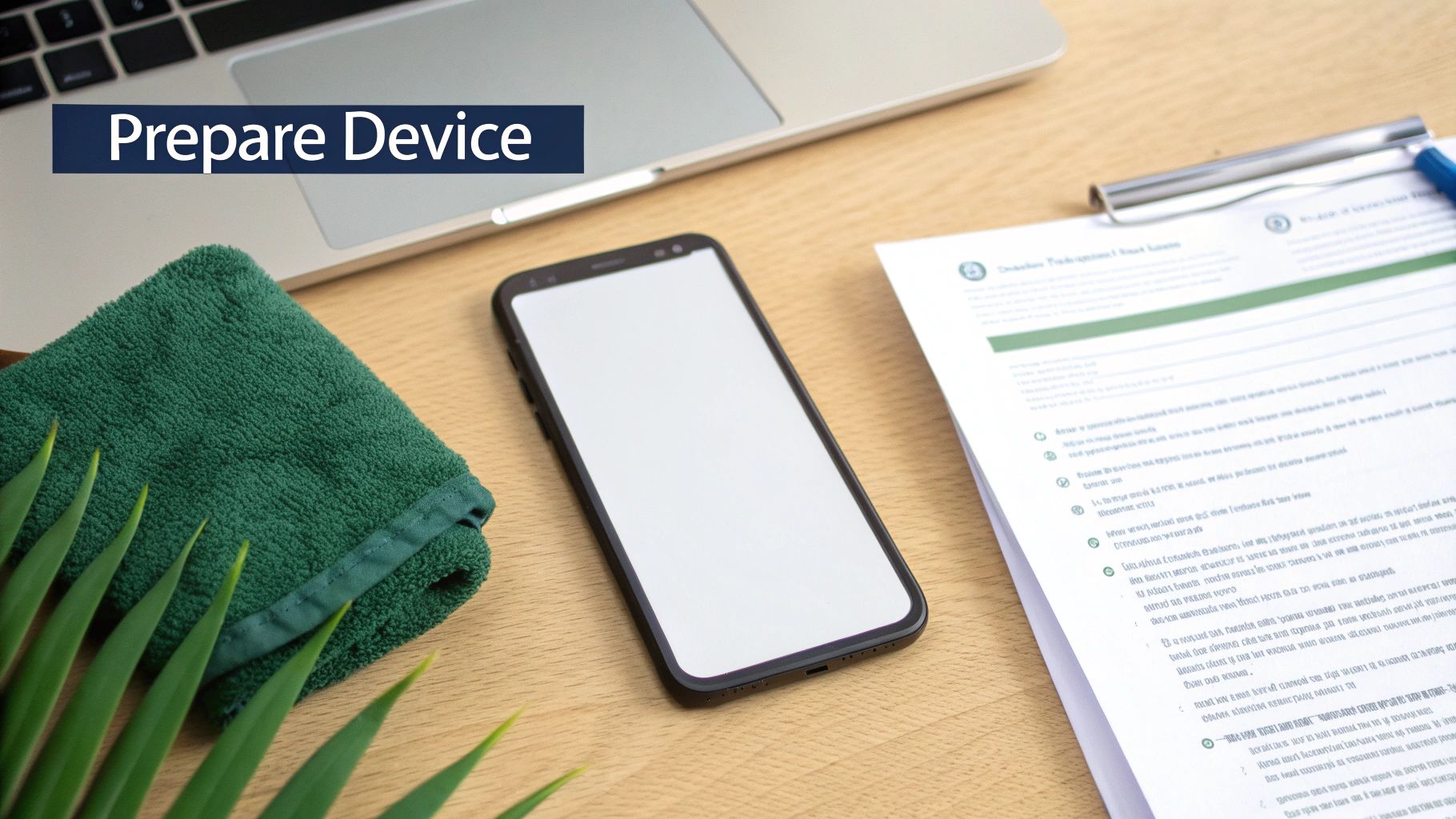
Getting your old phone ready for a Samsung trade in involves more than just popping it in a box. It’s a crucial step that protects your personal data and helps you lock in the best possible price. A few simple preparations can save you a lot of headaches and ensure the whole process is smooth and secure.
Think of it like getting your house ready for a new owner. You wouldn't leave all your personal letters and photo albums behind, and the same logic applies to your phone. Following a clear checklist ensures you don’t forget anything important.
Your Pre-Trade In Checklist
Before your device leaves your hands, it’s vital to safeguard your data and get the phone looking its best. This checklist breaks it all down into simple, manageable steps.
-
Step 1: Back Up Everything Important. Your photos, contacts, and messages are irreplaceable. Use a tool like Samsung Smart Switch or your go-to cloud service (think Google Drive or OneDrive) to create a full backup. This makes it a breeze to move everything to your new device without losing a single memory.
-
Step 2: Sign Out of All Accounts. This one is a non-negotiable security step. You need to manually sign out of your Samsung account, your Google account, and any other apps like banking or social media. This properly disconnects the device from your digital life and prevents any access issues down the line.
-
Step 3: Perform a Factory Reset. This is the final and most important move for protecting your privacy. A factory reset wipes all your personal info, settings, and apps, returning the phone to its original, out-of-the-box state. If you need a hand, our guide on how to factory reset your Android phone will walk you through it.
Wiping your device isn't just a suggestion; it's essential for your privacy. A factory reset is the digital equivalent of shredding sensitive documents before you throw them away—it makes sure your data can't be recovered.
Final Touches for Maximum Value
Once your data is secure, a few physical touch-ups can make a real difference to your final trade-in offer. These small details are a clear sign that the device has been well looked after.
First, give it a proper clean. Use a soft, microfibre cloth to wipe down the screen and body, getting rid of fingerprints and smudges. Don’t forget the charging port and speaker grilles—carefully clear out any dust or debris with a soft brush or compressed air.
Next, round up any original accessories you still have. The original box, charger, and cable can often add a bit of value to your offer. It shows the device is complete and makes it far more attractive for resale. Ticking these boxes ensures your Samsung trade in is not only secure but as profitable as it can be.
Comparing Your Samsung Trade In Options in Australia
When it’s time to find a new home for your old Samsung, you’ve got a few different paths you can take here in Australia. It’s not a one-size-fits-all situation, and the best choice really boils down to what you’re looking for. Are you after quick cash in your bank account, the absolute highest dollar value, or just the easiest, most hassle-free process possible?
Each option has its own trade-offs. Getting your head around these differences is the key to making a smart call that lines up with your upgrade plans.
Marketplaces Like Trade.com.au
Dedicated tech marketplaces are often the happy medium. These platforms are built from the ground up for buying and selling electronics, which means their processes are usually slick, secure, and designed to get you paid fast.
- Pros: The biggest drawcard here is getting paid in fast cash, which you can spend however you like. These services are known for making competitive offers and keeping the whole process simple and safe.
- Cons: The offer might be a touch lower than what you could fetch in a private sale, but you're essentially paying a small premium for speed and convenience.
This route is ideal for anyone who just wants no-fuss cash for their old device without the headaches of selling it themselves.
Directly Through Samsung
Trading in with Samsung directly is another popular move, especially if you’re already planning to buy your next phone from their website. It’s an all-in-one experience that’s designed to be completely seamless.
- Pros: The whole process is baked right into your new purchase, making it incredibly straightforward. Plus, you’re dealing with a brand you already know and trust.
- Cons: Payment is almost always in the form of instant credit that gets knocked off the price of your new Samsung. This locks you into their ecosystem and isn't much help if you need actual cash.
Think of the manufacturer's program like trading in your car at the dealership. It's the path of least resistance, but you give up the flexibility of cash for the simplicity of a single transaction.
Mobile Carriers Like Telstra or Optus
Major Aussie carriers like Telstra and Optus have their own solid trade-in programs. These are usually tied into upgrading your phone and signing up for a new plan, making them a handy one-stop-shop.
- Pros: Just like Samsung, the carriers offer fantastic convenience if you're already upgrading your plan with them. The value is applied directly as a credit to your account or your new device.
- Cons: The value is usually non-negotiable and paid out as bill credit, not cash. This means your savings are tied to your ongoing contract with that provider.
Private Sale
Finally, you can always go it alone and sell your device yourself on platforms like Facebook Marketplace or Gumtree. This path takes the most effort but has the potential to deliver the biggest payout.
- Pros: You call the shots on the price and can potentially get the highest possible value for your device by cutting out the middleman completely.
- Cons: This is easily the least convenient and most risky option. You have to create listings, fend off lowball offers, and navigate the risks of meeting up with strangers and making sure you get paid safely.
To help you weigh it all up, we've put together this quick comparison table. It breaks down the key features of each method so you can decide where you'll get the best value and service for your old Samsung.
Comparing Samsung Trade In Options in Australia
| Trade-In Option | Payment Type | Typical Value | Convenience | Best For |
|---|---|---|---|---|
| Trade.com.au | Cash | Competitive | High | Speed & Flexibility |
| Samsung Direct | Store Credit | Good | Very High | Brand Loyalty |
| Mobile Carrier | Bill Credit | Fair | Very High | Plan Upgrades |
| Private Sale | Cash | Highest | Low | Maximum Payout |
Ultimately, the right choice depends on your personal priorities. If you value your time and want a secure, fast transaction with cash in hand, a dedicated marketplace is hard to beat. If convenience is everything, trading in with Samsung or your carrier is a smooth ride. And if you’re willing to put in the work for the biggest possible return, a private sale might be your best bet.
Actionable Tips to Maximise Your Trade-In Value
Getting the most money back for your Samsung trade-in isn't about luck; it's about smart timing and a bit of prep work. Just like selling a car, a well-maintained device with all its original bits and pieces is always going to fetch a better price. With a few insider tips, you can seriously boost your final offer.
Think of it this way: a small effort now can mean a much bigger payout when you're ready to upgrade.
Time Your Trade-In Strategically
Timing is everything in the fast-moving world of tech. The value of older models almost always takes a nosedive right after a new Samsung device is announced. It’s predictable.
To get the best possible price, your goal should be to trade in your device before the next big Unpacked event. If you act a few weeks ahead of a new launch, you can often lock in a higher value before the market floods with older models and prices adjust.
Preserve the Original Packaging and Accessories
That box your phone came in? It's more valuable than you might think. Keeping the original box, charger, and even the user manual can add a surprising boost to your trade-in offer.
It sends a clear signal to the buyer that the device has been well cared for and makes it much easier for them to resell it as a complete package. It’s a small detail that builds confidence and can directly increase your payout.
This flowchart helps you figure out which trade-in path makes the most sense for you, depending on whether your goal is quick cash, store credit for an upgrade, or just the fastest process possible.
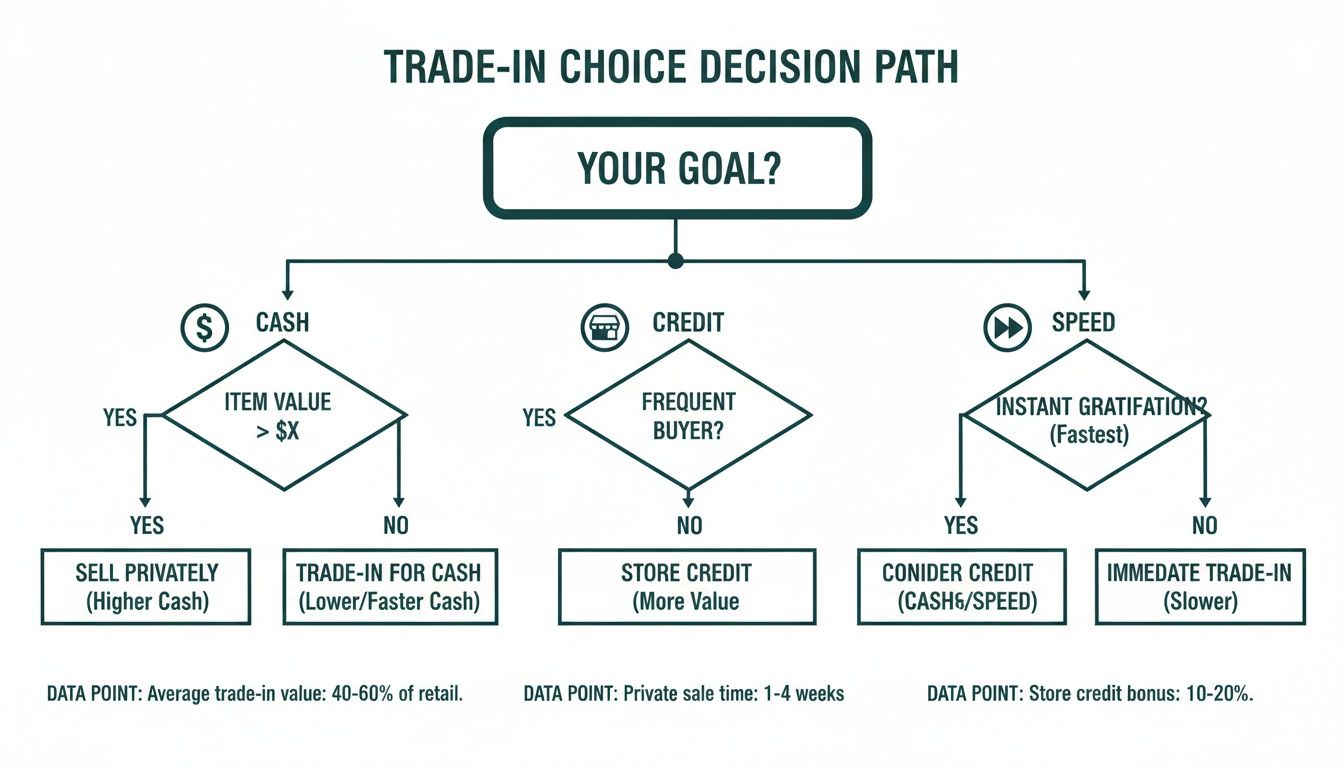
As you can see, if immediate cash is your top priority, online marketplaces are often your best bet. On the other hand, if you're after direct credit towards a new phone, going through the manufacturer or a carrier is the way to go.
Protect Your Device from Day One
Honestly, the simplest way to maximise your trade-in value starts the moment you unbox your new phone. Using a quality screen protector and a sturdy case isn't just a suggestion—it's essential.
Protecting your device is a direct investment in its future resale value. A pristine screen, free from scratches and cracks, is the single most important factor for securing the highest possible offer.
Be Honest About its Condition
Finally, always be accurate when describing your device's condition. It might be tempting to downplay a minor scratch or a battery that doesn't hold its charge like it used to, but it will only lead to a revised, lower offer once the device is professionally inspected.
Being upfront builds trust and helps ensure the initial quote you receive is the amount you actually get paid. It saves everyone time, avoids disappointment, and makes the entire Samsung trade-in experience a whole lot smoother.
Why Trading In Is a Smart and Sustainable Choice
Choosing a Samsung trade in is more than just a clever way to save a bit of cash on your next upgrade. It’s a powerful move for the planet, blending financial savvy with environmental responsibility in one simple action.
Instead of letting your old device gather dust in a drawer or, worse, end up as e-waste, you’re giving it a new lease on life. This is the core idea of the circular economy in action.
Contributing to the Circular Economy
When you trade in your Samsung, you’re not just getting rid of it; you’re passing it on. Your device enters a system where it can be professionally refurbished and resold to someone else, extending its useful lifespan far beyond what you might expect.
This simple act directly reduces the demand for brand-new products. That, in turn, cuts down on the enormous amount of energy and raw materials needed for manufacturing. It’s a small step with a big impact, and a practical way to help tackle Australia's growing e-waste problem. You can explore more ways to make a difference in our guide on how to reduce e-waste.
Every device that's traded in and refurbished is one less item heading to a landfill. It's a practical step that keeps valuable materials like gold, silver, and copper in circulation and out of the ground.
Smart, Secure, and Sustainable
Beyond the eco-friendly perks, using a trusted trade-in service gives you essential peace of mind. Professionals securely wipe all your personal data, ensuring your privacy is completely protected from the moment it leaves your hands.
Deciding whether to trade in often comes down to weighing up the financial and environmental benefits, much like asking Is a 7 Year Old Computer Worth Fixing.
Ultimately, trading in is a clear win-win. You get fair value for your old tech, someone else gets a quality refurbished device, and together, we all help reduce the environmental footprint of our digital lives.
Got Questions About Samsung Trade-Ins? We've Got Answers.
It's smart to have a few questions before you commit to a Samsung trade-in. Getting the full picture helps you move forward with confidence, knowing exactly what to expect. We've put together answers to some of the most common queries we hear from our customers to give you total peace of mind.
Can I Trade In a Damaged Samsung Phone?
Yes, you absolutely can. A lot of people think a cracked screen or a few scuffs automatically makes their old phone worthless, but that's rarely the case. While a device in perfect condition will always fetch the top price, there's often still real value locked away in a damaged phone.
When you get a quote, you'll just need to be honest about its condition. The final offer will reflect any damage, but it’s almost always a better deal than letting it gather dust in a drawer.
Here's the key takeaway: most services, including Trade.com.au, are set up to accept devices with common issues like cracked screens. The trade-in value is simply adjusted to cover the cost of repairs.
How Long Does the Whole Trade-In Process Take?
The timeline can vary a little, but most Aussie trade-in services have made the process surprisingly quick. Generally, you can expect the entire cycle—from quote to payment—to take anywhere from a few days to just over a week.
Here’s a typical breakdown of how it works:
- Get Your Quote: This part is instant and happens online.
- Send Your Device: You’ll get a prepaid satchel in the mail, usually within 1-3 business days.
- Assessment & Payment: Once your phone arrives, it’s inspected within 24-48 hours. If it all checks out, your payment is processed straight away.
What Happens to My Personal Data?
This is a big one, and rightly so—your privacy is paramount. Every single device that comes through a professional Samsung trade-in service undergoes a certified data wipe.
Even if you’ve already done a factory reset yourself, our technicians use specialised software to securely erase the device multiple times. This process ensures none of your photos, messages, or personal information can ever be recovered. It’s a professional-grade clean that guarantees your data is gone for good, giving you complete protection.
Ready to see what your old Samsung is worth? At Trade.com.au, we make it easy to get a great price for your old tech and explore our range of certified refurbished devices.