

A Smart Shopper’s Guide to Used Notebook Computers
Choosing a used or refurbished notebook computer is one of the smartest tech decisions you can make. It's not about settling for second-best; it’s about getting more performance for your money while making a positive choice for the planet. This guide will walk you through why used notebook computers are such a fantastic option for savvy Aussie shoppers.
Why Buying a Used Notebook Is a Smart Move
Think of buying a certified refurbished notebook like you would a certified pre-owned car. You wouldn't just grab any old car off the street without some serious checks. Instead, you’d go to a trusted dealer who has inspected the engine, detailed the interior, and is confident enough to offer a warranty.
A professionally refurbished notebook from a verified seller like Trade.com.au goes through that exact same rigorous process. It’s been tested, cleaned up, and certified to work like it just came out of the box—all for a fraction of what it originally cost. You’re not just buying someone's hand-me-down; you're investing in a high-quality machine that's been given a new lease on life.

The Huge Financial Upside
The most obvious win when you choose a used notebook is the money you save. It’s no secret that new laptops, especially premium models from brands like Apple or Dell, lose their value fast. This means you can often pick up a one or two-year-old powerhouse for the same price as a brand-new, entry-level machine that would struggle to keep up.
This value proposition is pretty hard to ignore. It allows students, small business owners, and budget-conscious families across Australia to get their hands on powerful tech without breaking the bank.
Here’s what that looks like in practice:
- Premium for Less: You could afford a MacBook Pro or a top-spec Lenovo ThinkPad with more RAM and a faster processor for what you’d pay for a basic new laptop.
- Avoid Initial Depreciation: Just like driving a new car off the lot, a laptop loses a massive chunk of its value the second it's unboxed. Buying used means the first owner has already taken that financial hit for you.
- More Budget for Essentials: The cash you save can be put towards crucial software, a good quality laptop bag, or an extended warranty for extra peace of mind.
This financial leg-up makes used notebooks an incredibly practical choice for anyone wanting to stretch their tech budget further.
By choosing a refurbished device, you are essentially getting flagship performance and build quality at a mid-range price. It's the ultimate tech hack for smart shoppers.
A Powerful Choice for the Planet
Beyond the savings in your wallet, opting for a used notebook computer has a massive positive impact on the environment. The production of new electronics is incredibly resource-intensive, chewing through huge amounts of energy, water, and mined materials like cobalt and lithium.
Every single time a laptop is refurbished and finds a new home, its lifespan is extended. This directly reduces the demand for new manufacturing, creating a powerful ripple effect:
- Reduces E-Waste: Australia produces over 500,000 tonnes of e-waste annually. By giving a device a second life, you're stopping it from ending up in a landfill way too early. To learn more, check out our guide on how to reduce e-waste.
- Conserves Natural Resources: Extending a laptop's life by just a couple of years massively cuts down on the carbon footprint that comes with making a new one from scratch.
- Promotes a Circular Economy: Buying used helps support a much more sustainable model where products are reused and repurposed instead of just being thrown away.
Making the switch to a used notebook isn't a downgrade. It’s an upgrade in value, a smarter financial move, and a more responsible choice for the world we live in.
Decoding the Lingo: Used, Refurbished, and Second-Hand
Jumping into the market for a pre-owned notebook can feel like learning a new language. You’ll see terms like “second-hand,” “used,” and “refurbished” thrown around, and it’s easy to think they all mean the same thing. But knowing the difference is the single most important step you can take toward a smart, safe purchase.
Think of it like buying a car. A second-hand laptop from a private seller on Gumtree is the equivalent of a direct cash sale. You meet up, hand over the money, and what you see is what you get. There are no guarantees, no professional checks, and no one to call if it breaks down the next day. It’s a gamble that hinges entirely on the seller's honesty.
On the other hand, buying a certified refurbished notebook from a trusted retailer like Trade.com.au is like getting a certified pre-owned vehicle from a dealership. It's still a used item, but it has been professionally inspected, serviced, and brought up to a specific quality standard before it ever goes on sale.
So, What Does Certified Refurbished Actually Mean?
When a notebook is labelled “certified refurbished,” it means it’s been through a rigorous, multi-point process to make sure it works as good as new. This isn’t just a quick wipe-down and a reboot; it’s a complete overhaul designed to give you reliability from day one.
This professional refurbishment process typically includes:
- Thorough Diagnostic Testing: Technicians run deep tests on all the important hardware. This covers battery health, the screen (checking for dead pixels or discolouration), the keyboard, trackpad, and all the ports (like USB and HDMI) to ensure everything works perfectly.
- Professional Cleaning and Sanitisation: The device is meticulously cleaned inside and out. Dust gets cleared from internal fans, and the exterior is sanitised, so it looks and feels fresh out of the box.
- Secure Data Wiping: All data from the previous owner is professionally and securely erased using strict standards. This protects their privacy and gives you a completely clean slate.
- Repairs and Replacements: If any component fails the diagnostic tests, it’s repaired or replaced with a high-quality part. This could mean a new battery, a replacement keyboard, or a fresh solid-state drive.
The goal of refurbishment is simple: to restore a pre-owned device to full working order and meet a strict quality standard. It removes the guesswork and risk that comes with buying a standard second-hand item.
The appeal of reliable, cost-effective tech is growing fast. In Australia, the refurbished computers and laptops market is set to expand at a compound annual growth rate (CAGR) of 13.2%. This surge is driven by budget-conscious Aussies and a bigger focus on sustainability, which is perfect for students and small business owners in places like Brisbane and across Queensland. If you want to dig deeper into this trend, you can learn more about the Australian laptop market research.
Used vs Refurbished vs Second-Hand Laptops at a Glance
To make the choice even clearer, let's put a standard second-hand notebook from a private seller head-to-head with a certified refurbished one from a marketplace like Trade.com.au. The differences in what you get are huge.
| Feature | Certified Refurbished (e.g., Trade.com.au) | Standard Second-Hand (Private Seller) |
|---|---|---|
| Inspection | Professionally tested with a multi-point checklist covering all hardware. | Usually none. You have to trust the seller's description and your own brief check. |
| Warranty | Almost always includes a warranty (e.g., 12 months at Trade.com.au). | Sold "as-is" with no warranty. If it breaks, the repair bill is all yours. |
| Condition | Professionally cleaned and graded, so you know exactly what to expect. | Varies wildly. Photos can hide scratches and scuffs. |
| Return Policy | A clear return policy is usually offered if you're not happy with the device. | No returns. Once you've paid, the sale is final. |
| Data Security | Data from the previous owner is professionally wiped to industry standards. | You can never be 100% sure the device is clear of old files or even malware. |
| Support | Access to customer support for any questions or issues after you buy. | No after-sales support. You’re on your own once the deal is done. |
Ultimately, choosing certified refurbished is the gold standard for buying used tech safely. It gives you the major financial perks of a second-hand price tag, but with the peace of mind and reliability you’d expect from a brand-new device.
Your Hands-On Pre-Purchase Inspection Checklist
Alright, you’ve done your research and you're ready to hunt down a great deal on a used notebook computer. This is where the real fun begins. Stepping into the shoes of an inspector is the best way to make sure you're getting a reliable machine, not just inheriting someone else’s problems.
This checklist will give you the confidence to assess a laptop like a pro, whether you’re buying from a private seller or picking up a certified refurbished device. We'll break this down into two key parts: the physical check-up (what you can see and feel) and the functional test drive (how it actually performs).
While this guide helps you understand what to look for, verified sellers like Trade.com.au handle this entire process for you. The flowchart below shows the basic steps a laptop goes through in a professional refurbishment process.
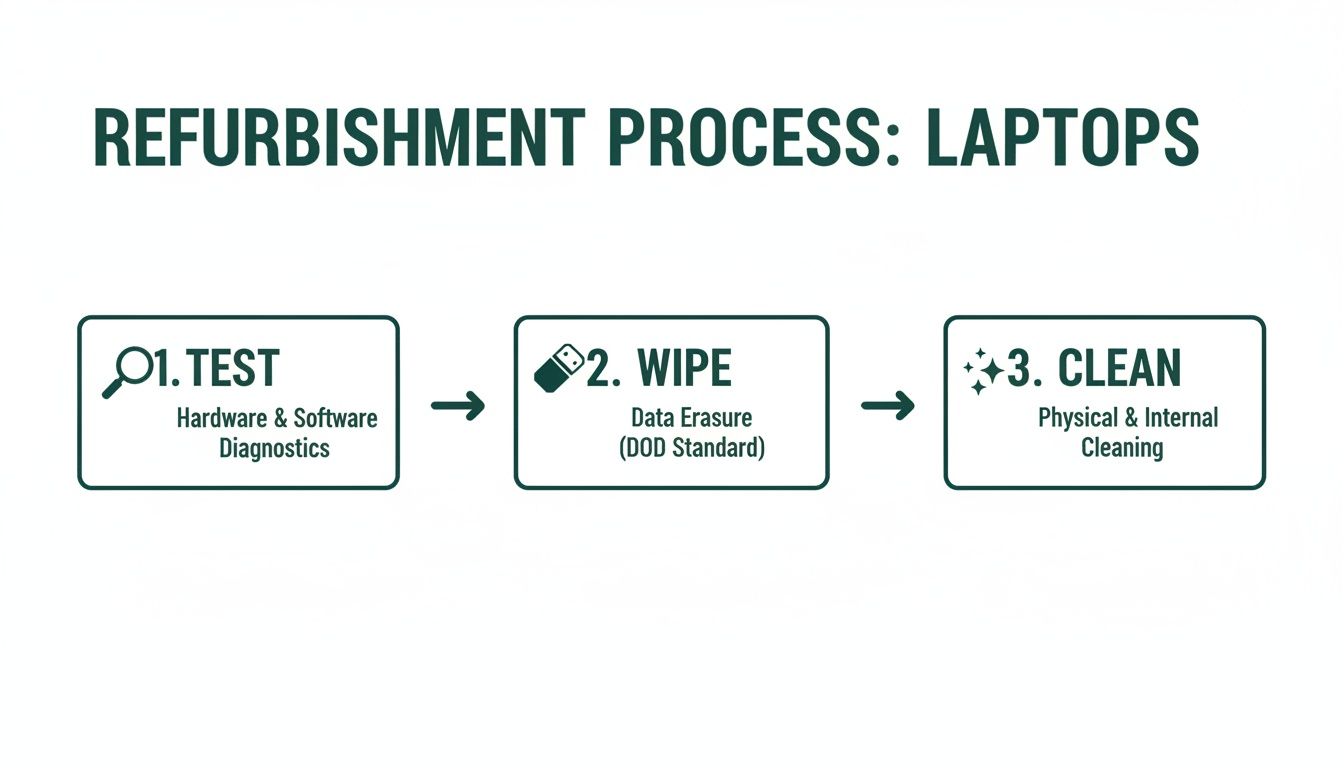
This simple flow of testing, wiping, and cleaning is the foundation of any trustworthy refurbished device. It’s what ensures the machine is secure, clean, and ready to perform reliably from the moment you turn it on.
The Physical Walk-Around
First impressions really do matter. A laptop’s exterior can tell you a story about how it was treated by its previous owner. Start with a thorough visual inspection from every angle.
-
Inspect the Casing and Frame: Look for any major cracks, deep scratches, or significant dents, paying close attention to the corners and hinges. Minor scuffs are completely normal for used notebook computers, but structural damage could be a red flag for a past drop that may have affected internal components.
-
Check the Hinges: Open and close the laptop a few times. The movement should feel smooth but firm. If the screen feels wobbly, loose, or makes a cracking sound, the hinges could be worn out—and that can be an expensive repair down the line.
-
Examine the Screen: With the laptop turned on, carefully check for dead pixels (tiny black spots), bright spots, or any weird discolouration. A great way to do this is to open a completely white image and then a completely black one to fill the screen. Any blemishes will be much easier to spot.
The Keyboard and Trackpad Test
These are your primary tools for interacting with the notebook, so they absolutely need to be in perfect working order. Don't just glance at them—put them through their paces.
- Keyboard Test: Open a simple text editor (like Notepad on Windows or TextEdit on macOS). Methodically press every single key to ensure it registers correctly and doesn't stick. Don't forget the function keys (F1-F12), brightness controls, and volume buttons!
- Trackpad Functionality: Test the trackpad’s responsiveness. Move the cursor around the entire screen, from corner to corner. Make sure clicking, right-clicking, and multi-finger gestures like scrolling and zooming work smoothly without any lag or jumps.
This hands-on testing is crucial. A single faulty key or an erratic trackpad can make an otherwise great laptop incredibly frustrating to use.
A thorough inspection isn't about finding a flawless device; it's about understanding its history and ensuring there are no deal-breaking issues. A few cosmetic scratches are fine, but a failing keyboard is not.
The Functional Deep Dive
Once you're happy with the physical condition, it's time to look under the bonnet. These functional tests will give you a clear picture of the laptop's internal health and performance.
This is especially important as more and more budget-conscious Australians choose refurbished notebooks, with the market growing among students and businesses. These options can be 50-70% cheaper while offering specs that are more than enough for everyday tasks. To get a better sense of this trend, you can explore detailed market analysis on refurbished computers.
Here are the critical components to check:
- Battery Health: The battery is often the first component to show its age. On a MacBook, you can check the cycle count under "System Information." For Windows, you can generate a detailed battery report using a simple command. A low cycle count is great, but the "full charge capacity" is what really matters—it tells you how much juice the battery can hold compared to when it was brand new.
- Port Patrol: This is an easy one to forget. Bring a USB drive with you and test every single USB port. If you can, also test the HDMI, headphone jack, and any other ports to confirm they all work. A dead port can seriously limit a laptop's usefulness.
- Storage Health Check: First, check that the amount of available storage matches the seller's description. If the device has an older, traditional hard drive (HDD), listen for any clicking or grinding noises—these are big red flags for imminent failure.
- Performance Under Pressure: You don't need fancy software for a basic stress test. Simply open a bunch of browser tabs, play a high-definition video on YouTube, and open a couple of applications at the same time. The laptop should handle this light multitasking without freezing, getting excessively loud, or feeling too hot to touch.
By following this checklist, you can confidently size up any used notebook computer. It'll help you make an informed decision and ensure you walk away with a device that’s ready for its next chapter with you.
The Real Value of Warranties and Aftercare
When you’re buying a used notebook, the single biggest difference between a risky private sale and a smart, safe investment comes down to one thing: the warranty.
It’s easy to dismiss it as just a piece of paper, but a good warranty is your ultimate peace of mind. It’s the seller's promise that the device you’re buying has been properly tested, is reliable, and that they’ll stand behind its quality.
Without that protection, you're buying "as-is," which means any sudden hardware failure becomes your problem and your expense. That's the gamble you take with most private sales on marketplaces like Gumtree or Facebook.
What a Good Warranty Should Cover
A solid warranty from a reputable seller like Trade.com.au isn't about covering every little thing, but it protects you from the most critical and expensive problems. Think of it as insurance against unexpected hardware failures that aren't your fault.
Here’s what you should expect a reliable warranty to cover:
- Major Hardware Failures: This is the big one. It includes faults with the motherboard, screen, battery, or charging port that pop up during normal use.
- Component Malfunctions: It should also cover issues with internal parts like the RAM, hard drive, or Wi-Fi card failing unexpectedly.
However, it’s just as important to understand what’s typically not covered:
- Accidental Damage: Dropping your laptop or spilling a drink on it, unfortunately, won’t be covered.
- Software Issues: Problems with the operating system, viruses, or software conflicts are generally your responsibility to manage.
- Battery Degradation: While a warranty should cover a battery that completely dies, the natural decline in its capacity over time is considered normal wear and tear.
The Power of Professional Aftercare
Beyond the warranty, having access to real aftercare support is what truly sets a great purchase apart. What happens if you have a question about your device or run into a minor issue? With a private sale, you’re on your own. With a verified marketplace, you have a dedicated support team you can actually talk to.
This support is invaluable, whether you need a hand setting up your device or troubleshooting a problem. Of course, a key part of long-term care is keeping your notebook secure from digital threats. It's always a good idea to learn how to detect and prevent malware to keep your machine running safely for years to come.
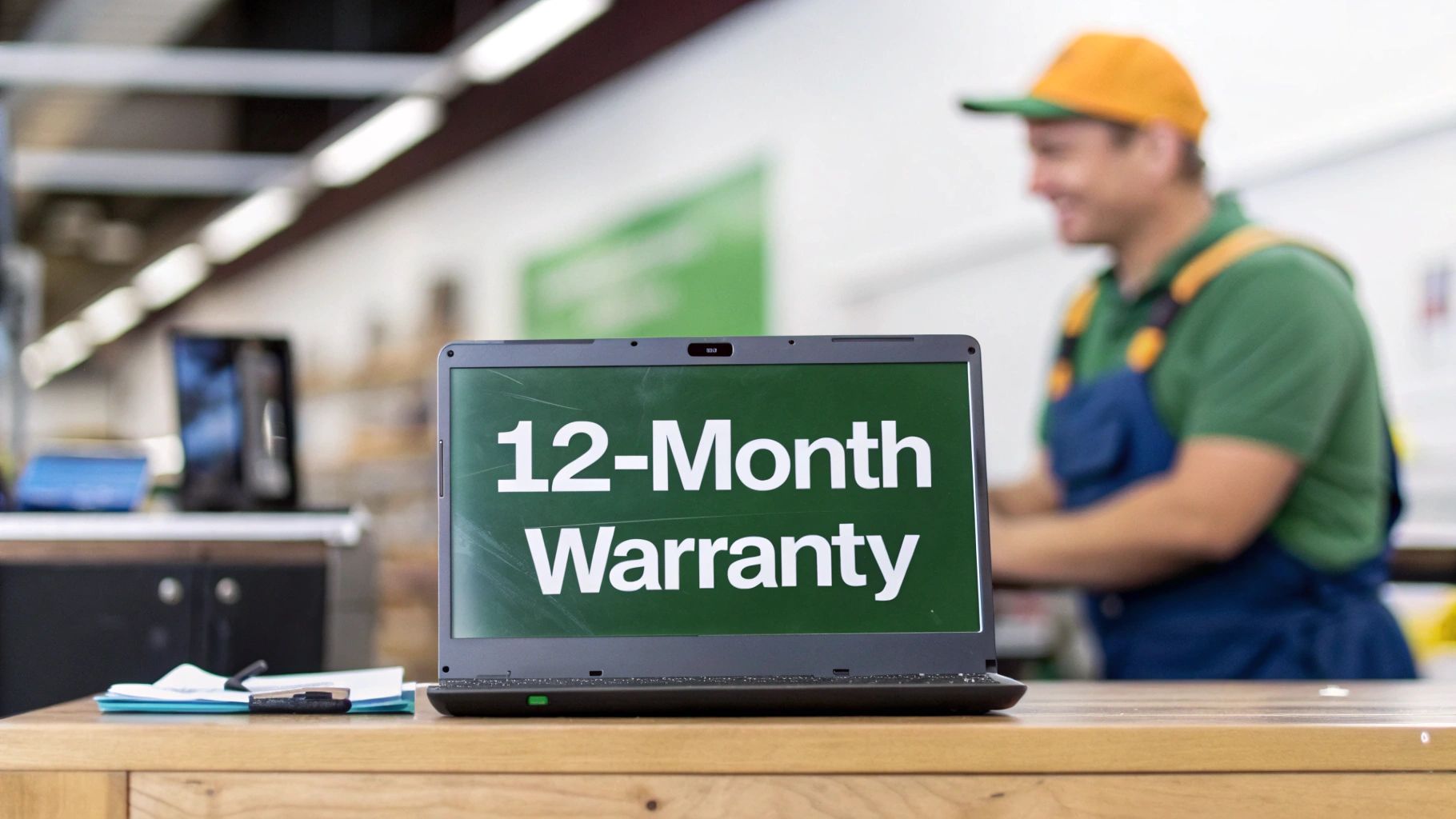
A 12-month warranty transforms a used notebook from a potential liability into a reliable asset. It’s the confidence of knowing that your investment is protected for a full year, just like a new device.
The global market for refurbished laptops is booming for a reason. It's set to grow from USD 5,950.5 million to over USD 16,293.2 million by 2035. One of the key drivers behind this trust is that certified sellers like Trade.com.au are tackling old worries head-on by offering strong warranties, making refurbished a smarter choice for everyone. This commitment to aftercare reinforces one simple truth: a protected purchase is always a smarter purchase.
How to Find the Best Value for Your Budget
Getting a great deal on a used notebook isn’t just about hunting down the absolute lowest price. Anyone can find a cheap laptop. True value comes from finding that sweet spot where performance, reliability, and cost all line up perfectly with what you actually need.
This section is your strategic guide to doing just that. We'll help you set realistic expectations, match specs to your tasks, and even show you how trading in your old tech can make your next laptop even more affordable.
Setting Realistic Price Expectations
The first step to finding great value is knowing what the market looks like. Prices for used notebooks can vary wildly, but they generally follow predictable patterns based on brand, age, and condition.
For example, a three-year-old MacBook Air in excellent condition will hold its value much better than a similarly aged Windows laptop from a lesser-known brand. On the other hand, ex-business machines like the Dell XPS and Lenovo ThinkPad series offer incredible durability and performance at a fraction of their original cost. You just need to know where to look.
Typical Price Guide for Used Notebooks in Australia
To help you budget, we've put together a rough guide of what you might expect to pay in Australia for popular models. Think of this as a baseline to help you spot a genuine bargain from a price that’s just too good to be true.
| Laptop Model/Category | Typical Age | Condition Grade | Estimated Price Range (AUD) |
|---|---|---|---|
| Apple MacBook Air (M1) | 2–3 Years | Excellent | $900 – $1,300 |
| Dell XPS 13 | 3–4 Years | Good | $600 – $950 |
| Lenovo ThinkPad T-Series | 3–4 Years | Good | $500 – $850 |
| Entry-Level Student Laptop | 2–4 Years | Fair to Good | $250 – $500 |
Keep in mind that these are just estimates. Prices will fluctuate based on the exact specs, the seller, and the overall condition of the device.
Matching Specs to Your Actual Needs
This is where you can save the most money. It’s so easy to get caught up in chasing the highest specs, but paying for power you’ll never use is like buying a race car for your daily commute to the shops. Be honest with yourself about what you’ll actually be doing.
-
For Students and Everyday Users: If your main tasks are writing essays, browsing the web, and streaming videos, you absolutely do not need a top-of-the-line processor. An Intel Core i5 or an Apple M1 chip with 8GB of RAM and a 256GB SSD is more than enough for a smooth, responsive experience.
-
For Professionals and Multitaskers: Juggling multiple applications, large spreadsheets, or doing some light photo editing? Stepping up to 16GB of RAM is a very smart move. This prevents the system from slowing down when you have a dozen browser tabs and several programs open at once.
-
For Creatives and Power Users: If your work involves serious video editing, graphic design, or coding, then you’ll want to prioritise a more powerful processor (like a Core i7/i9 or Apple M2/M3) and ideally a dedicated graphics card.
The smartest way to shop for a used notebook computer is to buy for the 80% of tasks you do every day, not the 20% you might do once a year. This simple rule prevents overspending and ensures you get the best possible value.
Timing Your Purchase and Trading In
You can stretch your budget even further with a bit of strategic timing. The market for used notebooks often sees prices dip right after major brands release new models. This is when lots of people upgrade, flooding the market with high-quality, recent-generation devices.
And don’t forget about the value locked away in your old tech. Instead of letting your old laptop gather dust in a cupboard, you can trade it in to get a significant discount on your next purchase. Verified marketplaces like Trade.com.au make this process incredibly simple, giving you an instant quote and applying the credit directly to your new device. It’s one of the easiest ways to bring the cost of a premium refurbished notebook down even further.
For more options, you can explore our full range of quality used laptops for sale.
Your Quick Guide to Finding a Used Notebook
Okay, you've done your homework and you're ready to hunt down a great deal. Buying a used notebook isn't the risky gamble it used to be; these days, it’s a smart, informed choice. You now know exactly what to look for to make sure you get a fantastic machine.
Let's quickly run through the essentials again. The benefits are huge – massive savings for you, and a much smaller impact on the planet by cutting down on e-waste. You also know the crucial difference between a risky "as-is" laptop from a private seller and a professionally certified refurbished one that’s been properly tested, cleaned, and brought back to life. Most importantly, you know that a hands-on check and a solid warranty are non-negotiable.
Your Trusted Destination for Refurbished Tech
Armed with this knowledge, you can shop with genuine confidence. The best place to find a notebook that ticks all these boxes is a verified marketplace that actually stands behind the tech it sells. This is exactly where Trade.com.au comes in as the ideal spot for Aussie buyers.
We take all the guesswork out of buying used tech. Every single notebook that comes through our doors goes through a tough certification process, making sure it meets our high standards for performance and reliability. You get a premium machine without the premium price tag, plus total peace of mind.
Here’s why Australians keep choosing Trade.com.au:
- Rigorous Certification: Our expert technicians put every device through a multi-point checklist, guaranteeing it works just as it should.
- 12-Month Warranty: We back our products with a proper warranty, giving you the same security you'd get buying new.
- Nationwide Shipping: We deliver safe, reliable tech to customers right across Australia, from Sydney to Perth.
For our customers in Brisbane and around Queensland, you also get the bonus of local support, which makes any aftercare super simple. If you want to dig a bit deeper into what's available locally, our guide on finding refurbished laptops near you has some great extra tips.
You're now fully equipped to make a choice that’s not just good for your budget, but good for the environment too. It's about getting the tech you need, without making any compromises.
Your search for the perfect used notebook computer can end right here. Check out the latest verified devices on Trade.com.au and discover a smarter way to buy your tech.
Common Questions About Used Notebook Computers
Even with all the facts laid out, it's completely normal to have a few last-minute questions before you click "buy". A used notebook is a significant purchase, and feeling confident about it is non-negotiable. Here are some straightforward answers to the queries we hear most often from shoppers across Australia.
Is It Truly Safe to Buy a Used Notebook Online?
Absolutely, as long as you’re buying from a verified, professional seller. The real risk with used tech comes from private sales on platforms like Facebook Marketplace or Gumtree, where there are no checks, no warranties, and zero accountability if something goes wrong.
When you buy from a trusted marketplace like Trade.com.au, every device has been through a professional inspection and a secure data wipe. Better yet, it’s backed by a 12-month warranty, which puts it on par with buying new. This level of protection takes the gamble out of the equation and guarantees you get a reliable machine.
What Is a Realistic Battery Life Expectation?
This is a big one. It’s natural to worry about the battery health of a used notebook. While a used battery won't perform identically to one fresh out of the factory, a certified refurbished device should still offer fantastic performance for your daily needs.
During the refurbishment process, technicians put the battery through its paces. Any battery that can't hold a decent charge is swapped out. For a good quality refurbished notebook, you can realistically expect a full day of light use—think web browsing and writing documents—though this will always vary a bit between different models.
The key thing to remember is that refurbished devices are held to a high standard. You aren't just getting a "used" battery; you're getting one that has been tested and certified to perform reliably.
Can I Upgrade a Used Notebook Later On?
The short answer is: it depends entirely on the model. The ability to upgrade components like RAM or the storage drive (SSD) varies massively between different notebooks.
- Many Windows Laptops: Brands like Dell and Lenovo often build their business-class notebooks with easily accessible RAM slots and storage drives. This makes future upgrades a relatively simple and cost-effective job.
- Apple MacBooks: Newer models, particularly those with Apple's own Silicon chips (like the M1 or M2), are a different story. The RAM and SSD are soldered directly onto the main board, making them impossible to upgrade after you've bought it.
If being able to future-proof your machine is a priority, it pays to do a quick search on the specific model's upgrade potential before you commit. As you navigate potential issues with a used notebook, consulting frequently asked questions about IT support can provide valuable insights into maintenance and troubleshooting.
Are Some Brands Better to Buy Used?
Definitely. Some brands are simply built tougher and have a better track record for long-term durability. Business-grade laptops from manufacturers like Lenovo (especially the ThinkPad series) and Dell (the Latitude and XPS lines) are engineered to last, making them brilliant choices on the refurbished market.
Apple MacBooks are also a fantastic option. Thanks to their premium build quality and famously long software support cycles, they hold their value and continue to perform well for years.
Ready to find a high-quality, reliable machine with total peace of mind? Explore the certified and warrantied range of used and refurbished notebooks at Trade.com.au and make a choice that’s great for your wallet and the planet. https://www.trade.com.au