

How to Check if an iPhone is Unlocked: Your 2024 Aussie Guide
Ever wondered if your iPhone is holding you back? Having an unlocked iPhone is your ticket to freedom, letting you switch between mobile carriers like Telstra, Optus, or Vodafone whenever a better deal pops up. Knowing how to check if an iPhone is unlocked is a crucial skill for any savvy Aussie owner, whether you're buying, selling, or travelling.
Why an Unlocked iPhone Is Your Ticket to Freedom
Think of a carrier-locked iPhone like a house key that only fits one door. It works perfectly, but only with that single lock. An unlocked iPhone, on the other hand, is the master key—it gives you the freedom to open any door you choose. This means you can switch from one network to another without forking out for a new device.
This kind of flexibility is a lifesaver in a few common situations. Thinking of selling your old phone online? An unlocked device is way more appealing to potential buyers and usually fetches a higher price. Planning a trip overseas? Just pop in a local SIM card and you can dodge those notoriously expensive international roaming fees.
The single most important time to check an iPhone's lock status is before you buy it second-hand. A locked phone could be tied to an unpaid contract or, even worse, reported as lost or stolen, leaving you with a very expensive paperweight.
Here in Australia, where iPhones are incredibly popular, this knowledge is especially powerful. With iOS holding a massive 54% of the mobile market as of February 2025, the demand for unlocked devices is huge. This has created a buzzing marketplace where people are actively looking for the freedom to pick the best mobile plan for their needs. You can see the full breakdown of these numbers in the Australian mobile OS statistics from redsearch.com.au.
Figuring out if your iPhone is unlocked isn't just a tech check; it’s about putting yourself in the driver's seat. It gives you control over your device, your mobile plan, and your budget. In the next few sections, we'll walk you through simple methods to check your iPhone's status so you can make smarter decisions.
Quickest Ways to Check Your iPhone's Lock Status
Got the iPhone in your hands? Fantastic. You can figure out its lock status in just a couple of minutes with two dead-simple methods. No tech wizardry required—just you and the device.
Check Your iPhone Settings
The fastest way is buried right inside your iPhone's software. Apple has made this incredibly easy in recent iOS versions, so you can get a definite answer in seconds.
Just head into the Settings app, tap on General, then go into About.
From there, scroll down until you spot a field called Network Provider Lock (or sometimes Carrier Lock on older models). If it says “No SIM restrictions,” you’re golden. Your iPhone is unlocked and ready for any Aussie carrier’s SIM card you want to use.
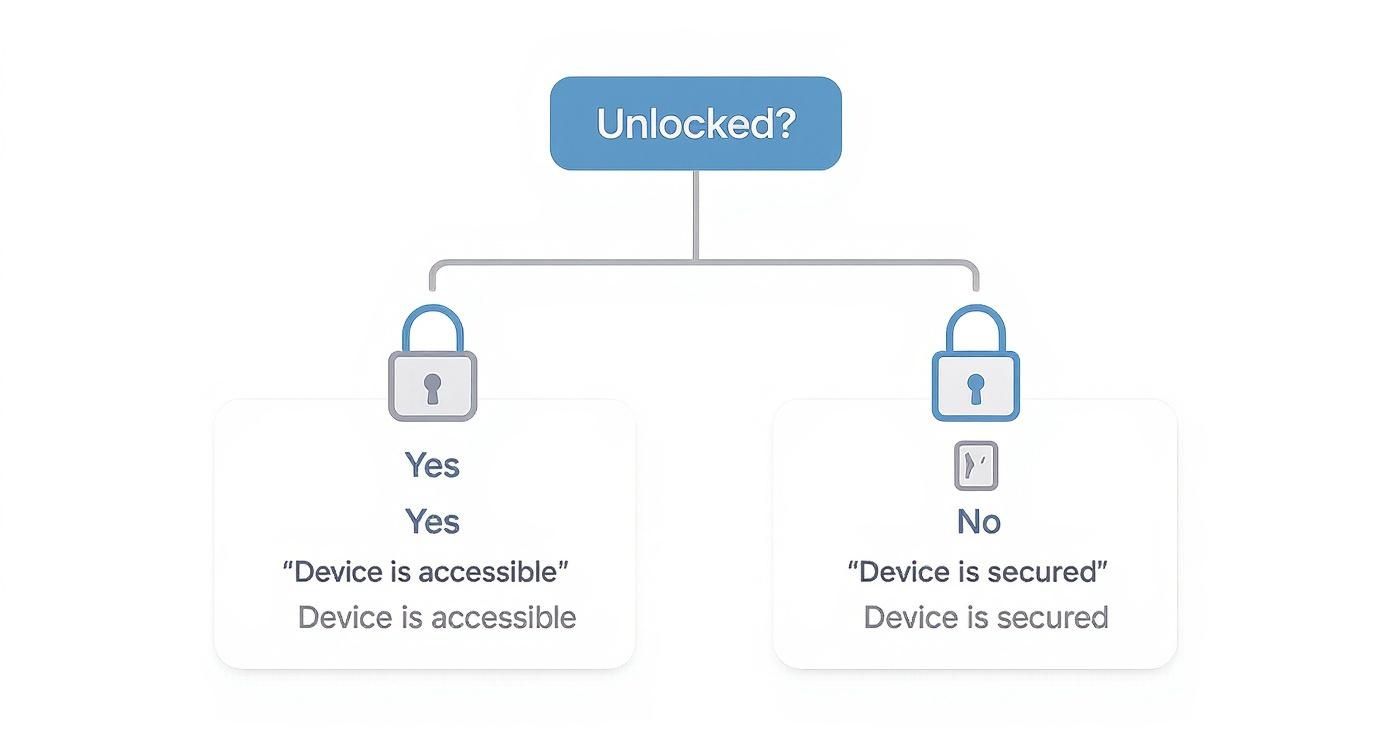
That "No SIM restrictions" message is the clearest confirmation you can get directly from Apple, confirming the device is totally free from carrier locks.
Try the SIM Card Swap Test
Sometimes, you just want physical proof to be 100% certain. The SIM card swap is the ultimate real-world test. Think of it like a test drive—you’re physically checking if the phone does what it’s supposed to.
Let's say the iPhone was last used on the Telstra network. To run the test, all you need is an active SIM card from a different carrier, like Optus or Vodafone.
Gently pop out the SIM tray using a paperclip or a proper SIM ejector tool, place the new SIM inside, and slide it back in. If the iPhone connects to the new network and lets you make a call or use mobile data, congratulations—it’s unlocked.
Pro Tip: Don't have a spare SIM lying around? Just ask a mate or family member on a different network if you can borrow theirs for a quick two-minute test. Most people are happy to help out.
While you're digging into your phone's status, it's a good reminder of how important verification is in our digital lives. For instance, learning how to verify if a photo is real is becoming an essential skill for navigating the internet safely.
Comparing On-Hand iPhone Lock Status Checks
Here’s a quick breakdown of the two easiest methods to check if your iPhone is unlocked when you have physical access to the device.
| Method | What It Reveals | Best For | Potential Downsides |
|---|---|---|---|
| Settings Check | The official software status reported by Apple's iOS. | A quick, definitive answer without needing any extra tools. | In rare cases, a software glitch could show incorrect info. |
| SIM Card Swap | Real-world proof that the phone can connect to different networks. | Absolute certainty and peace of mind, especially when buying used. | You need a spare, active SIM card from another carrier to perform the test. |
Both methods are incredibly reliable. We usually start with the Settings check for speed and then follow up with a SIM swap if buying a phone from a private seller, just to be completely sure.
How to Verify an iPhone Remotely with an IMEI Number
Buying an iPhone online from a place like Gumtree or Facebook Marketplace can feel a bit like a lucky dip. You can't physically hold the device to swap SIM cards, so how can you be sure you’re not buying a dud?
The answer lies in a special 15-digit code called the IMEI number.
Think of the IMEI (International Mobile Equipment Identity) as a unique fingerprint for every mobile phone. The seller can find it in seconds by dialling *#06# on the phone's keypad, and it will pop up on the screen instantly. If they need a hand, we have a full guide on how to retrieve the IMEI number on an iPhone.
Once you have this number, you hold the key to uncovering the phone's history before a single dollar changes hands.
Using IMEI Checkers and Carrier Support
With the IMEI in hand, it's time to put it to work. There are plenty of reputable online IMEI checking services that can reveal a phone's lock status for a small fee. More importantly, these tools can also tell you if the device has been reported lost, stolen, or blacklisted due to an unpaid contract—critical information for any buyer.
A legitimate seller should have no problem providing the IMEI. If they refuse or make excuses, consider it a major red flag and walk away from the deal. It's simply not worth the risk.
Another great option is to contact Australian carriers directly. It’s a straightforward process:
- Reach out to Telstra, Optus, or Vodafone support: You can usually do this via their online chat or by giving them a call.
- Provide the IMEI: Let them know you're considering a second-hand iPhone and need to verify its status.
- Ask direct questions: Don't be shy. Ask, "Can you confirm if this device is locked to your network?" and "Is this device blacklisted or tied to an unpaid account?"
This proactive approach is becoming more common as the Australian smartphone market continues to grow. Projections show around 2.3% growth in 2025, with savvy buyers increasingly using IMEI checks to ensure device flexibility. You can learn more about these consumer trends from sqmagazine.co.uk.
Ultimately, this simple check is your best defence against online scams and is non-negotiable for any remote purchase.
What to Do If You Discover Your iPhone Is Locked
Okay, so you’ve run the checks and the news isn't great: your iPhone is locked to a specific carrier. It’s a frustrating moment, for sure, but don't panic. This is a common situation, and thankfully, there's a clear path forward. Your next move is to get in touch with the carrier the phone is tied to.
In Australia, the process is usually pretty straightforward with the major telcos. Whether your phone is linked to Telstra, Optus, or Vodafone, they all have established procedures for unlocking devices. The main catch is that you (or, more likely, the original owner) must have fulfilled the contract obligations.
Contacting Your Australian Carrier
The first thing any carrier will do is check the device's account status. They’ll need to see that the phone has been fully paid off, with no outstanding balance on the contract it was originally sold with. If you bought the phone second-hand, this is where things can get tricky, as you’re relying on the original owner to have settled their account completely.
When you get in touch, make sure you have the phone's IMEI number handy. Here’s a quick rundown of what to expect from the big three:
- Telstra: Often, Telstra phones unlock automatically once the contract period ends. If that hasn't happened, you can request an unlock through their website or by calling customer support, as long as the device is fully paid for.
- Optus: Much like Telstra, you can request an unlock once the device is paid off. They have an online form you can fill out, or you can give their support line a call for help.
- Vodafone: You can usually request an unlock directly through your My Vodafone account or by reaching out to their support team.
A Quick Tip: If you're dealing with an older iPhone, a simple restore via a computer can sometimes trigger the unlock. Try connecting it to a Mac (using Finder) or a PC (using iTunes) and performing a full restore. If you're lucky, a message might pop up confirming the unlock is complete.
It's also crucial to understand the difference between a carrier lock and an iCloud Activation Lock. A carrier lock simply restricts which SIM cards you can use. An iCloud lock, on the other hand, is a security feature that prevents anyone but the original owner from using the device at all. If the phone is asking for someone else's Apple ID and password, that's an iCloud lock. We cover that specific issue in our detailed guide on how to remove iCloud from an iPhone.
The Smart Way to Buy a Used iPhone in Australia
So, you’re ready to buy a second-hand iPhone? It’s a great way to save money and be more sustainable, but it's essential to do it safely. Buying from a private seller on a marketplace can feel like a gamble, but you can dramatically lower your risk by going in with a smart pre-purchase checklist.
When you meet the seller, you'll want to combine the methods we've covered into a quick, on-the-spot routine. The goal is to verify the phone’s status before any money changes hands.
Your On-the-Spot Checklist
First things first, bring a SIM card from a different carrier to the meeting—borrow one from a friend or family member if you need to. The SIM swap test is the most foolproof way to get a real-world answer. If the iPhone connects to the new network and lets you make a call, that’s a massive tick.
Next, give the phone a quick physical once-over. Check for deep scratches, screen damage, and make sure all the buttons and ports work as they should. You can find more tips on what to look for in our complete guide to https://www.trade.com.au/blogs/blog/buying-a-second-hand-iphone.
Even with these checks, private sales carry a hidden risk: what happens if the phone gets blacklisted or locked after you’ve bought it? Unfortunately, this is a real possibility. If the original owner stops paying their contract, the carrier can block the device, leaving you with a phone that no longer works.
This is where buying from a verified marketplace offers genuine peace of mind. The initial checks are crucial, but they can't protect you from issues that might pop up weeks or months down the line.
At Trade.com.au, we eliminate these worries entirely. Every single device we sell undergoes a rigorous 72-point certification process to confirm it's unlocked, fully functional, and clear of any financial ties to carriers. You're not just buying a phone; you're buying a guarantee.
Our process includes:
- Professional Unlocking Verification: We ensure every iPhone is carrier-unlocked and ready for any Australian network.
- Comprehensive Warranty: All our devices come with a 12-month warranty, protecting you against unexpected faults.
- Hassle-Free Returns: If you're not completely satisfied, our 30-day returns policy has you covered.
Buying smart also means thinking about the device’s entire lifecycle. Once you're ready for an upgrade, explore responsible cell phone recycling options to handle your old tech sustainably. By choosing a trusted seller like Trade.com.au, you skip the guesswork and get a reliable, certified refurbished iPhone every time.
Got a Few More Questions?
It's completely normal to have a few more questions rattling around. When it comes to unlocking, there's a lot of mixed information out there. Let's clear up some of the most common myths right now.
Will a Factory Reset Unlock an iPhone?
This is a big one, but the answer is a straightforward no. A factory reset wipes your personal data, settings, and apps, returning the iPhone to its original software state. It does nothing to the carrier lock.
That lock is tied directly to the phone's unique IMEI number in the carrier's system. Only the carrier who originally locked it has the keys to remove it from their network.
Is It Legal to Unlock an iPhone in Australia?
Absolutely. Unlocking your iPhone is 100% legal in Australia. The main condition is that any contract you had with the original carrier has been fully paid off and completed.
Once your obligations are met, you have every right to ask the carrier to unlock it, freeing you to use it on any network you choose.
Unlocked vs. Jailbroken: What's the Difference?
These two terms get thrown around and confused all the time, but they refer to completely different things. It’s crucial to know the distinction.
- Unlocked: This simply means your iPhone isn’t tied to one specific mobile carrier. You can pop in a SIM card from Telstra, Optus, Vodafone, or any other provider, and it will just work. It's a standard, safe, and carrier-approved process.
- Jailbroken: This is a much riskier process. Jailbreaking means modifying the iPhone's core operating system (iOS) to bypass Apple's built-in software restrictions. It allows you to install unauthorised apps but can also void your warranty, introduce security vulnerabilities, and make your phone unstable.
Think of it this way: unlocking gives you freedom of choice with carriers, while jailbreaking is about overriding the phone's fundamental software rules.
Ready to skip the guesswork and get a device you can trust? At Trade.com.au, every iPhone is professionally verified to be unlocked and comes with a 12-month warranty for complete peace of mind. Explore our range of certified refurbished iPhones today.